Streamer diagnostics
The streamer's card — open it from the registry — gathers everything you need when "something is wrong with the streamer". This page walks the typical questions top to bottom: is it alive, did the configuration arrive, can central reach it, are the disks intact.
Is the streamer alive
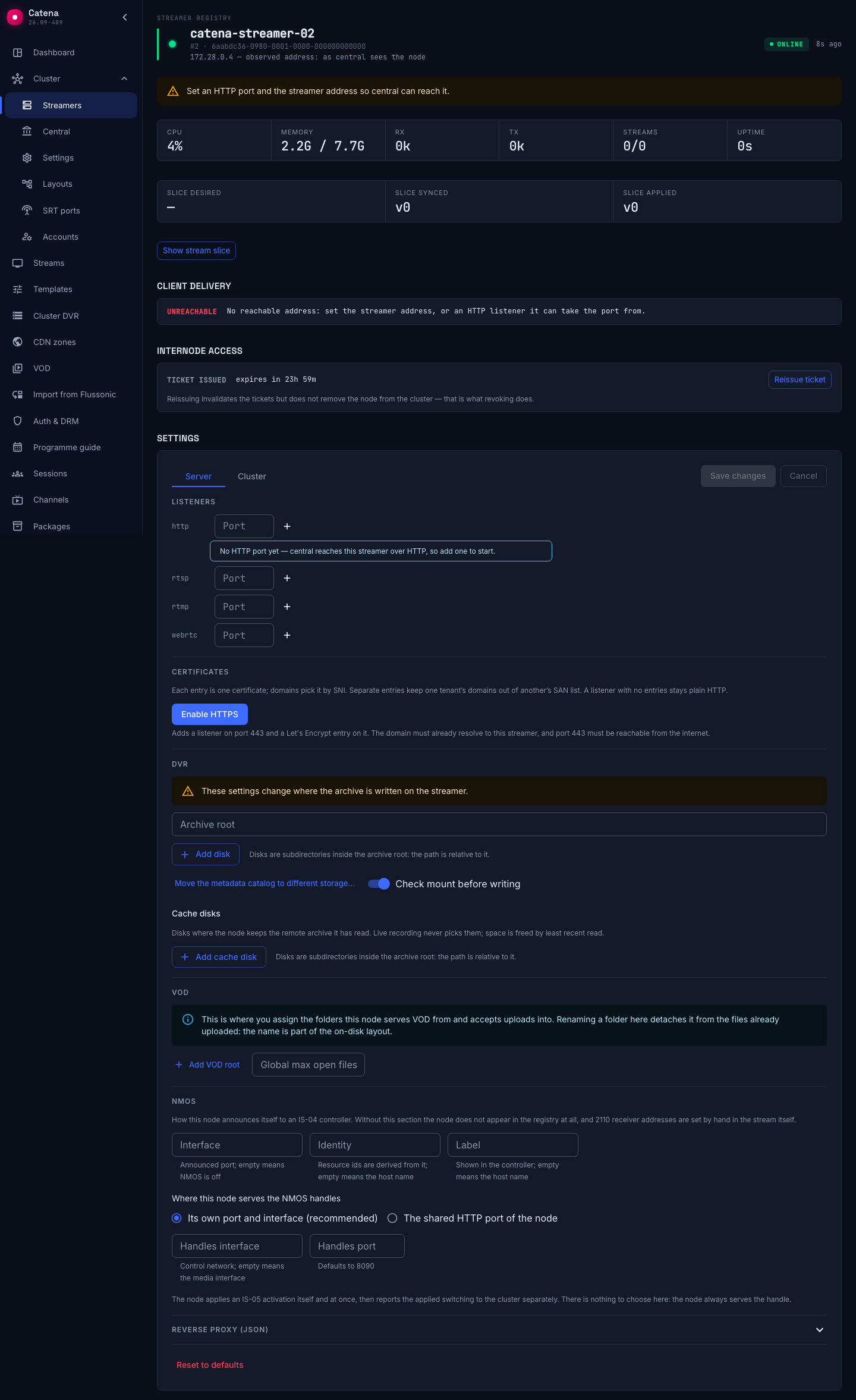
The pill in the header: Online — the streamer reports; Signal lost — it went silent within the last 15 minutes; Offline — silent for longer. Next to it — how long ago the last report came.
The card does not blank out a silent streamer's telemetry: CPU, memory, network and streams show dimmed, as the last known values — a banner says so. A freshly appeared streamer with no report at all shows empty telemetry.
Did the configuration arrive
Central delivers a configuration slice to the streamer; the card shows three versions, and comparing them is the main tool for "where did it get stuck":
- Slice: desired — what central wants on the streamer (and when that changed).
- Slice: synced — what the streamer has managed to fetch.
- Slice: applied — the version it actually runs.
The trio reads like this: desired moved ahead while synced lags — the streamer is not fetching: it is offline or has no network to central. Synced caught up but applied lags — the streamer fetched but could not apply: read its log on the machine itself. All three equal — delivery is fine, and the problem lives elsewhere.
The streamer's own settings have the same mechanics in miniature: the Saved → In flight → Applied indicators in the form.
What was delivered to the streamer
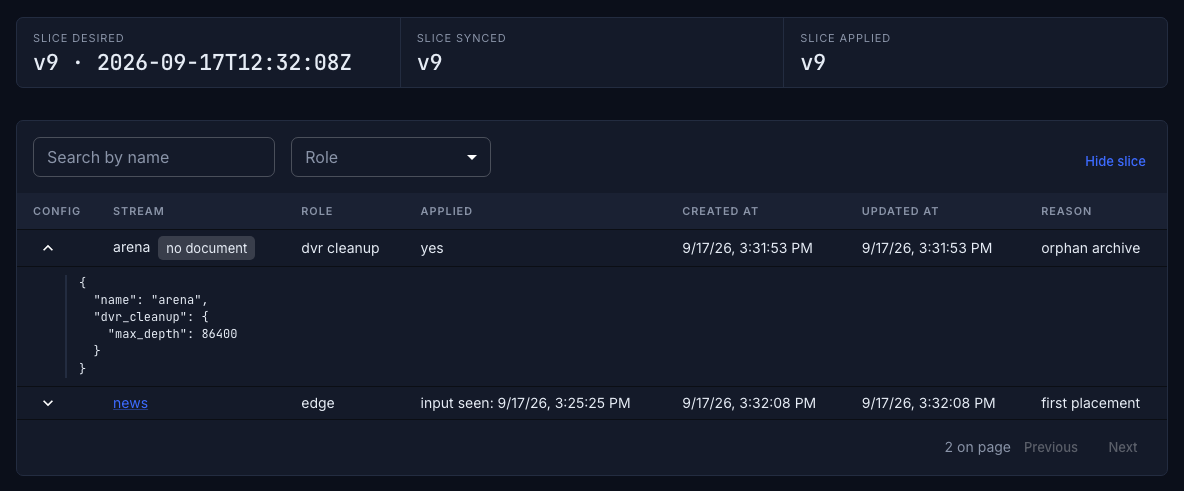
The version trio says where delivery got stuck. What exactly sits on the streamer is shown by the Show stream slice button under it: this machine's placements in pages of 50 rows, with a search by the start of the name and a filter by role. The row is the same as on the stream's Layout tab, and the arrow in the Config column likewise opens the server stream config that went to the machine.
A stream marked no document is an orphan: the stream is gone, its archive on this machine lives out its days under the dvr cleanup role, and it has no page.
Can central reach it
The registry row and the card may carry a reachability chip — central saying it cannot call the streamer's management API:
- no api_url — the address is not set;
- no api_auth — the authorization is not set;
- api_auth shadowed locally — the machine's environment overrides the authorization;
- API unreachable — the address is set but nothing answers: the network or the service on the machine.
The first three are fixed in the streamer settings — the chip is clickable and leads right there. The consequence of any of them is the same: the streamer's sessions vanish from the output, even though the streams keep working.
Lower in the card — the Client delivery block: how viewers get media off this streamer — in-process, redirect, proxied by central — or a red unreachable when nothing is set. A separate warning: a certificate is issued for the name, but the delivery base is still http://.
Are the disks intact
The DVR disks block — a bar per disk: the fill level (turns yellow at 85%, red at 93%) and the state when it differs from working: suspect, degraded, read-only, removed. Two states take the disk out of writing entirely:
- disk unavailable — the archive root is missing or unreadable;
- not mounted — the root landed on the system partition; writing is forbidden until the disk is mounted separately (or the mount check is deliberately disabled in the settings).
A red disk here is the red DVR indicator on the streams: recording degrades or stops.
Certificates
The Certificates block shows the fate of each of the streamer's TLS entries: issued — with time to expiry (the row turns yellow two weeks ahead), pending, failed — with the ACME error text in place. Configuration lives in the streamer's form.