Session lifecycle
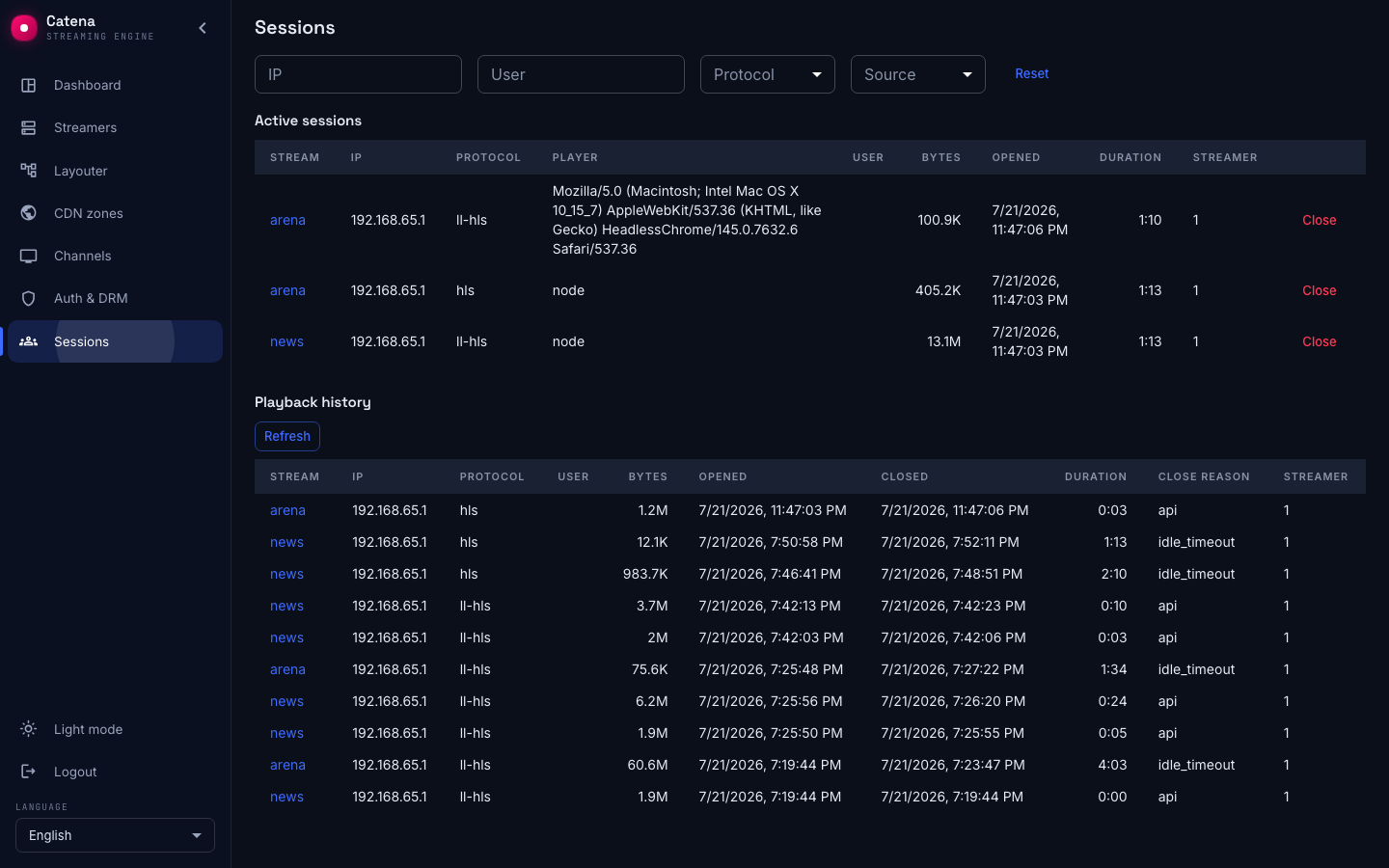
A session is one viewer playing one stream. The moment a viewer is authorized and starts pulling, a session opens on the streamer; when they stop, it closes and moves to the history. The Sessions screen shows both halves of that life — who is playing now, and who played recently. The same table lives on the Delivery tab of a stream's page, filtered to that one stream.
Every session is here whichever way its viewer was authorized — a Catena ticket, your own backend, or a shared token. Authorization decides whether a viewer gets in; the session is what exists while they watch.
Open sessions
An open session is a viewer playing right now. The table refreshes every couple of seconds:
| Column | What it shows |
|---|---|
| Stream | Which stream the session plays; for a VOD session — the asset key with a link to its card |
| IP | The viewer's address |
| Protocol | What it pulls with: hls, dash, mpegts…; the DVR badge — the session watches the archive, not the live air |
| Player | The client's user agent |
| User | The user id, if the player passed one; the shared chip — different clients play under one user at the same time |
| Bytes | Served to the session; the counter updates at the streamer's checkpoint cadence — seconds on a small installation, tens of seconds under load |
| Opened, Duration | When it started and how long it lasts |
| Streamer | Which streamer serves the viewer |
The filters above the table — IP, User, Protocol, Source (Live and DVR / Live / DVR) — apply to both the open table and the history; Reset clears them all.
SRT sessions
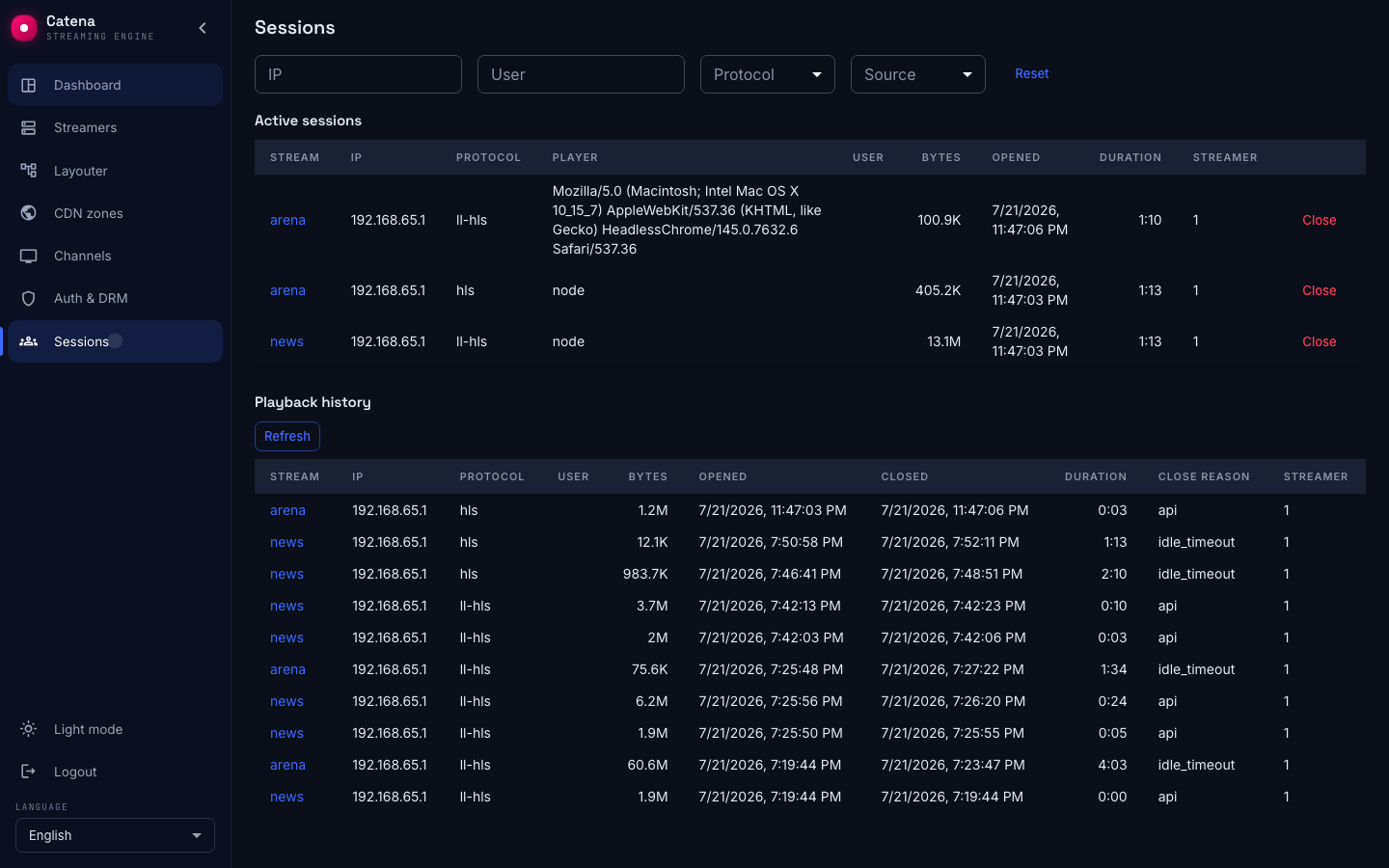
A session that pulls the stream over SRT carries a Quality chip in the row. The chip shows the current SRT health verdict: ok, degraded or bad, together with the current RTT and loss share. The color changes as the path recovers or degrades.
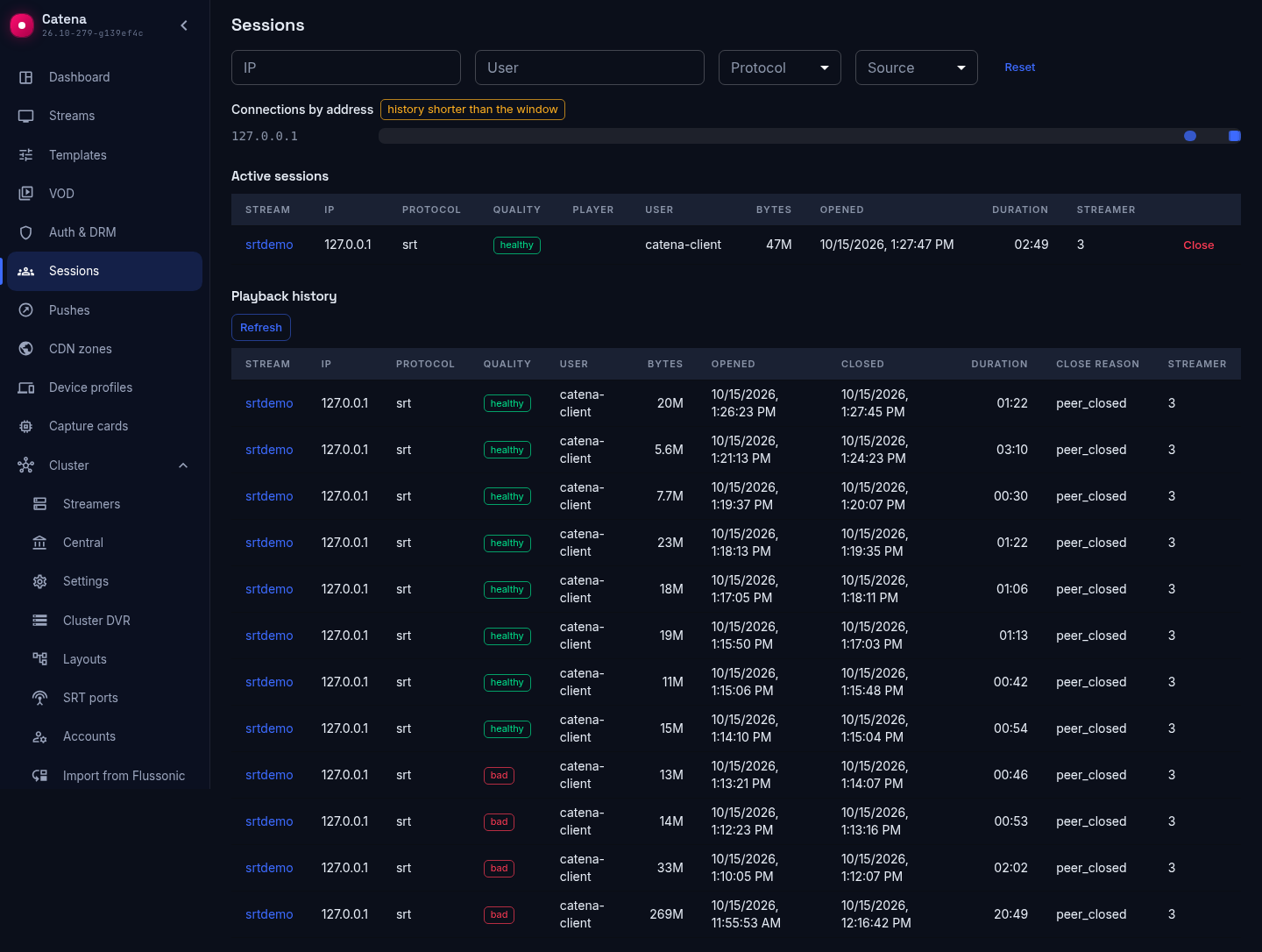
Click the quality chip to open the detail panel. It shows accumulated packet values — sent, lost, retransmitted, NAKs received, RTT and send buffer — and per-minute charts of RTT, loss, recovery and bitrate.
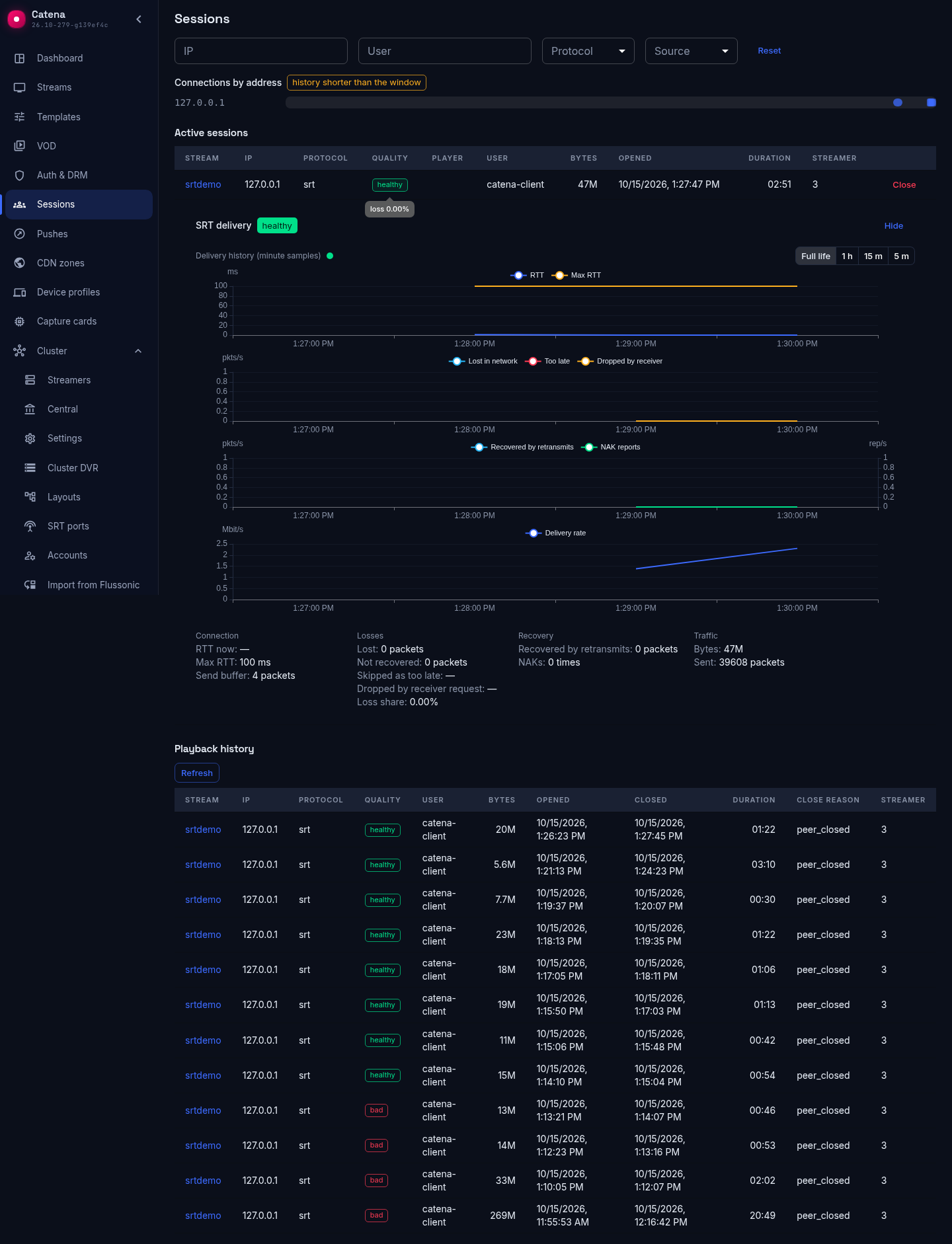
The charts carry the client's cross-session history, not only the open session: on a shared time axis are all the sessions of the same user within the store window. Each session is its own line, named by the device's address; a joint between lines is a reconnect, a gap is a pause between sessions. Devices of one client do not mix: the lines run side by side and are told apart by their names.
Above the charts is the horizon selector: full available history, 1 hour, 15 minutes, 5 minutes. It narrows the window to its tail without changing the slice: the history stays per client. Zooming inside the window is by wheel or pinch, synchronously across all the charts.
Next to them is the connections-by-address chart: intervals of "the address was connected" on the time axis, and a click on an interval opens the session. When the window's history does not fit into a single fetch, the chart says so and is built from the window's latest sessions, not its full depth.
The health verdict stands in the panel header of an active record. A closed record keeps no verdict: how its life ended is read from the charts.
The same detail is available for closed SRT sessions in the playback history, frozen at the lifetime window of each session.
Close a session by hand
The Close button in a row tears the session down on the streamer — with a confirmation: the player will have to open a new one. It is a diagnostics and cleanup tool, not a ban: a live player usually reconnects within seconds. Keeping a viewer out is a job for playback authorization, not for this screen.
When a session closes
A session leaves the open table and lands in the Playback history — sessions closed over the last day, with Closed and Close reason added to the columns — for any of these reasons:
- The viewer stopped. The player closed, or simply went quiet: after a short idle timeout with no more segments pulled, the streamer closes the session on its own.
- You closed it from the screen above.
- The ticket was revoked, or hit its screen limit — the streamer drops the viewer within seconds (see Catena tickets).
- The ticket expired — a ticket carries a hard end time, and a session cannot outlive it.
The history does not refresh on its own — re-read it with the Refresh button.
A cluster hiccup does not interrupt a viewer
Admission happens on the streamer, not in the middle of playback. With a Catena ticket the streamer checks the ticket itself — signature, expiry, scope, and its local revocation list — with no call over the network to admit a viewer. So if a streamer briefly loses contact with the rest of the cluster:
- Viewers already watching keep watching. Their sessions live on the streamer that serves them; nothing central is on the playback path.
- New viewers still get in. A valid ticket is admitted offline, with no round-trip to anyone.
- Revocations catch up on reconnect. The streamer rebuilds its revocation list from the cluster the moment contact returns, before it admits the next viewer, so a ticket cancelled during the gap is refused as soon as the link is back.
The one thing that does go dark is reporting, not playback — see below.
When sessions are missing from the screen
If central cannot reach some streamer's management API, a banner appears above the tables: those streamers' sessions are absent from the output — from the open list and from fresh history alike. The streams keep working and the viewers keep watching: it is the reporting that goes dark, not the delivery.
The fix lives in the streamer's reachability: in the registry such a machine carries a reachability chip, and it leads to the cause.