VOD copies and balancing
An asset uploaded to one streamer plays only from it: when the streamer goes down the asset is unavailable, and all its viewers sit on one machine. A copy of the asset on another streamer lifts both limits. Central spreads viewers across the streamers that hold the asset, a failed streamer drops out of the choice, a returned one comes back into it.
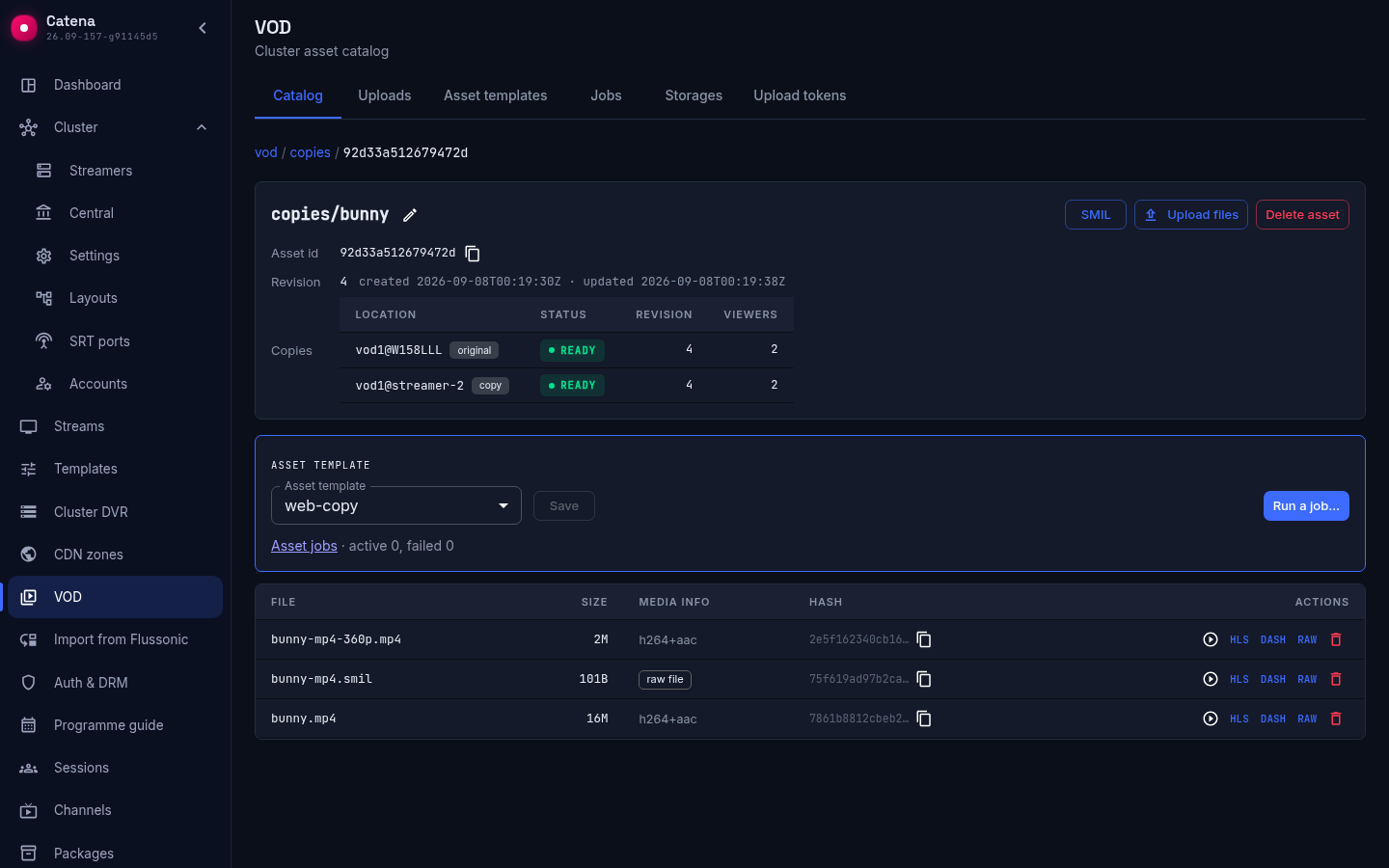
A copy is not a separate entity: it is made by the same job as transcoding, by an asset template. In the asset card a copy shows as one more location next to the origin.
How many copies
The template form has the field Copies on other servers: no copy, 1, 2 and so on. The number counts besides the origin: 1 means the asset will lie on two streamers. The list offers as many copies as fit into the cluster — streamers with a VOD storage minus one; the hint under the field names their number. The API accepts a number above the list, but the job will then wait until a streamer for the copy appears.
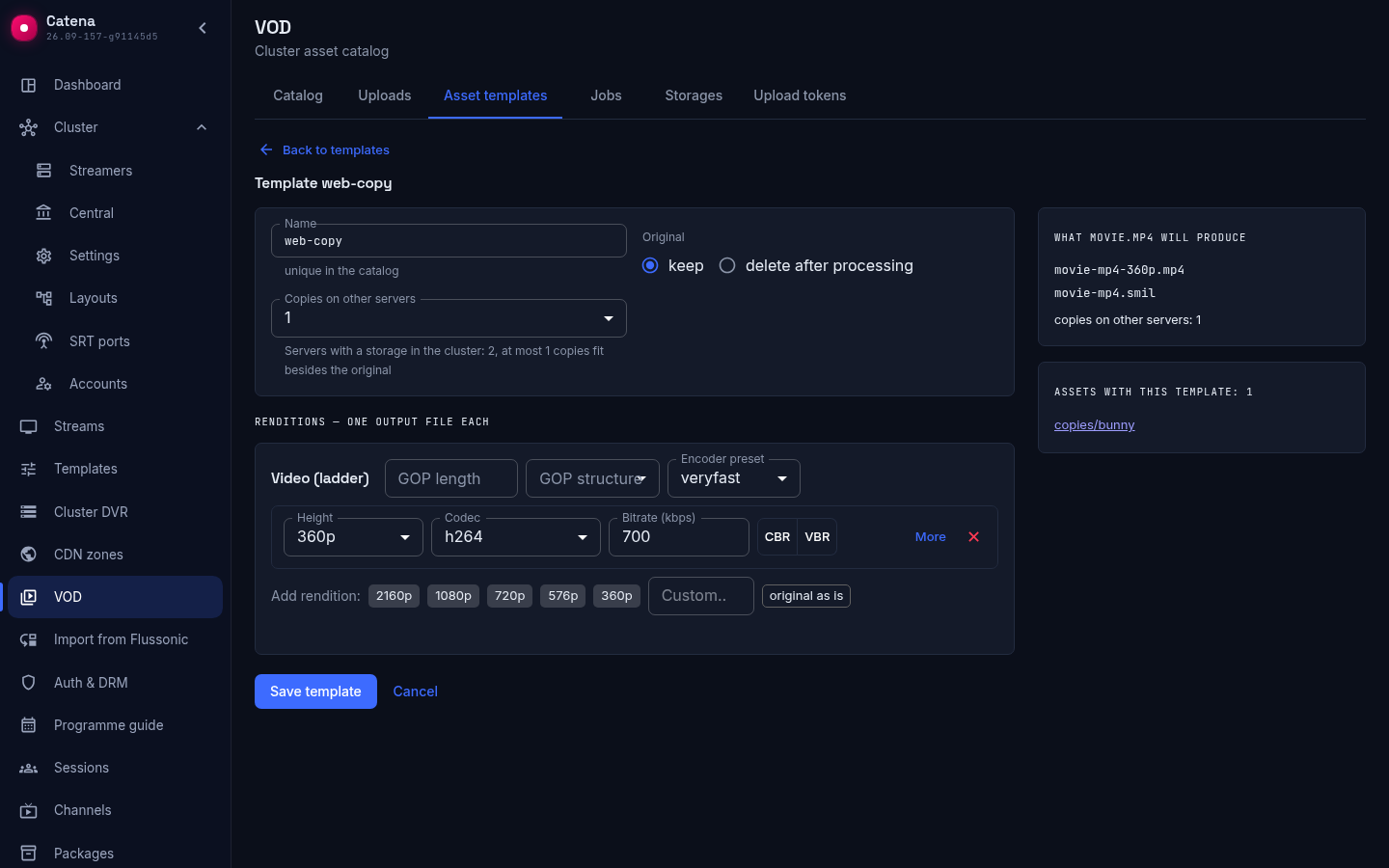
Copies are made by every job under this template: the one queued automatically after upload and Run a job… in the asset card. The copy receives the job outputs, the descriptor and all other files of the asset that are not there yet — a poster or subtitles uploaded later also arrive with the next job. The original under delete after processing is not copied: it will be deleted anyway.
A template with only a copy and no renditions is also allowed: this is how ready files are copied without transcoding anything.
Where the copy goes
The operator does not choose the streamer for a copy; central chooses it when handing out the job:
- the streamer is online, with an available VOD storage whose journal central can read;
- the Copying role is on for the streamer (see below);
- it does not hold this asset yet, neither the origin nor another copy — one copy per streamer, otherwise a machine failure would not save the viewers;
- free space is at least the
vod_min_free_bytesthreshold (1 GiB by default) plus the size of the asset files.
Of the suitable ones the freest is taken. Existing copies of the asset are always brought up to date, new ones are started while there are fewer copies than set.
If there is no streamer for the copy, the job waits in the queue and spends no attempt; the job registry names the reason in words:
- no server — there is no streamer with the copying role that does not hold this asset;
- no room — there are streamers, but their storages are full;
- copy storage is not ready — the streamer of an existing copy is offline or full;
- the copying role is switched off — the streamer already holding the copy was taken out of copying; return the role, and the same job finishes the copy.
A streamer appears, space frees up or copies are switched on — the job leaves on its own.
How the copy arrives
The copy is made by a separate copy job on the target streamer: in the job registry it is marked copy next to the streamer name, and its card names the parent — the job whose outputs are being delivered. Central creates it once the parent is done, or straight away when the template is a copy alone. The target streamer reads the files from the streamer holding the origin over the internal cluster address on its own, checks size and hash against the catalog and publishes them locally; neither central nor the origin streamer pushes any bytes. Copies run in their own lane and take no transcoding slots.
The copy job's card shows the copy chip next to the status and, while bytes are moving, the copy download chip; below the progress bar, instead of processed time and transcoding speed, stand Transferred — how many bytes have arrived out of how many — and Transfer speed. The details name the Copy server, the Files this job carries and the Parent job with a link; the parent's own card lists its copies in the result with the server and status. The job becomes done once every file has been received.
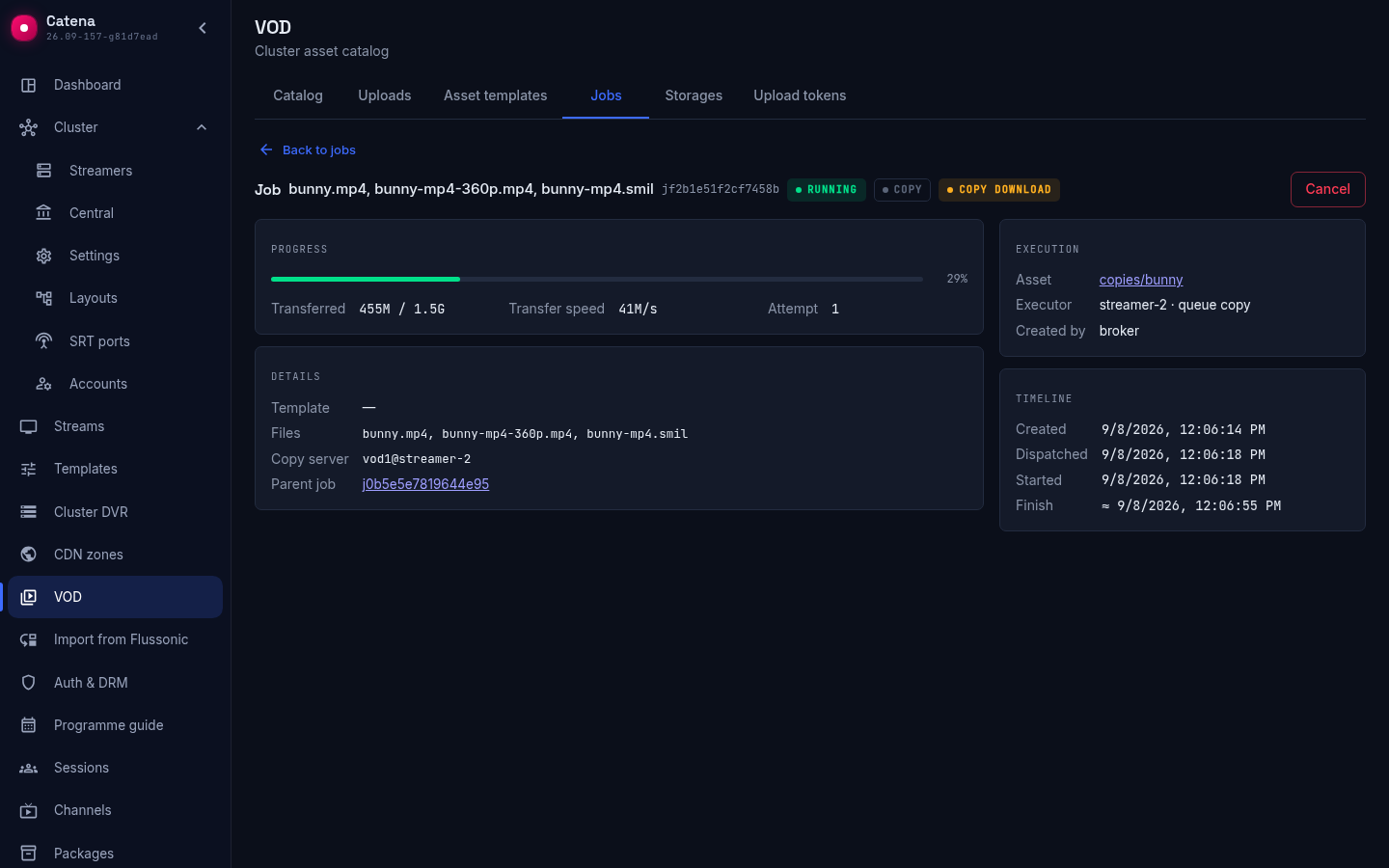
If there is nothing to copy because the copy already holds everything, the parent is marked copy skipped with a hint why the copy was not needed. A broken read or a hash mismatch closes the copy job with an error, and the broker repeats it with a new attempt over the current asset contents.
Streamer roles
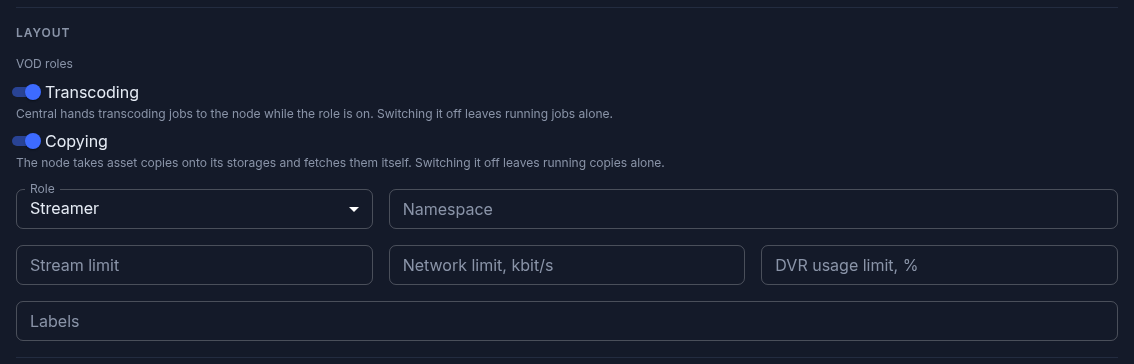
Which VOD work central hands to a streamer is decided by two streamer roles in the streamer settings, in the Role and placement section: Transcoding — the streamer receives transcoding jobs for its assets, Copying — the streamer takes copies of assets onto its storages and fetches them itself. Both are on by default. A role is central's decision, a capability is a property of the build: a streamer built without a transcoder backend shows a note under the switch and gets no transcoding jobs whatever the role says.
Switching a role off stops only the handing out of new work. Jobs the streamer is already running finish and stay visible in the registry; they can be cancelled there one by one. A copy that has not started yet moves to another streamer if there is one; a copy bringing an asset that already lies on this streamer up to date waits for the role to return. Everything the streamer holds keeps being served, and uploads to its storages are not restricted. That is how a machine is taken out for maintenance or handed to other duties without touching its contents.
When a role is switched off on a streamer with unfinished jobs, the console warns how many there are and that they will finish, and switches the role off only after confirmation.
How viewers play
The playback link is the same whichever streamer serves the file: it carries the asset id. On every request central picks, among the ready locations of the asset, the streamer with the fewest sessions — on a tie the first by name — and sends the player there with a redirect; from then on the viewer watches from that streamer to the end of the session. Between streamer reports central also counts the viewers it has just directed, so a hundred players arriving within a second are split evenly instead of going to one machine.
A streamer that stopped reporting to central drops out of the choice when its liveness expires (liveness_ttl_secs, 30 seconds by default). Viewers already playing from it finish or reconnect on their own; new requests go to the live copies, and the link does not change. A returned streamer receives viewers again after its first report. An asset with no live location at all answers 503 with Retry-After.
Streamer choice for streams works differently and does not change here: see Stream playback.
What the console shows
In the asset card the Location table shows every streamer with the asset: original or copy, status, revision and Viewers — how many sessions of this asset play from it right now.
In the Sessions section a VOD session sits in the Stream column with the asset key and leads to its card; the Streamer column shows which machine the viewer watches from. On the Streamers page the Sessions column gives the overall picture per machine.
What next
- VOD transcoding — asset templates, jobs and their cards.
- VOD catalog — the asset card, locations and playback links.
- Streamer settings — VOD storages and streamer roles.