Stream with an MPEG-DASH source
A Catena stream can pull a source served as an MPEG-DASH manifest: the streamer follows the manifest like an ordinary player, downloads the segments as they appear and passes their frames on — to the transcoder, the archive and delivery. This is how you take a signal from a partner, from someone else's CDN, or from equipment that serves nothing but DASH.
This page is about what makes DASH different from the other sources. The general way sources work is on the Stream with an external source page; several sources with priorities are on the Input failover page.
Add the source
Open the stream's page, go to the Sources tab, press + Add Source and pick the MPEG-DASH protocol. Type the manifest address into the URL field and press Save:
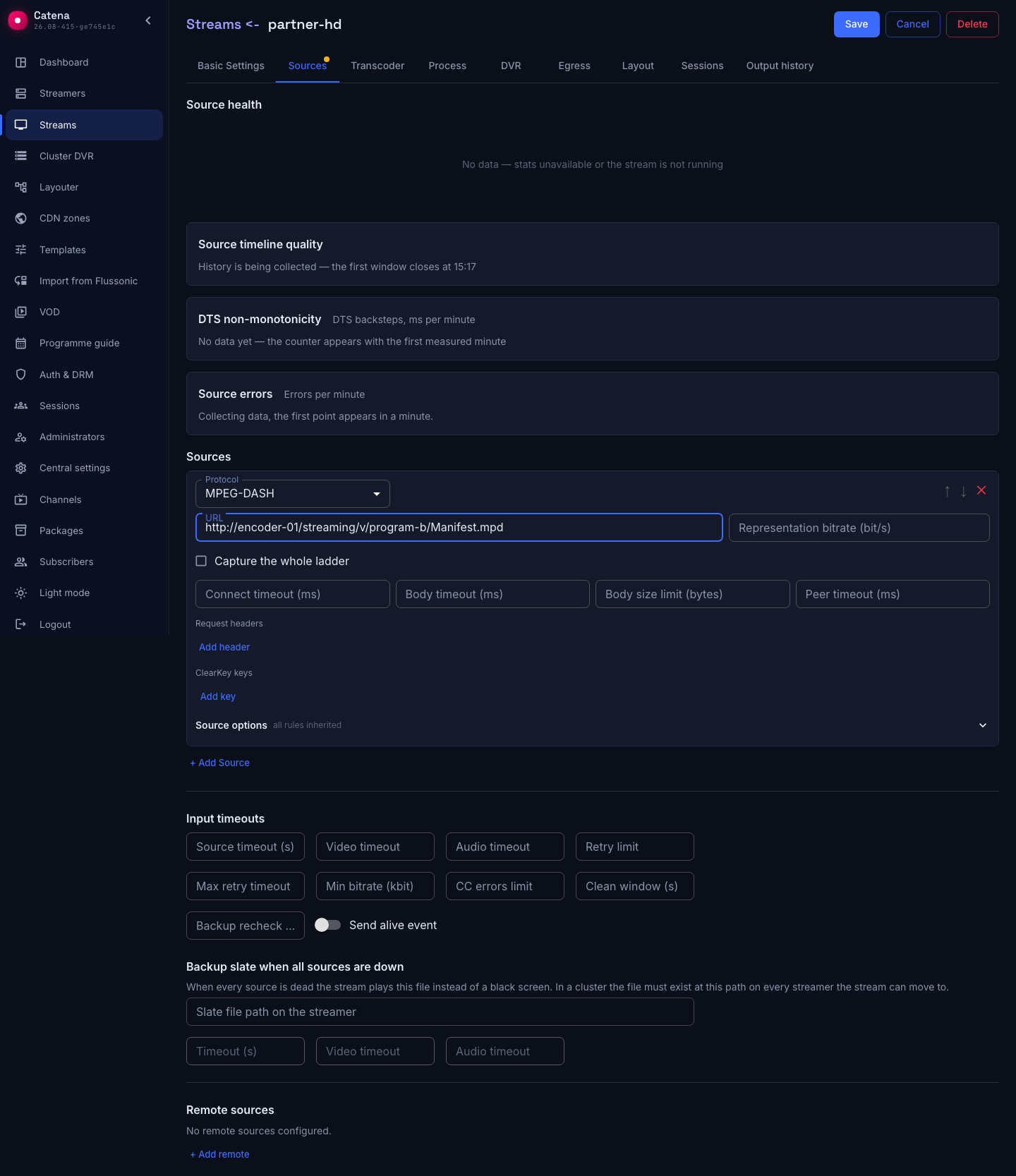
The address is an ordinary link to the manifest, http://…/manifest.mpd or https://…/manifest.mpd; the streamer recognizes a manifest on its own. If your source serves the manifest at an address without the .mpd suffix, write it with the dash:// scheme (or dashs:// for HTTPS) — the same capture, just stated explicitly.
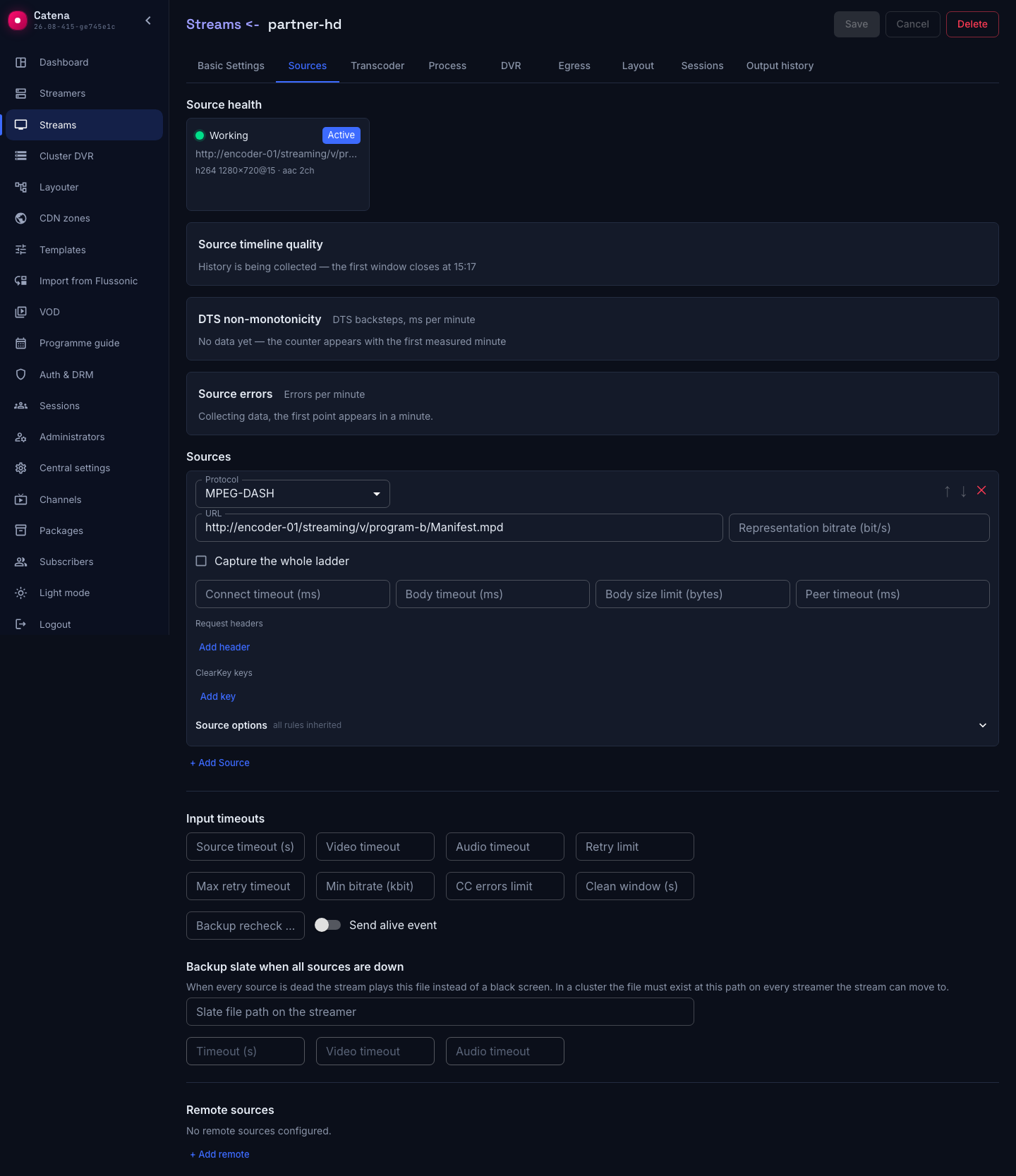
A few seconds later the source health card reports Working and the tracks it parsed — the streamer is following the manifest:
What the streamer does with the manifest
- Capture starts at the live edge. Whatever sat in the source's time-shift window at the moment of connection is history, and it is not downloaded. For the same reason the streamer does not catch up after a drop: a minute of downtime stays a minute instead of arriving as a burst in the live output.
- The source dictates the manifest refresh period. The streamer re-reads the manifest as often as the manifest itself declares (
minimumUpdatePeriod); there is no setting for it, and there should not be — overriding someone else's value with your own buys either wasted traffic or missed segments. - A new period in the manifest is a timeline discontinuity. An ad break, a blackout and a change of encoding profile are indistinguishable from the outside: the streamer announces a discontinuity and re-reads the track description.
- The source may move. If a manifest carries a
Locationelement, subsequent refreshes go to the new address — that is how sessions are handed out; the address in the stream's settings stays as it was. - The source's time is already calendar time. DASH anchors segments to UTC by the protocol itself, so the archive and rewind land on the calendar scale with no guessing from the wall clock.
- The end of the broadcast ends the capture. When the source closes the broadcast, the streamer delivers the remaining segments and stops polling the manifest.
The source's fields
An empty field means the server default — fill in only what you really need to change.
| Field | What it does |
|---|---|
| URL | The address of the source's manifest |
| Representation bitrate (bit/s) | Which representation to take: the closest one below the given number. Empty — the top one in the set |
| Capture the whole ladder | Take every representation of the set instead of one — see below |
| Skew threshold (ms) | How far the representations may drift apart before the ladder counts as skewed |
| When representations are skewed | What to do about that verdict |
| Connect timeout (ms) | How long to wait for the connection to the source; the default is 5000 |
| Body timeout (ms) | How long to wait for the response body; the default is 15000 |
| Body size limit (bytes) | A cap on a single response: a mistakenly huge answer will not exhaust the streamer's memory |
| Peer timeout (ms) | How long to wait for frames before the source counts as lost |
| Request headers | Extra HTTP headers, Authorization first of all. They go with the manifest and with the segments; the values never reach the logs |
| ClearKey keys | Keys for a protected source — see below |
The last two fields are lists of pairs: a header enters the document as soon as it has a name.
One representation or the whole ladder
By default the stream takes one representation — the top one by declared bitrate, or, when Representation bitrate is set, the closest one below it. That default is deliberate: capturing the whole ladder multiplies both the incoming traffic and the number of the stream's tracks, and shortens the archive on the same disks by the same factor.
The Capture the whole ladder checkbox turns on the capture of every representation in the set. You want it when the source already serves a finished quality ladder and there is no point in transcoding it again — the stream delivers to viewers exactly what it pulled in.
A ready-made ladder has a trouble of its own: the representations arrive as independent files and may drift apart in time, and a player switching qualities stutters at such a seam. The streamer measures the skew continuously, compares it against the Skew threshold (ms) field and acts on the verdict as told by the When representations are skewed field:
- Keep the ladder, report the skew — the default: the capture continues, and the skew is visible in the stream's statistics and in the log.
- Fall back to a single representation — the capture restarts with one representation. The fallback happens once in the source's lifetime; otherwise every restart would raise the ladder again and trip over it again.
The streamer decides what the ladder consists of once, at connection time. A representation that shows up in the manifest later is picked up only when the input restarts — after its settings are edited, for instance.
A protected source and ClearKey keys
If the manifest declares content protection and no keys are set, the source is rejected with an error naming the protection scheme. That is deliberate: encrypted segments parse as a structure and yield frames of garbage instead of a picture, and without an explicit refusal the fault gets hunted down in the codec.
To take such a source, fill the ClearKey keys block with Key id — Key pairs. Both halves are written as hexadecimal strings, and the id is also accepted as a UUID with dashes. The streamer decrypts the segments under the cenc scheme and works with them as with ordinary ones.
What is not here and will not be is talking to Widevine, PlayReady and FairPlay license servers: they require a trusted execution environment on the viewer's device, which a streamer does not have. Their declarations next to the cenc scheme in the manifest do not bother the capture and are simply ignored.
The key counts as a secret: it never reaches the logs, and the API returns it redacted. The key id is not a secret — it sits in the manifest in plain text and is needed for diagnostics.
Encrypting what the stream delivers to viewers is a different task and a different setting: Delivery encryption.
What the capture does not do
- Segment-template addressing only.
SegmentListandSegmentBaseare not supported; such a source is rejected with an error naming what exactly it met in the manifest. - fMP4 containers only. The streamer expects nothing else inside DASH segments and does not try to guess.
- Subtitles are not captured. Sets of type
textare skipped, which leaves a record in the log. - A recording will not become a source. A static manifest is VOD, not a broadcast; it is rejected with an explicit reason. Files live in the VOD catalog.
If the source does not come up
- The reason names a protection scheme. The source is encrypted — fill in the ClearKey keys.
- The reason names
SegmentListorSegmentBase. The source is not addressed by a segment template; the capture does not support such a manifest. - The reason names a static manifest. You gave a link to a recording rather than to a broadcast.
- Answers
401or403. The source demands authorization — add anAuthorizationheader under Request headers. - The manifest refreshes, but there are no frames. That is what a manifest left behind by a dead broadcast looks like: time moves on, addresses are computed, and the requests for segments answer
404. The stream will finish such a source off by the peer timeout. To tell the two cases apart use source diagnostics: the time of the last manifest refresh and the time of the last delivered frames are counted separately. - Segments answer
404right after the start. In DASH the moment a segment becomes available is computed from the clock, so a clock offset between the streamer and the source breaks the capture. Check time synchronization on the streamer's machine. - The stream does not start and the reason names the DASH ingest limit. Your license has no room for this input — it is counted separately from HLS. Talk to your manager about extending the license.