Input failover
A source going down must not be an event for the viewer. That is what multiple sources are for: the streamer keeps the stream on air off the most important live one, keeps an eye on the rest, and returns to the primary on its own once it recovers. This page sets up a standby and shows what happens at the moment of failure.
Set up a standby
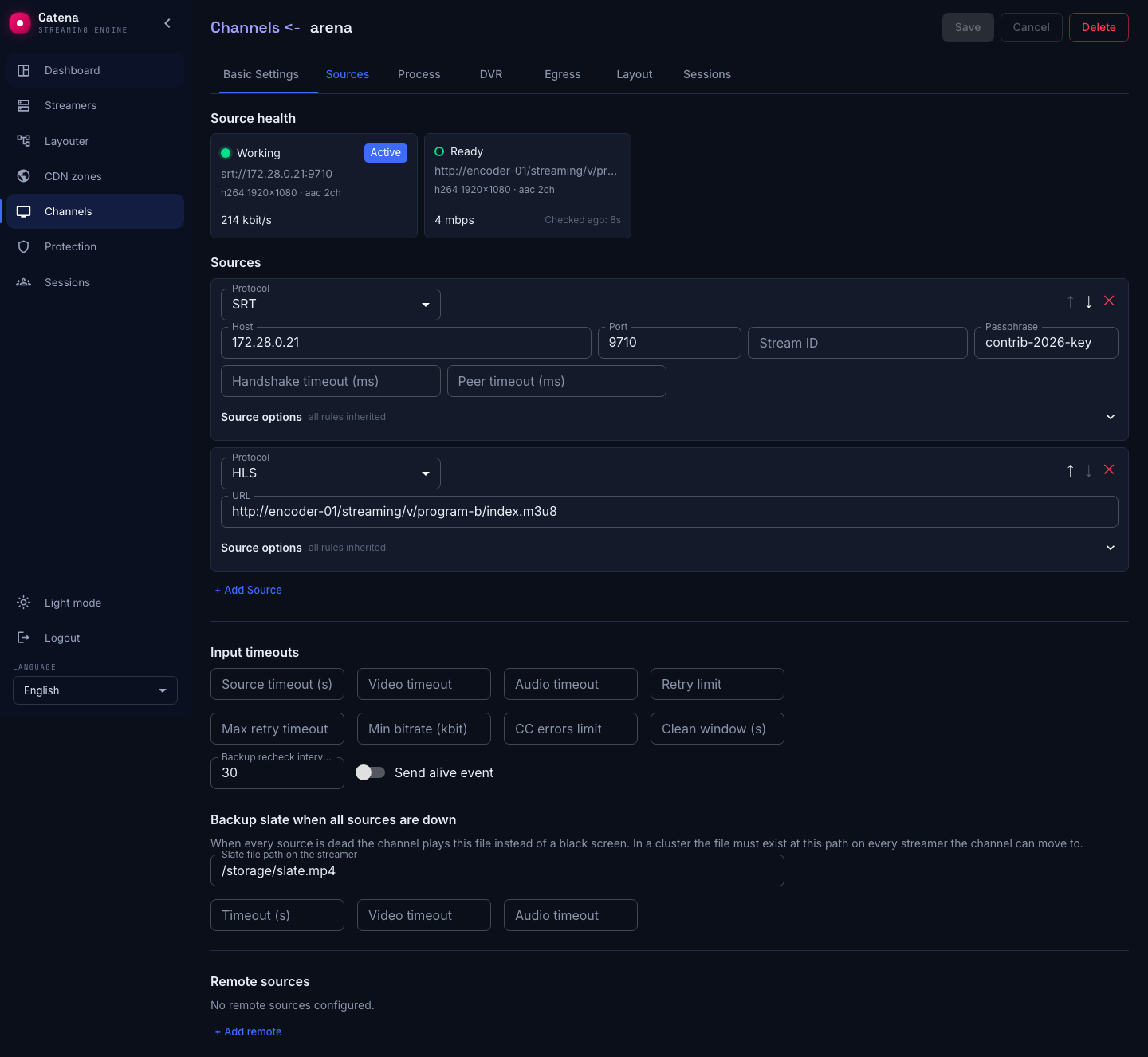
Add a second source to the stream. A typical pair: the primary — an SRT contribution from the on-site encoder, the standby — HLS from a backup point.
- The list order is the priority: the higher the source, the more important it is. The ↑ and ↓ arrows reorder the list. The Priority field in the source options overrides the list order; a smaller number wins.
- Set the «Backup recheck interval (s)» in the Input timeouts block —
30, say. The streamer will probe the standby periodically while it is off air, and its card will read Ready — verified, just not active. Without rechecking, the standby's health is an act of faith until the very moment of switching;0disables rechecking.
The failure rules
Every source carries a Source options panel. Collapsed, its chips show what is set; empty fields inherit the stream-wide rules from the Input timeouts block — so thresholds are set once per stream and overridden only where needed.
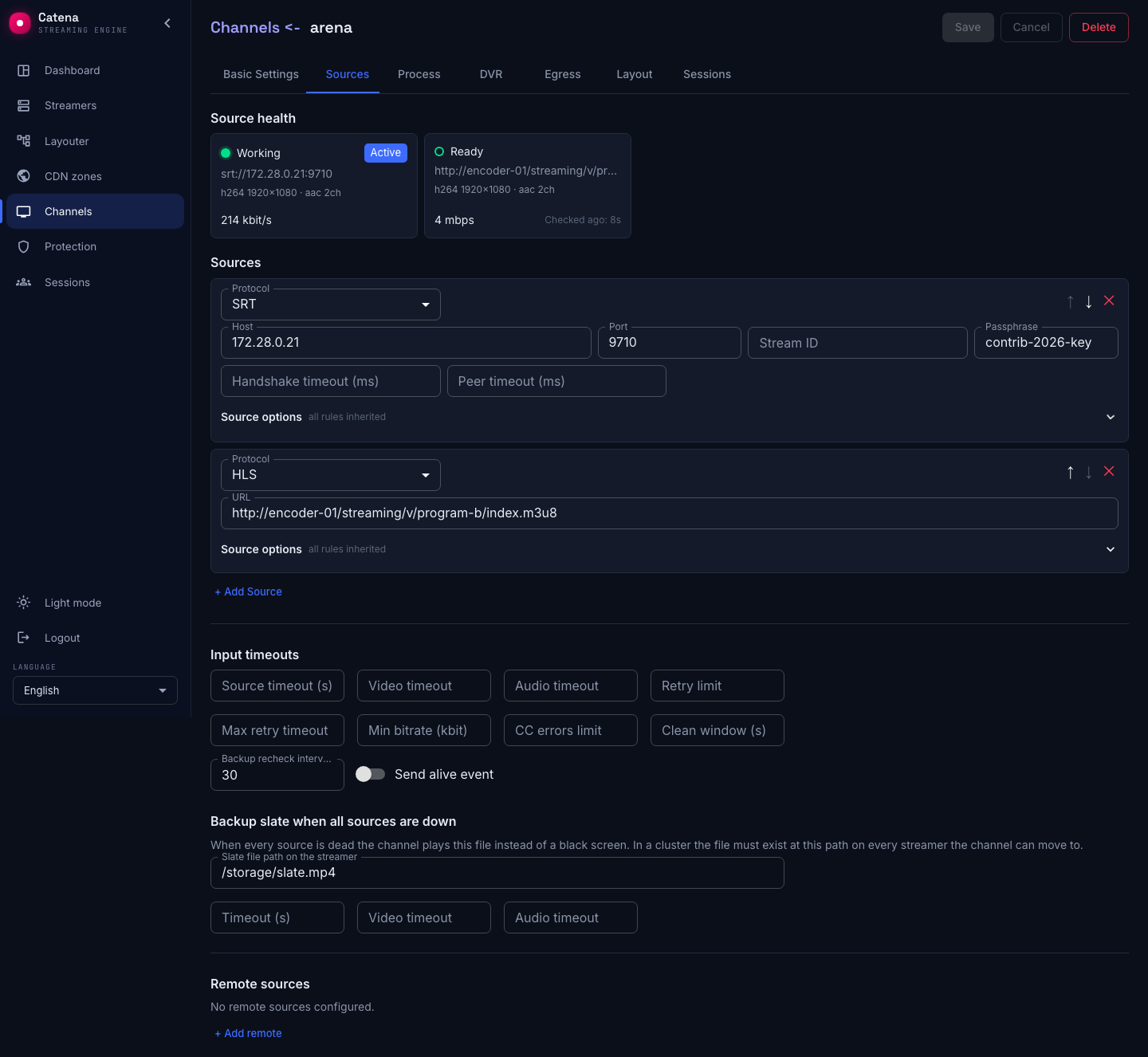
The fields come in three groups — by what the streamer does on a violation:
- When the source is dead — hard failures, switch immediately: Source timeout (s) — no frames at all for longer than set; Video timeout — no video; Max bitrate — bitrate above the ceiling, protection against junk on the input.
- When the source is degraded — soft failures, switch only if a better source exists: Audio timeout — audio is gone; Min bitrate (kbit) — bitrate below the floor; CC errors limit — the MPEG-TS continuity error counter, present only on TS protocols (SRT, MPEG-TS over UDP and HTTP).
- Recovery and retries: Clean window (s) — how many consecutive seconds without violations the source must serve to count as working again; Max retry timeout — the ceiling on the pause between reconnect attempts; Priority.
The slate for the worst case
What does the viewer see if every source dies? By default — a black screen. The Backup slate when all sources are down block at the end of the tab gives the stream a last line: a prepared file — "back soon" — that plays until at least one source comes back to life.
- Slate file path on the streamer — the path to a file on the streamer's disk. A path set means the slate is on; clear the field and the whole setting is removed.
- The timeout fields next to it control how quickly the stream declares the sources dead and falls to the slate.
In a cluster the file must exist at this path on every streamer the stream can move to: the slate is played by whichever streamer runs the stream right now.
What happens on failure
The primary dies — the streamer switches at once to the most important live source. In the stream list the row is highlighted amber: the stream is alive but not running the way it was meant to. The red dot at the head of the source chain is the fallen primary.
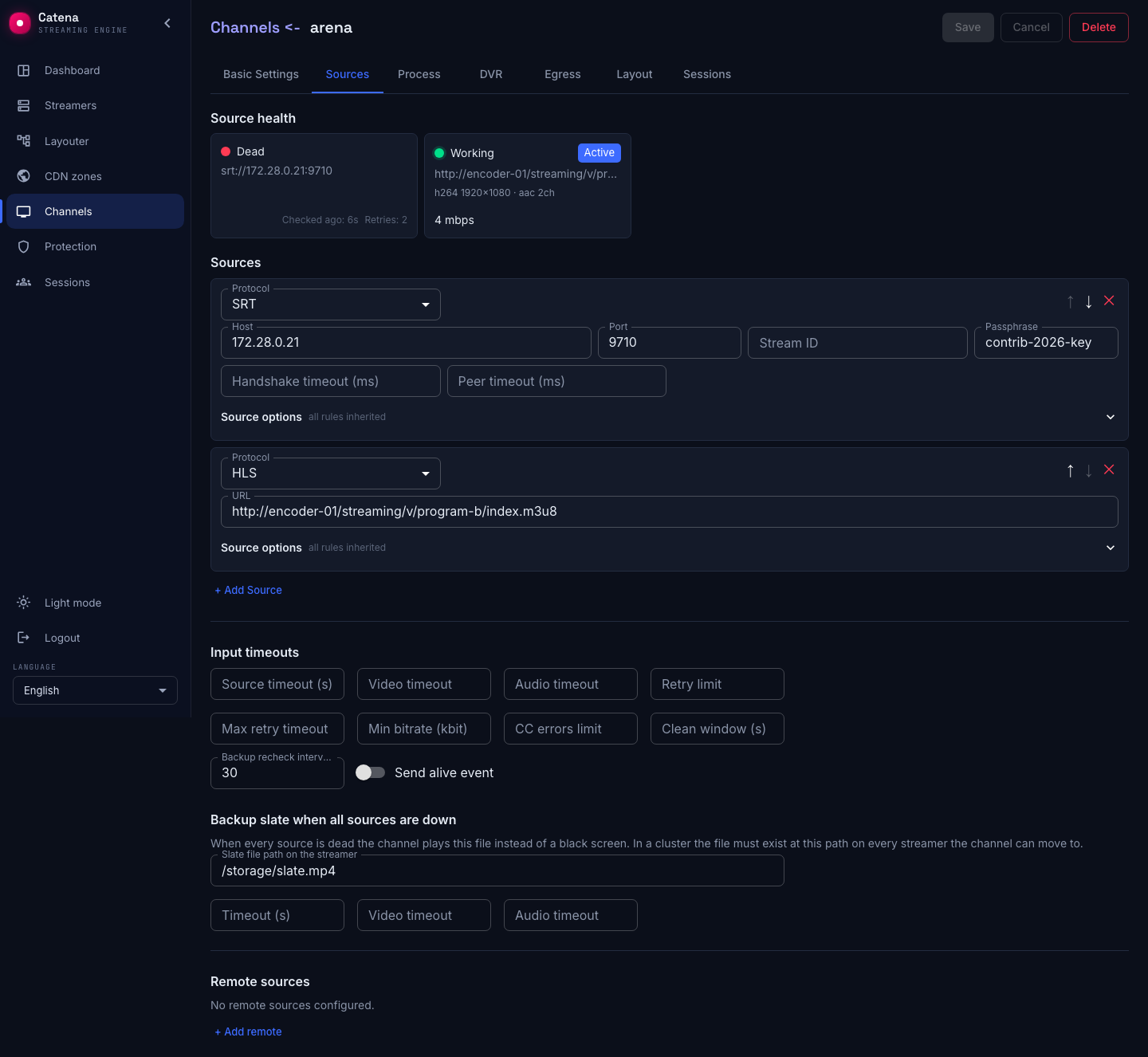
The return is deliberately conservative: a recovered primary must serve the clean window without a single violation, and only then does the streamer switch back. That is the pendulum guard — a source that comes up for ten seconds and falls over again no longer shakes the air.
If the standby misbehaves
- The stream bounces between sources. Raise the clean window: the source will have to prove itself for longer.
- The standby's card reads "Unchecked". The backup recheck interval is not set, the streamer never visits it.
- Switching feels slow. Lower the source timeout. Carefully: too small a threshold fires falsely on any network hiccup.
- The stream switched and never returns. Look at the primary's card: it either has not recovered, or cannot serve out the clean window — that is, it is genuinely unhealthy.