GPU transcoding capacity
The operator sets how much GPU transcoding a streamer can perform at once. The layouter uses this limit to choose where to process streams and where to move processing from when capacity is exceeded.
The limit does not apply to VOD jobs.
Set a streamer limit
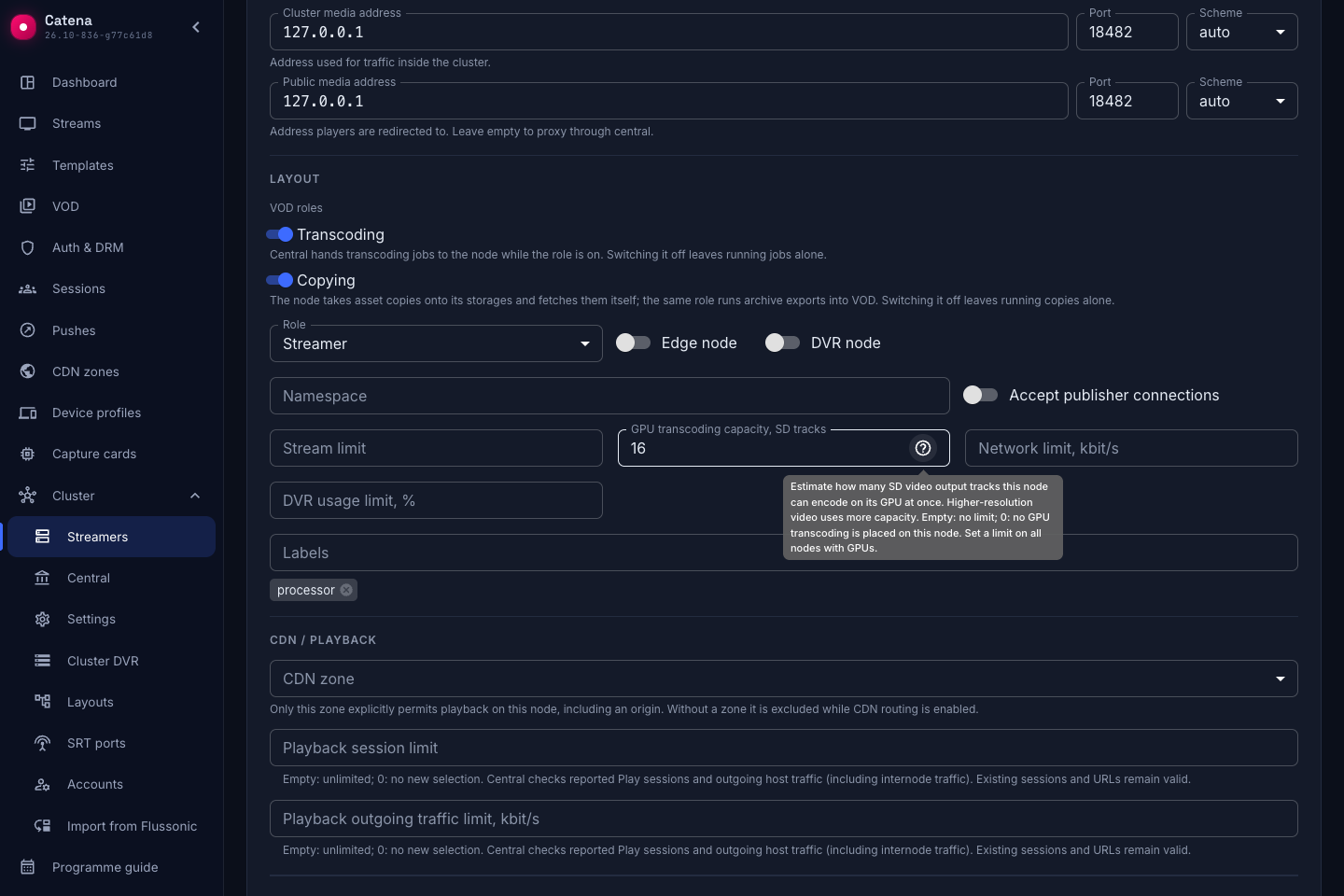
Open Cluster → Streamers, select a server, and open the Cluster tab. Fill in GPU transcoding capacity, SD tracks and click Save.
The ? tooltip explains the field. Values mean:
- Empty — no capacity limit.
- 0 — no new GPU transcoding assignments on this streamer; existing ones are considered for offloading.
- Positive number — the operator-defined limit in SD tracks.
We recommend setting limits on all GPU streamers so the layouter can account for each server's capabilities and distribute processing more efficiently.
To remove the limit, clear the field and save. After saving, the layouter recalculates placement. If running streams exceed the new limit, it tries to move them; if there is nowhere to move them, it stops some processing.
What an SD track means
Each encoded video output consumes capacity according to its resolution. A larger output uses several SD tracks; the costs of all GPU outputs of a stream are added together.
| Resolution of one output | Cost |
|---|---|
| 720×576 or smaller | 1 SD |
| 1280×720 | 3 SD |
| 1920×1080 | 5 SD |
| 3840×2160 | 20 SD |
For example, one stream's 1080p and 720p outputs together use 8 SD. Audio and outputs without GPU re-encoding do not consume GPU capacity.
Codec and frame rate do not change the cost. Account for their effect on actual performance when choosing the server's limit.
You do not need to specify input video dimensions in advance. Until they are known, the layouter uses an estimate: 1920×1080 if output dimensions are not set, or a 16:9 aspect ratio if only output height is set. Once input video parameters arrive, the layouter automatically updates the cost and revises placement if needed.
Active and waiting publications
A stream with an external source occupies capacity from assignment, including on-demand streams. A publication occupies capacity only after processing starts. Until the publication arrives, its assignment does not occupy capacity.
Accounting uses the status reported by the processing streamer. A publication with idle status or without received statistics is considered waiting.
Each waiting publication is still checked individually for fit. If 8 SD of a 10 SD limit is occupied, a waiting publication costing 5 SD is not assigned to that streamer.
There can be more waiting publications than the server can process simultaneously. As publications arrive, the layouter redistributes waiting streams according to server occupancy: a server with more available capacity receives more waiting assignments. Already running publications are not moved for this purpose.
Waiting for data or an error after processing has started does not confirm that processing has ended. Capacity remains accounted for; no output video does not mean GPU capacity has been freed.
When capacity is exceeded
Several encoders can start sending under the previous plan before central receives statistics and recalculates assignments. The streamer accepts a publication immediately according to its delivered configuration; the operator-defined limit itself does not delay startup on the streamer.
When the limit is exceeded, the layouter tries to move active processing, starting with the largest streams. If no stream can be moved, processing assignments are removed, starting with the largest, until the limit is met.
If processing stops and no other location is available, an unmet demand appears on the stream's Layout tab. Adding a suitable streamer or increasing the limit causes placement to be recalculated. Moving a running stream can interrupt video and leave a gap in archive recording.
Check placement
Open the stream's Layout tab. An unmet demand with transcoding capacity exceeded means no streamer with enough free capacity was found for processing. Check the configured limits and which GPU streams are already processed on those servers.
The server's total assignment count includes relay and archive roles. To check GPU capacity, look at stream processing with GPU transcoding separately from these assignments and CPU streams.
Repeated runs preserve placement when the inputs are unchanged. For node has no transcoding cards, check that the server detects its GPU. Increasing the operator-defined limit does not fix this error.
For incoming connections, see SRT publishing.