License information
The License page in the regular console shows the active license, its limits, and information about a hardware key. The page is available after signing in to the central server's console.
- Open the product console and sign in.
- Select License in the menu.
- Check the license state and the information you need.
The screenshots show the Agora console. The license page looks similar in other products.
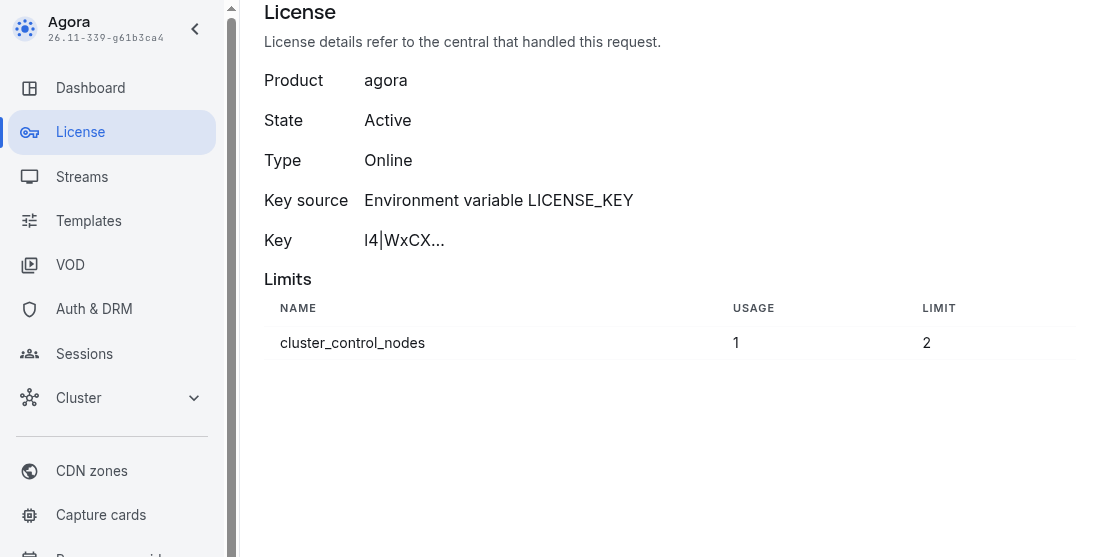
The information belongs to the central instance that handled the request. If the group has several central servers, open the console of the machine you want to check directly. A managed server does not show the central server's key information.
State and key
The page shows the product, state, and license type: Online or USB. For an active license it also shows:
- Key source: the file path or the environment variable
LICENSE_KEY. - Key: the first characters of the activation key.
The full key is not displayed. If information is unavailable, the page shows Not available. If the license is invalid and the regular console cannot open, follow the maintenance recovery instructions.
Limits
Limits lists only product functionality restrictions specified for the license. Each row shows the name, the limit, and available information about the current use of that functionality. Limit names correspond to tariff grid features used to license product functionality. The tariff grid features are listed in the Sapsan feature reference.
— under Usage means no usage information is available for this functionality.
USB license
For an active USB license, the page also shows the USB s/n of the device used for activation, the Activation file, and Allowed versions of the product when available.
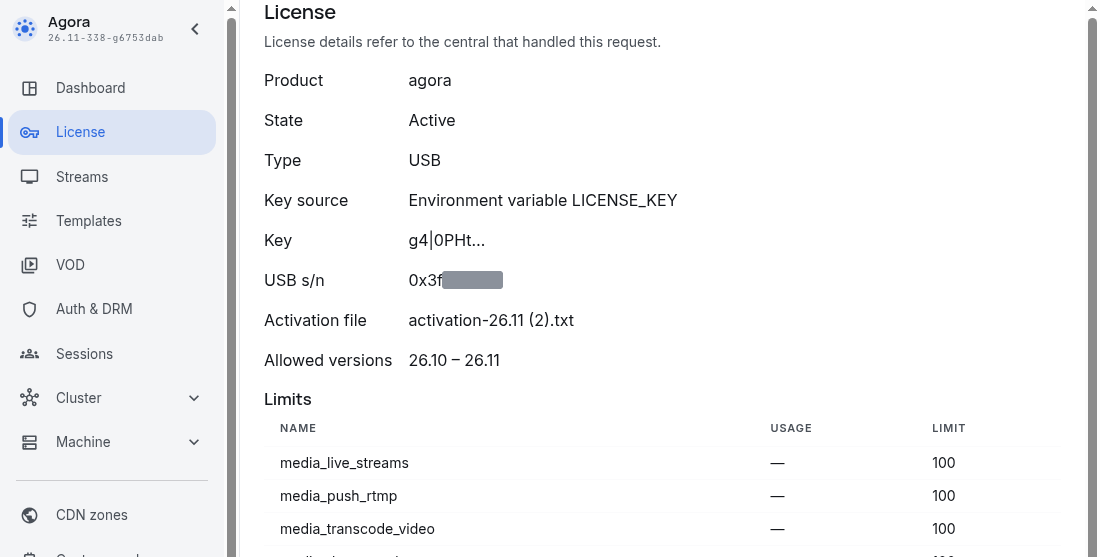
USB s/n is the hardware dongle ID and is shown on the dongle itself and in billing information. Allowed versions is the product version range authorized by the activation file; it is not the license expiration date. The page does not show a version range for an online license.
If the device or activation file is unavailable, check the USB license in maintenance mode.