Protect playback
A stream that plays for anyone who has the URL is a stream anyone can watch for free — or restream and resell. Auth & DRM in the sidebar is where you decide who may play. One policy covers the whole installation; every streamer enforces it.
Two ways to authorize a viewer
Catena can decide whether to admit a viewer in one of two ways. They can run side by side, and you can move from one to the other at your own pace — but for anything new, use tickets.
- Catena tickets — the recommended way. Your storefront creates the viewer's session ahead of time and hands them a ticket; the streamer admits it on its own, with no call to your systems while the viewer watches. Playback stops depending on your storefront being fast, or even up — and streams start and switch instantly. This is the path Catena is built around; set it up with your developers from Catena tickets.
- Your existing authorization backend. If you already run middleware that says yes or no per viewer — especially one written for Flussonic — you can plug it in unchanged and migrate later. The trade is that playback waits on your backend. Connect it from flussonic authorization.
For the simplest case — a stream you just need closed, with no system to run — a shared token and IP lists lock it from this screen alone: a play token the player must present, and allow/deny lists checked before any backend. Deny always beats allow.
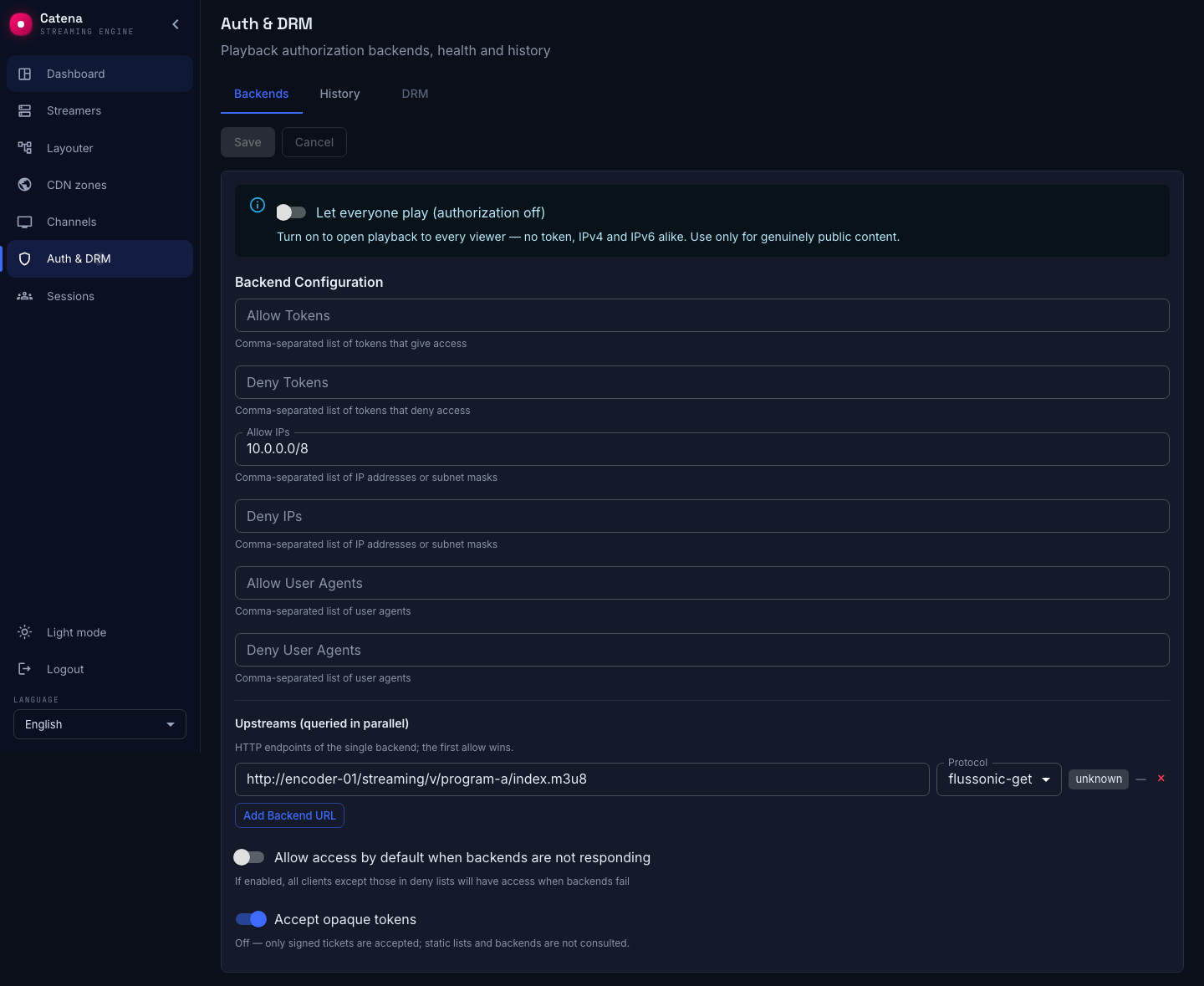
Opening a stream to everyone
Authorization is an allow-list, and that is deliberate: a viewer who matches no allow rule and whom no backend approves is refused. You open access on purpose — so a stream is never left exposed because someone forgot a rule. It is opt-out by design, not opt-in: the safe state is the default, and turning protection off is the explicit act. You never have to lock a fresh install by hand: until a policy is configured, the cluster already refuses playback — access is something you open on purpose.
So if a stream really is meant for the whole world, open it deliberately: turn on the Let everyone play toggle in Auth & DRM. It is a single switch that admits any viewer with no token — IPv4 and IPv6 alike (a bare 0.0.0.0/0 in Allow IPs would cover only IPv4). Authorization is then effectively off for everything this policy covers. Use it only for genuinely public content; a token or IP range you actually control is the safer way to widen access.
The three tabs of the section
The Auth & DRM section is laid out in three tabs:
- Backends — the policy itself: the "Open playback for everyone" switch, tokens and IP lists, upstreams and their health.
- History — not a session history but a comparison of the two admission paths; see below.
- DRM — the tab is disabled: DRM configuration is coming soon. Delivery encryption itself does work: it is turned on on the stream, on its Delivery tab, or in a template.
The Backends tab carries an Accept opaque tokens switch. Turned off it means: only signed tickets are accepted; static lists and backends are not consulted. This is the strictest mode — it closes the path where an arbitrary token string could match a list entry.
Comparing the admission paths
The History tab shows what your viewers are actually authorized by, and what it costs.
The top table is the Legacy path (HTTP backends): per upstream, the outcome counters Allow, Deny, Error, Timeout and the p95 latency. Errors and timeouts here are viewers whose admission depended on the network; p95 is the delay they pay before the start.
Below it is the Ticket path (JWT grants) with the number that makes the comparison: ticket admission is validated offline on the node — zero network cost per playback, followed by how many requests the legacy backends handled. That is the argument for migrating: the timeout rows of the upper table simply cannot exist for tickets.
Until there have been any authorizations, the tab says No authorization data yet.
Who is watching right now
The Sessions screen lists every viewer currently playing — the stream, where they are, and how long they have been watching — whichever way they were authorized. A viewer you do not recognize can be closed from here on the spot, and the streamer drops them within seconds.
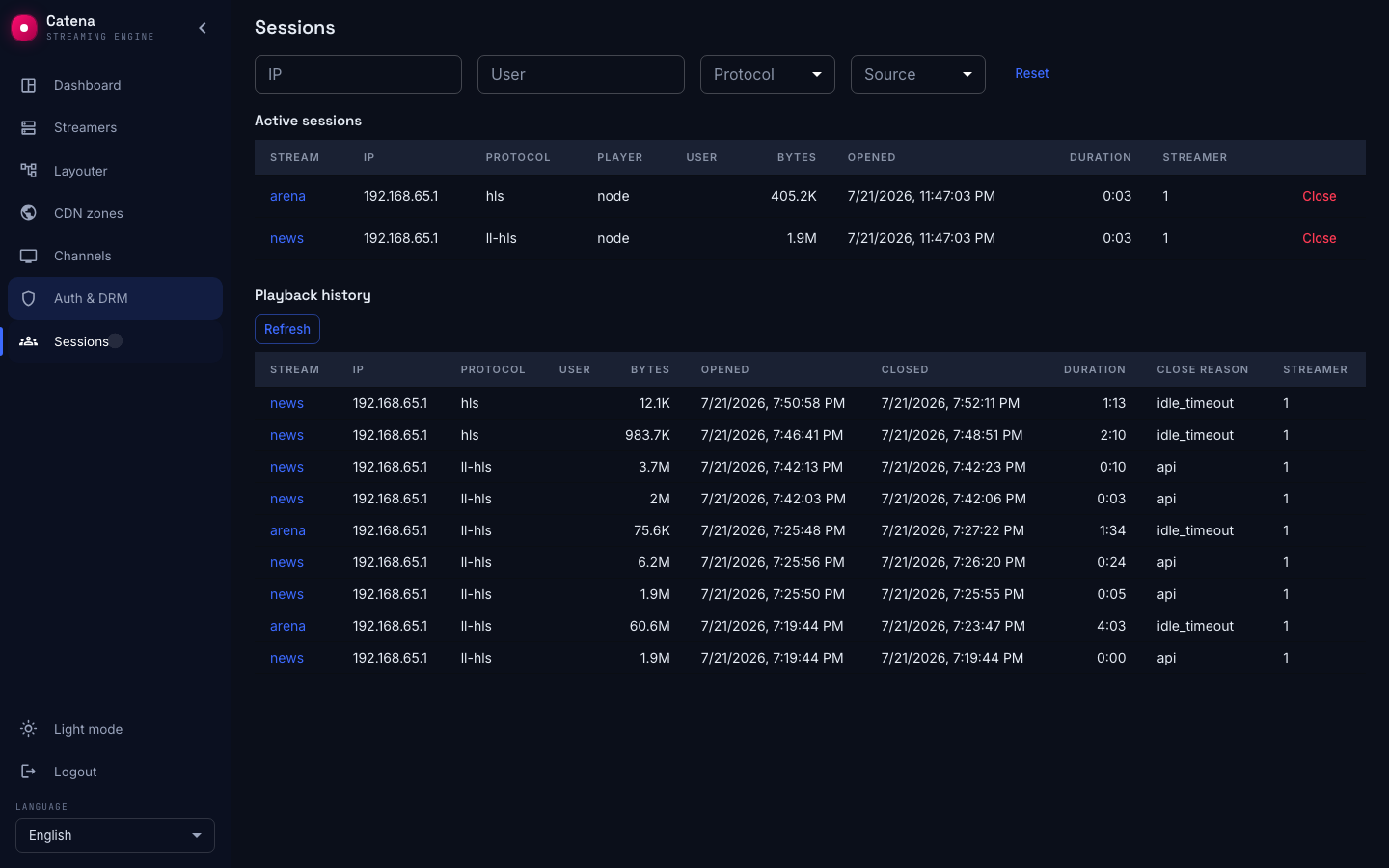
Playback history
When a session ends it moves to the history: who watched what, from when to when, and why it closed. This is where you look to see that a revoked ticket really did drop its viewer, or to account for a stream's audience over a shift.
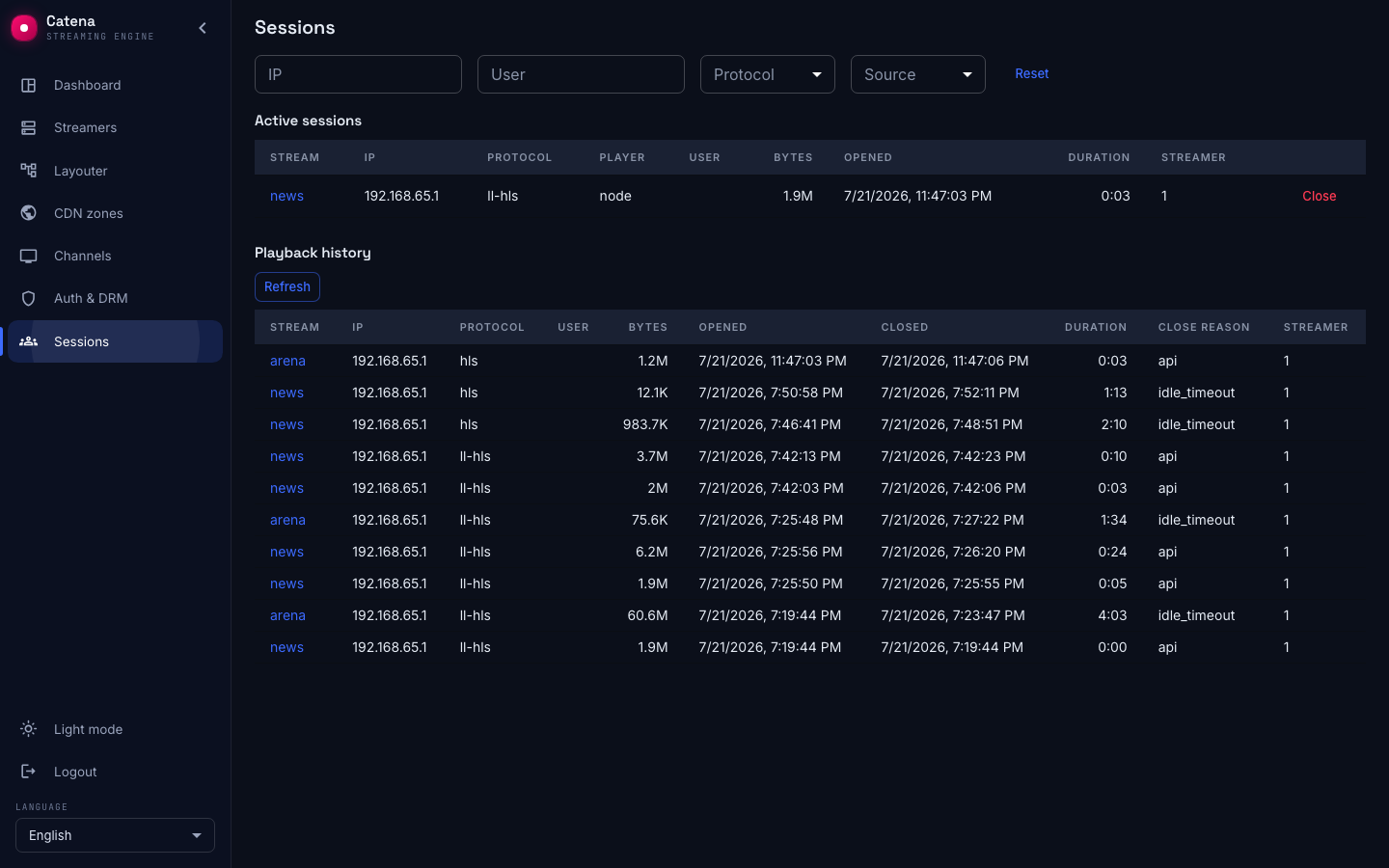
Next steps
- Session lifecycle — what open and closed sessions mean, and why a cluster hiccup never interrupts a viewer.
- Catena tickets — set up pre-issued sessions with your developers.
- flussonic authorization — connect an existing backend.