HTTPS certificate
A streamer serves plain HTTP until a certificate is hung on one of its ports. This page walks the whole way from a bare box to a working https:// — and through the reasons issuance does not start.
Certificates are per streamer, and every streamer issues its own: central never holds anyone else's private key. What you set here is the streamer's settings document, so it survives reinstalls of the machine.
What you need before you start
Let's Encrypt issues nothing until all three hold:
- A domain name. ACME will not issue for a bare IP address —
https://45.41.213.34is not obtainable from any public CA. You need a name you control. - DNS already pointing at this streamer. The certificate authority resolves the name and connects to whatever answers. Point the A/AAAA record at the machine before you ask for the certificate, not after.
- Port 443 reachable from the internet. This is the one that surprises people, so it is worth being exact about how validation works.
Catena validates with TLS-ALPN-01: the proof is served inside the TLS handshake, on the same port that carries the traffic. Two consequences:
- Port 80 is not needed. There is no HTTP challenge route, nothing to open, nothing to redirect. If your instinct says "Let's Encrypt needs port 80" — that is a different challenge type, and it is not the one used here.
- The port must be 443. The production CA only performs TLS-ALPN-01 against port 443. A certificate configured on 8443 will never be issued: it stays "issuing" forever, with no error, because the CA never reaches it. The form warns about this, but it is the single most common way to get stuck.
TLS-ALPN-01 also cannot survive a proxy that terminates TLS in front of the streamer — the handshake must reach the streamer itself.
Enabling automatic issuance accepts the Let's Encrypt Subscriber Agreement on your behalf; the streamer registers an ACME account the first time it asks.
Issue a Let's Encrypt certificate
Open the streamer from the registry and scroll to Certificates at the bottom of its card.

Press Enable HTTPS. One action does the whole prerequisite chain: it adds a listener on port 443 and puts a Let's Encrypt entry on it. A certificate always lives on a port — that is why a listener has to exist first, and why the button makes one for you.
Now fill in the entry:
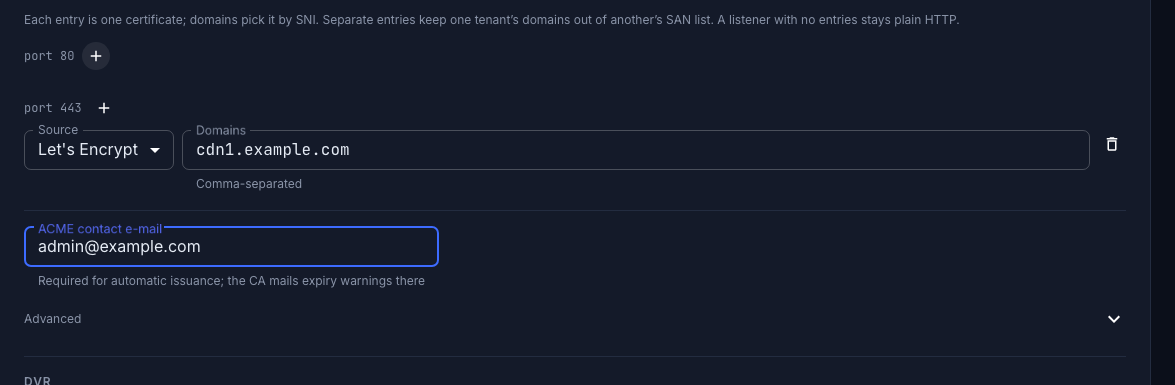
- Domains — comma-separated. These are the names the certificate will cover, and the names clients pick it by via SNI. Under the field the form offers the hostname from the streamer's own addresses; it is a suggestion and applies only when you click it, so an empty field means the name is genuinely not set yet.
- ACME contact e-mail — required. Without it nothing is issued, and Save changes stays disabled. The CA also mails expiry warnings there.
Leave Advanced alone: an empty ACME directory URL means the production Let's Encrypt.
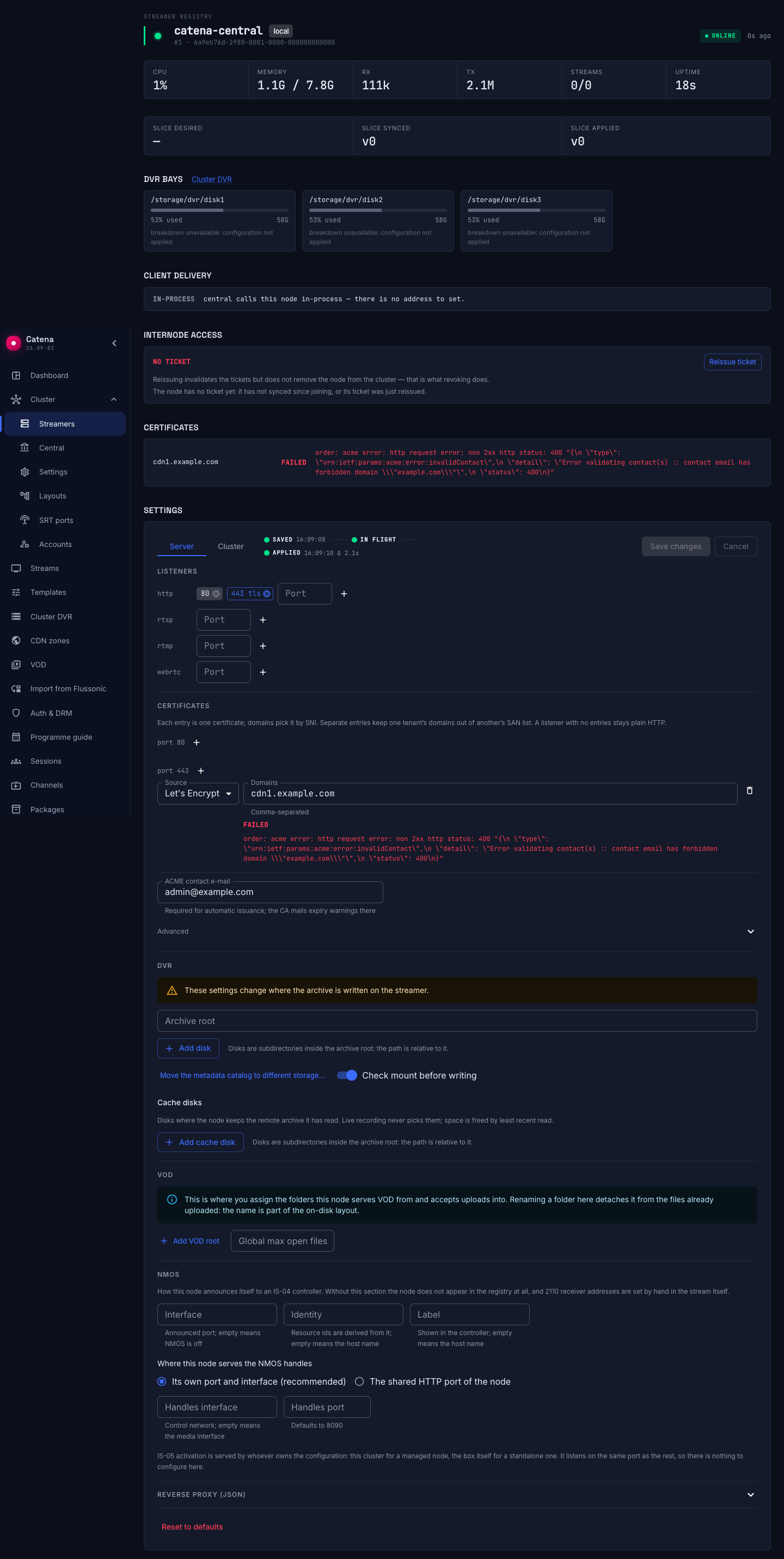
The port row above shows the result — a chip marked tls is a port that carries a certificate:

Press Save changes. The settings travel to the machine; the apply trace shows how far they got.
Check the result
The issuance state appears next to the entry itself, and repeats in the certificates card at the top of the streamer's card. Three states, and they do not overlap:
- issuing — the order is in flight. Normal for the first seconds after saving.
- issued — with the time left; the row turns yellow two weeks before expiry. Renewal is automatic and swaps the certificate without rebinding the port, so nothing drops.
- failed — with the reason, verbatim from the CA.

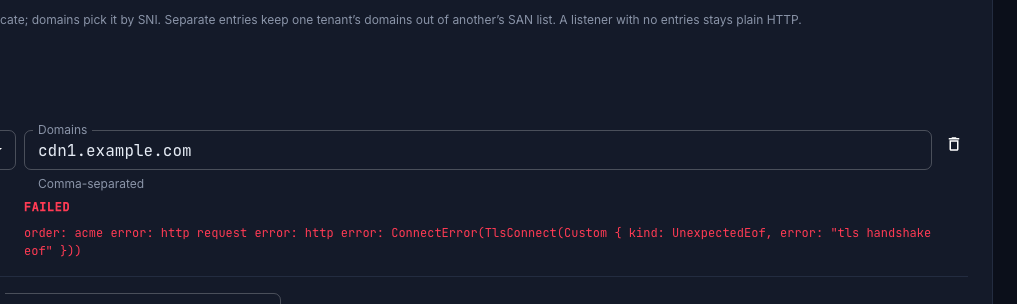
An entry that has never been issued serves nothing: a handshake to its domains is rejected rather than answered with a wrong certificate.
Send viewers over https
A certificate on the port does not by itself change the addresses players are given. If Public payload URL in Connection and delivery is still http://, viewers keep being sent over plaintext and the certificate goes unused — the form says so outright. Switch that base to https:// with the name the certificate covers.
The same applies to Streamer API URL: after the first certificate it is worth moving central's own calls to https://.
Your own certificate
Choose Static PEM as the entry source when the certificate comes from anywhere else — your corporate CA, a paid one, or a wildcard you obtained yourself.
Both fields take either the PEM text in full or a path to a file on the streamer:
- Paste the PEM and central delivers it to the machine — this is how one wildcard certificate is spread across many streamers, and the only way to use a wildcard here at all (ACME wildcards need DNS-01, which Catena does not do).
- Give paths and the streamer reads the files from disk. Rotate them with Ansible or anything else; the streamer re-reads them without a restart and without dropping connections.
Note what pasting means: the private key is then stored in the streamer's settings document and is returned in full by the API on read. Read access to that document equals write access to the configuration — treat it accordingly.
A self-signed certificate for a lab
Self-signed makes the streamer generate a certificate itself. It needs no DNS, no reachable port and no CA, so it is the way to try TLS on an internal network where ACME is unavailable in principle. Clients will show a trust warning — that is expected, and it is why this is not a production option.
A self-signed certificate is never substituted for a failed Let's Encrypt issuance. A failure stays a failure, visibly, instead of quietly degrading into warnings for every viewer.
Limits worth knowing
Let's Encrypt allows 50 certificates per registered domain per 7 days, counted globally across all accounts. Every streamer issuing its own certificate does not dodge that: a hundred streamers under one example.com hit the ceiling on the first rollout and then refill at roughly seven per day. Steady-state renewals — about a dozen a week for such a cluster — sit well under it.
If the first rollout is bigger than the limit:
- obtain one wildcard certificate yourself and distribute it as Static PEM;
- or point ACME directory URL at another CA — that is a supported path, not a workaround;
- or ask Let's Encrypt for a rate-limit increase, weeks before the rollout.
For test rigs use the Test CA (staging) switch under Advanced: it issues an untrusted certificate but does not spend the production limit. Changing the CA starts issuance from scratch — the account and the material are kept per directory URL, so a staging account is never handed to the production CA.
One consequence of certificates being selected by SNI: there is no default certificate. A request to the TLS port by IP address, or with an unknown name, has its handshake rejected. Health checks that poll the port by IP stop working — point them at a name the certificate covers.
When issuance does not start
Stuck in "issuing" forever. In order of likelihood: the entry is not on port 443; DNS for the domain does not resolve to this streamer; port 443 is closed from the internet; something terminates TLS in front of the streamer.
Saving is refused. A Let's Encrypt entry with no contact e-mail is rejected as a whole — the streamer answers that the listener "has a letsencrypt tls entry but no acme section is configured". Fill the e-mail in. Two entries on one port claiming the same domain are refused too, as is a static entry with a certificate but no private key.
The port itself is rejected. The error is shown next to the port that caused it. A port already taken by another process on the machine is the usual cause.
The console became unreachable after enabling HTTPS. The settings document owns the port list outright: as soon as it contains any listener, the box's initial port stops applying. If every HTTP port in it carries TLS, plain HTTP stops being served — and on the machine that runs central, the console is served from those very ports. The form warns when the list has no plain port left; keep the plain HTTP port listed alongside 443 unless you deliberately want HTTPS only.
The certificate is issued but viewers still go over http. The delivery addresses are separate from the certificate — see Send viewers over https.