Capture cards
Capture cards lists cards on the cluster's streamers. Expand a card row to see its inputs and links to assigned streams. This page explains the PCIe indication for V4L2 cards, including DeckLink.
Reading the PCIe indication
The Bus column lists the card and upstream PCIe port addresses. Each link shows its current speed and width, followed by its maximum values in parentheses. 8 GT/s ×4 (max 8 GT/s ×8) means four active Gen3 lanes on a link supporting eight: the physical size of the motherboard connector does not determine the electrical connection.
Below the links, Video capture / PCIe limit, active inputs describes active capture, not every configured stream. GB/s means gigabytes per second, not gigabits.
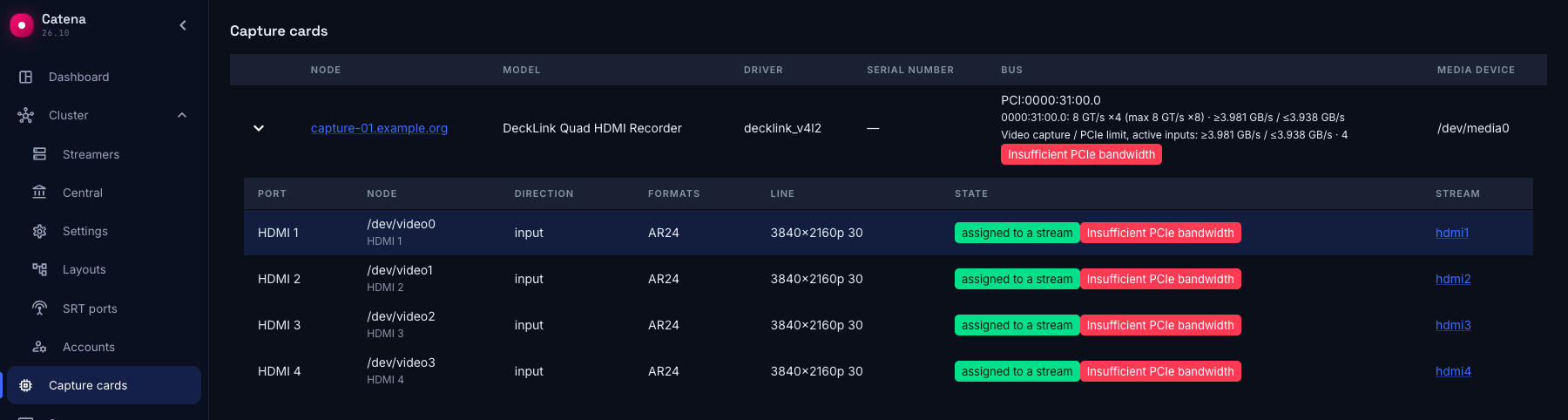
- Insufficient PCIe bandwidth — the calculated load of active captures already exceeds the physical limit of at least one link. The card and its active inputs carry a red indication.
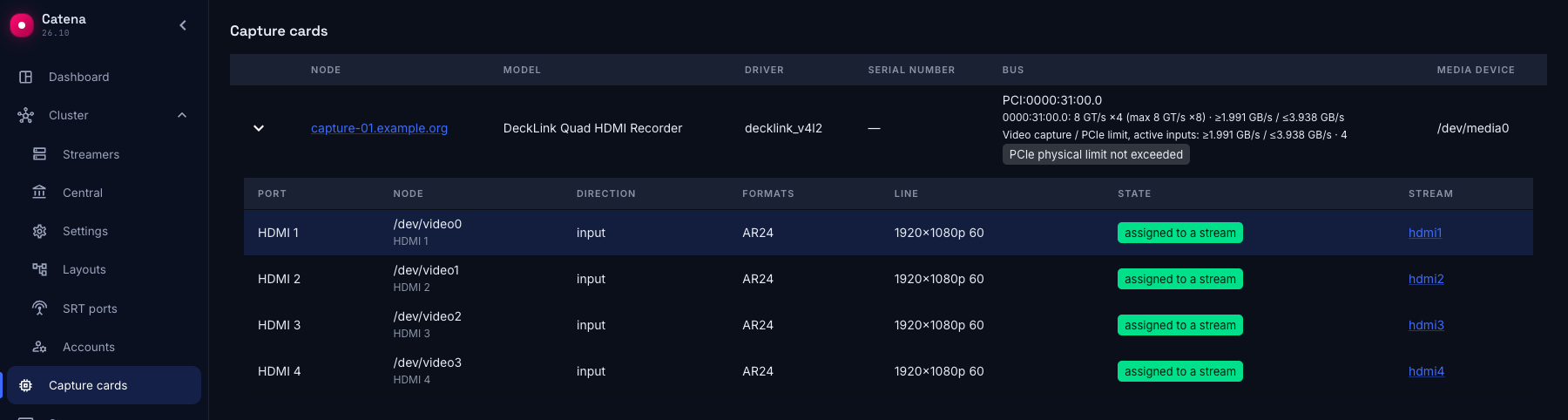
- PCIe physical limit not exceeded — available data shows no excess. This does not guarantee healthy capture or available bandwidth.
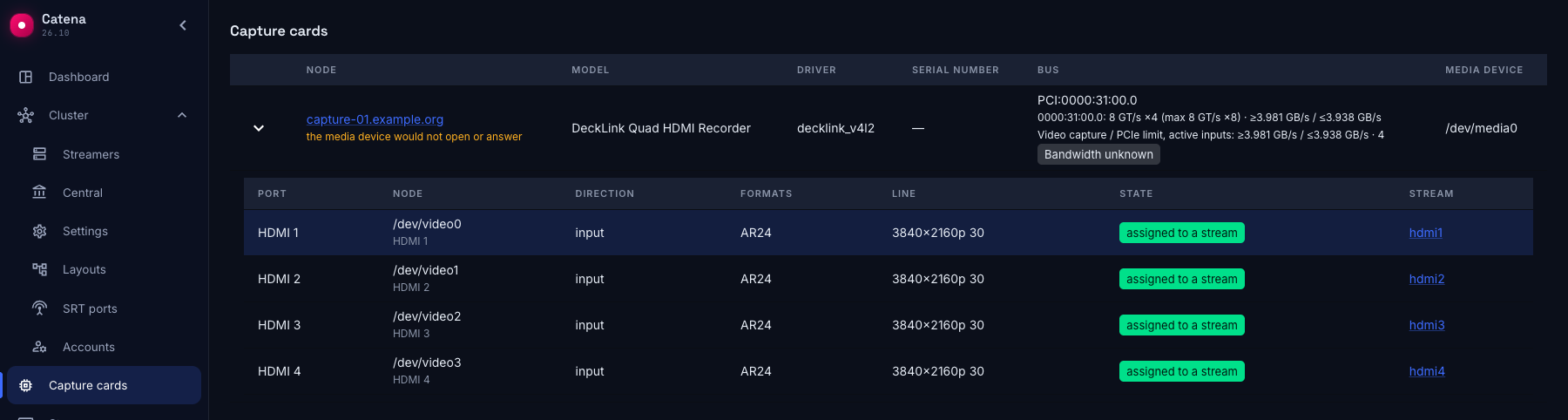
- Bandwidth unknown — data is insufficient for a current verdict or the snapshot is stale.
The input card on the stream page also shows a red PCIe indicator and a Total load / PCIe capacity link to the capture cards section. This error can appear while frames still arrive. “Assigned to stream” in the port table describes assignment, not video health.
Video load is a lower bound (≥); PCIe capacity is an upper bound (≤). The calculation uses the transferred frame size, including row stride, and frame rate. This is uncompressed video between the card and memory, not the output H.264/H.265 bitrate. Capacity depends on the current link and upstream port limits; known active capture loads are added on a shared port. Audio, PCIe overhead and other devices reduce headroom.
Example: four HDMI inputs
The demonstration screenshots show a DeckLink Quad HDMI Recorder with four active inputs and a Gen3 ×4 link. They show the real UI with fixed API snapshots, not a measurement of a production installation's current state.
For Gen3 ×4, the upper bound after line encoding is 8 × 10⁹ × 4 × 128/130 ÷ 8 ≈ 3.938 GB/s. Here the card transfers ARGB, four bytes per pixel, with no extra row padding.
Four 3840×2160 captures at 30 fps require at least 4 × 3840 × 2160 × 4 × 30 = 3,981,312,000 bytes/s, or 3.981 GB/s. This exceeds 3.938 GB/s: the card and all four inputs show an error.
Switching all four sources to 1920×1080 at 60 fps reduces the load to 4 × 1920 × 1080 × 4 × 60 = 1,990,656,000 bytes/s. The UI rounds this to 1.991 GB/s. The red indication disappears and “PCIe physical limit not exceeded” appears.
The signal and format are explicit in this example: these numbers do not apply to a different pixel format, row padding or frame rate.
Resolving insufficient bandwidth
- Follow the link from the input card and check the active link, capture count and signal format.
- Reduce the source's actual output signal resolution or frame rate, or stop unnecessary captures sharing the bus. Windows desktop resolution can differ from “Active signal mode”: reducing only the desktop does not reduce a 4K HDMI signal.
- If the original mode is required, move the card to a slot with sufficient electrical width and check the upstream PCIe ports. Shut down the server following the manufacturer's instructions before moving the card.
- Reload the capture cards page after statistics update, confirm the error disappears, and separately check video and stream input errors.
Reducing transcoder bitrate does not reduce uncompressed frame transfers over PCIe. The red indication neither changes source settings nor stops capture automatically.
When data is incomplete
Unknown link speed or width, a missing active capture format, or data from an older streamer do not mean bandwidth is sufficient. When a streamer becomes unreachable or probing fails, inventory may remain visible, but an old red port indication is no longer presented as a current error.
Restore connectivity or resolve the probing failure, then obtain fresh statistics. Reinstalling a driver is not a universal solution to insufficient electrical PCIe width.