Subscribers
A subscriber is a customer of the storefront: who they are, which packages they are subscribed to and which channels are available to them as a result.
Create a subscriber
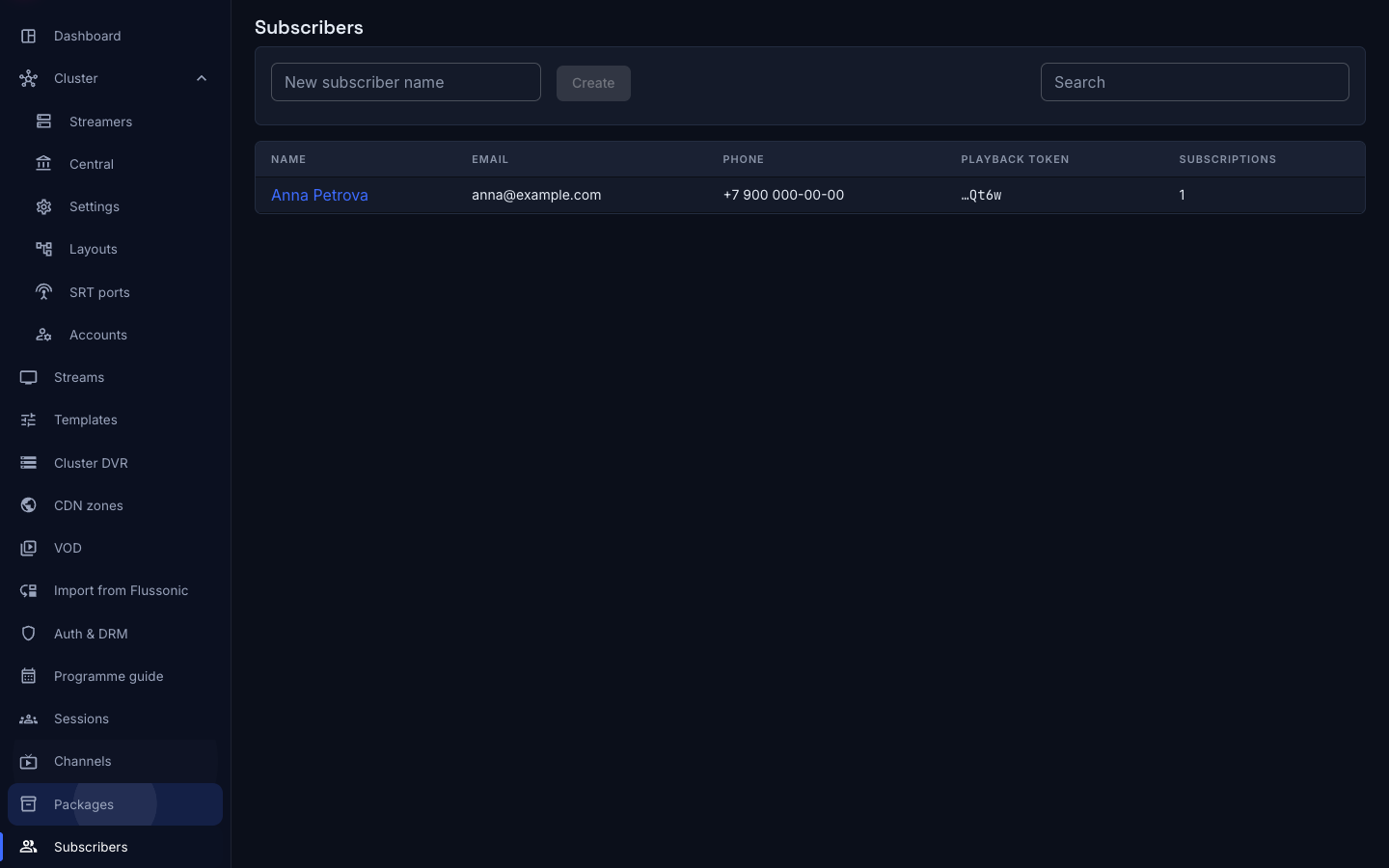
On the Subscribers screen, type a name into New subscriber name and press Create. Search in the list covers name, email, phone and playback token at once.
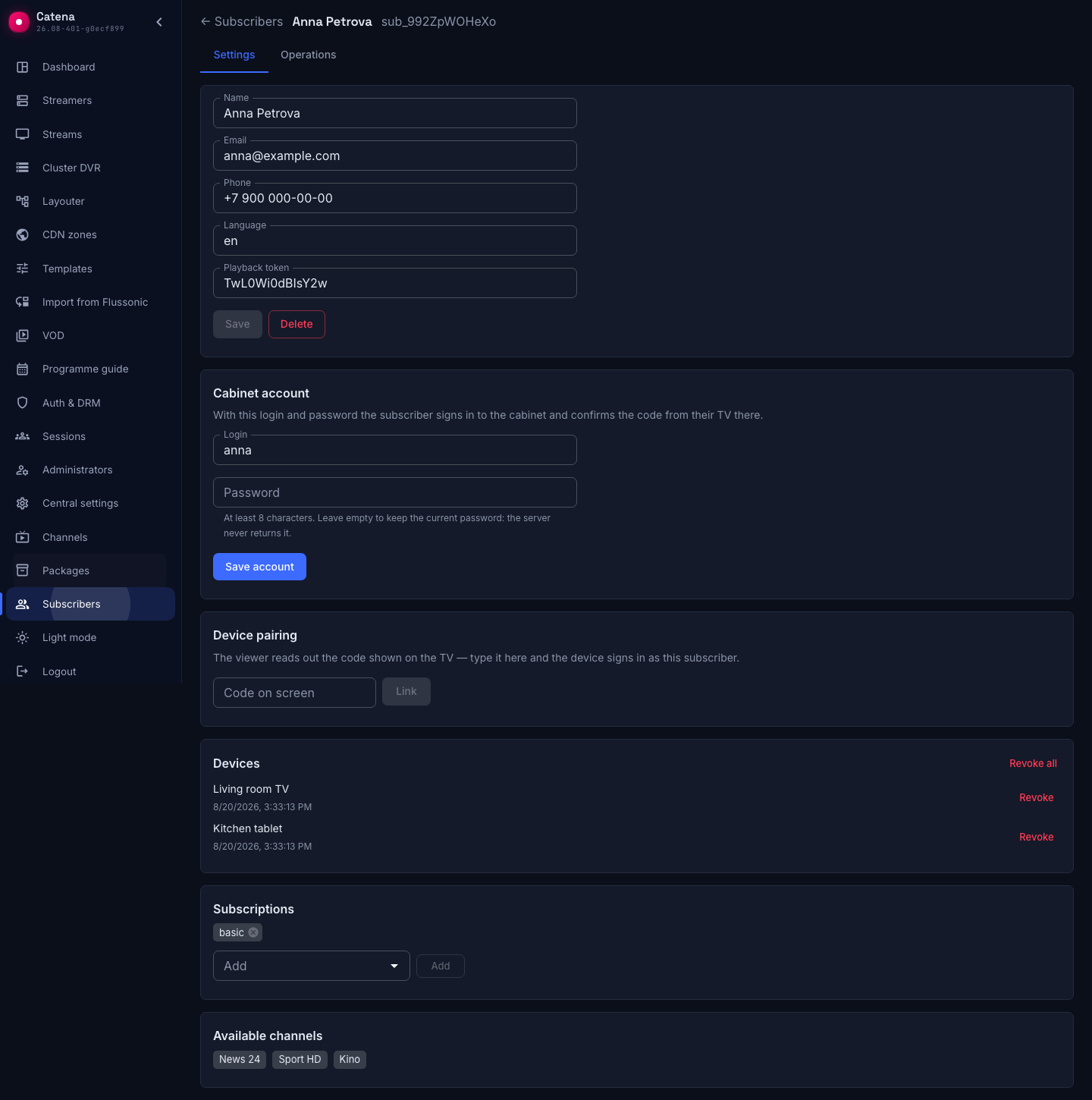
The subscriber record
The Settings tab:
- Name, Email, Phone — storefront fields.
- Language — the subscriber's language.
- Playback token — a unique token Catena generates when the subscriber is created. This is the subscriber's identifier for your integration: it is how the storefront knows whose request it is serving. The same token builds the links to the playlist and the XMLTV.
A parallel edit of the same record is rejected with Someone else changed this record — reload and retry.
Cabinet account
The Cabinet account block holds what the subscriber signs in to the storefront with:
- Login — the account cannot be saved without one: it is what the subscriber signs in with.
- Password — at least eight characters. An empty field keeps the current password: the server never returns it and cannot show it.
Changing the password does not cut off devices that are already signed in: the password guards the way in, not the tokens already issued. To cut a device off, revoke it — in the block below.
Devices
The Devices block shows what the subscriber is watching from right now. Each row has the device name, the time it was last seen and a Revoke button: a revoked device stops playing immediately and is offered the sign-in screen on its next request.

Revoke all kills the whole list at once. It is the answer to "my TV was stolen and I have no idea which row it is": the subscriber can sign in again with a password or a code.
The subscriber sees and revokes the same devices themselves, on their account page. The console is for when they cannot.
Device pairing
The Device pairing block is the support path for a subscriber who cannot manage on their own. The viewer reads out the six-digit code shown on the TV, the operator types it into the Code on screen field and presses Link; the TV signs in as that subscriber.
A code lives for ten minutes and is gone after first use. An expired or foreign code answers Unknown or expired code — ask the viewer to refresh the screen.
The normal path is different: the subscriber confirms the code on their own account page, and the operator is not part of that loop.
Subscriptions and available channels
The Subscriptions block lists the packages this customer is subscribed to. The Available channels block shows the outcome: what the customer ends up seeing.
The access formula is simple:
- the packages available to a customer = their subscriptions plus every package flagged Free;
- a channel is available if it belongs to at least one of those packages.
Two consequences follow, and they are the easiest ones to trip over: a subscriber with no subscription at all still sees the channels of free packages, and a channel that belongs to no package is available to nobody.
Deleting a subscriber clears their subscriptions by cascade.
What the subscriber service does not do
The playback token is not a pass to playback. The subscriber service keeps the catalog and the entitlements, but on its own it admits nobody to a stream and forbids nothing: playback is still protected by Auth & DRM, and a viewer is admitted by a Catena ticket or by your authorization backend.
The standard wiring looks like this: the storefront resolves the token to a subscriber, asks Catena for the list of channels available to them, and issues the viewer a ticket for an allowed channel. The subscriber's channel list is available over the API — the /catena/api-v1/subscribers/{id}/channels resource.
The shipped storefront needs no integration of its own for this: it walks that wiring itself and hands the viewer ready addresses.
Operations log
The Operations tab: subscriber_create, subscriber_update, subscriber_delete, plus subscribe and unsubscribe — granting and clearing a subscription, subscriber_credentials — editing the account, device_link and device_revoke — a device appearing and being revoked. As everywhere in the subscriber service, the log entry goes in the same transaction as the change, and the log has no retention.
What next
- Packages — what a subscription is granted to, and the screen limit.
- Storefront — the app the subscriber signs in to with this account.
- Playlist and XMLTV — the same channels for a third-party player.
- Catena tickets — how to turn a customer's entitlement into admission to playback.