The local streamer
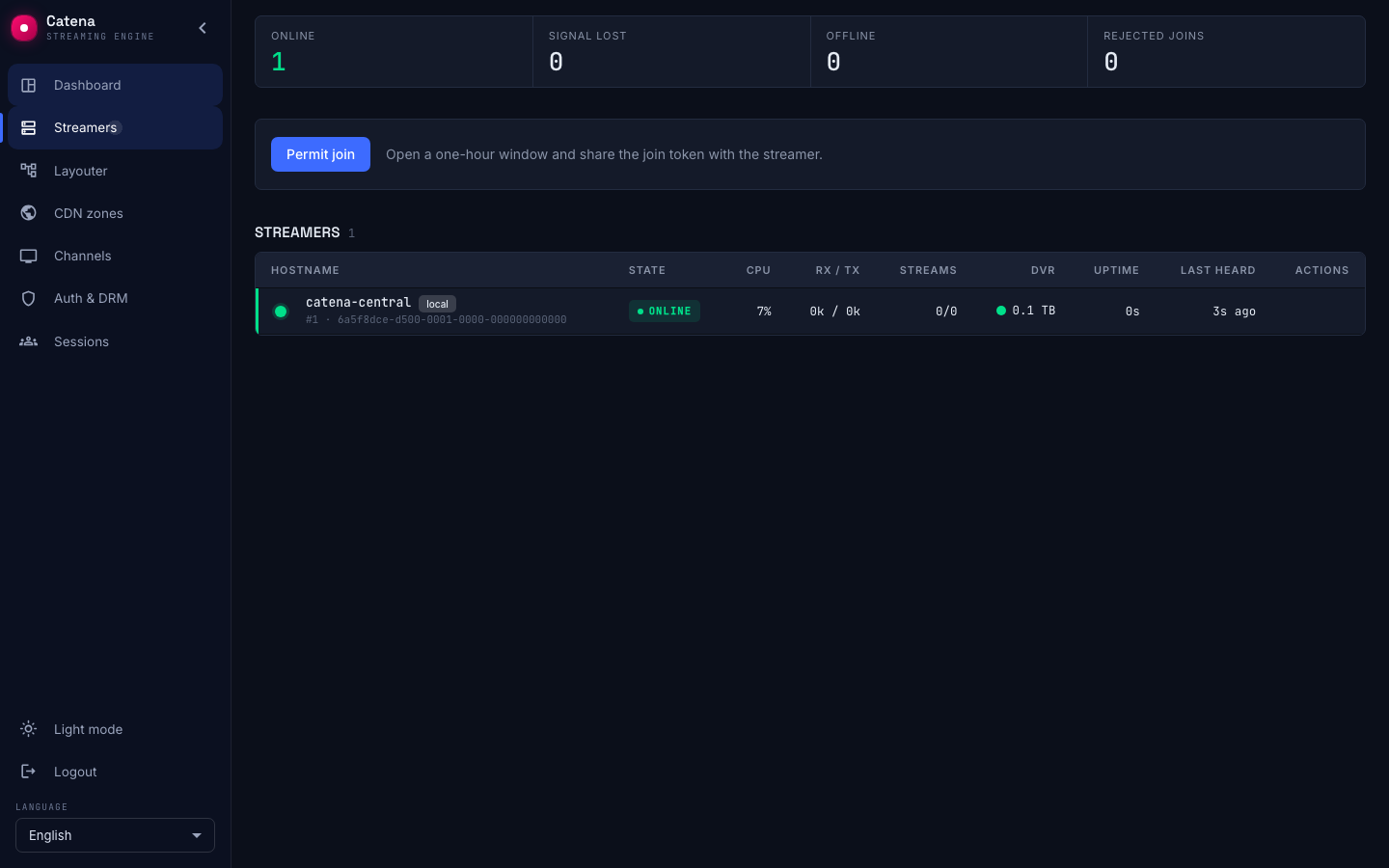
A one-machine installation has a streamer you never added. It carries the local chip in the registry, and it behaves differently from every machine that joined.
Where it came from
When the catena package put central and the streamer on one machine — the installation from the Quick start — central registered that machine itself, on first start.
What decides it is one line of configuration: a central: section in the machine's catena.yaml. The catena package adds that section, and a process that has it runs both parts at once — the control plane and a streamer — in a single process. That is the whole trigger, and it is why the first streamer appears without anyone adding it.
This is not an ordinary join:
- No join window, no join token, no key. The two parts are one process and talk over an in-process stream rather than HTTP.
- There is exactly one such record per installation, and the database enforces it.
- It survives losing its state directory: central finds it by kind, not by a stored identity.
How it differs
- Revoke and Delete are not offered. The machine running central cannot be taken out of its own registry — see Removing a streamer.
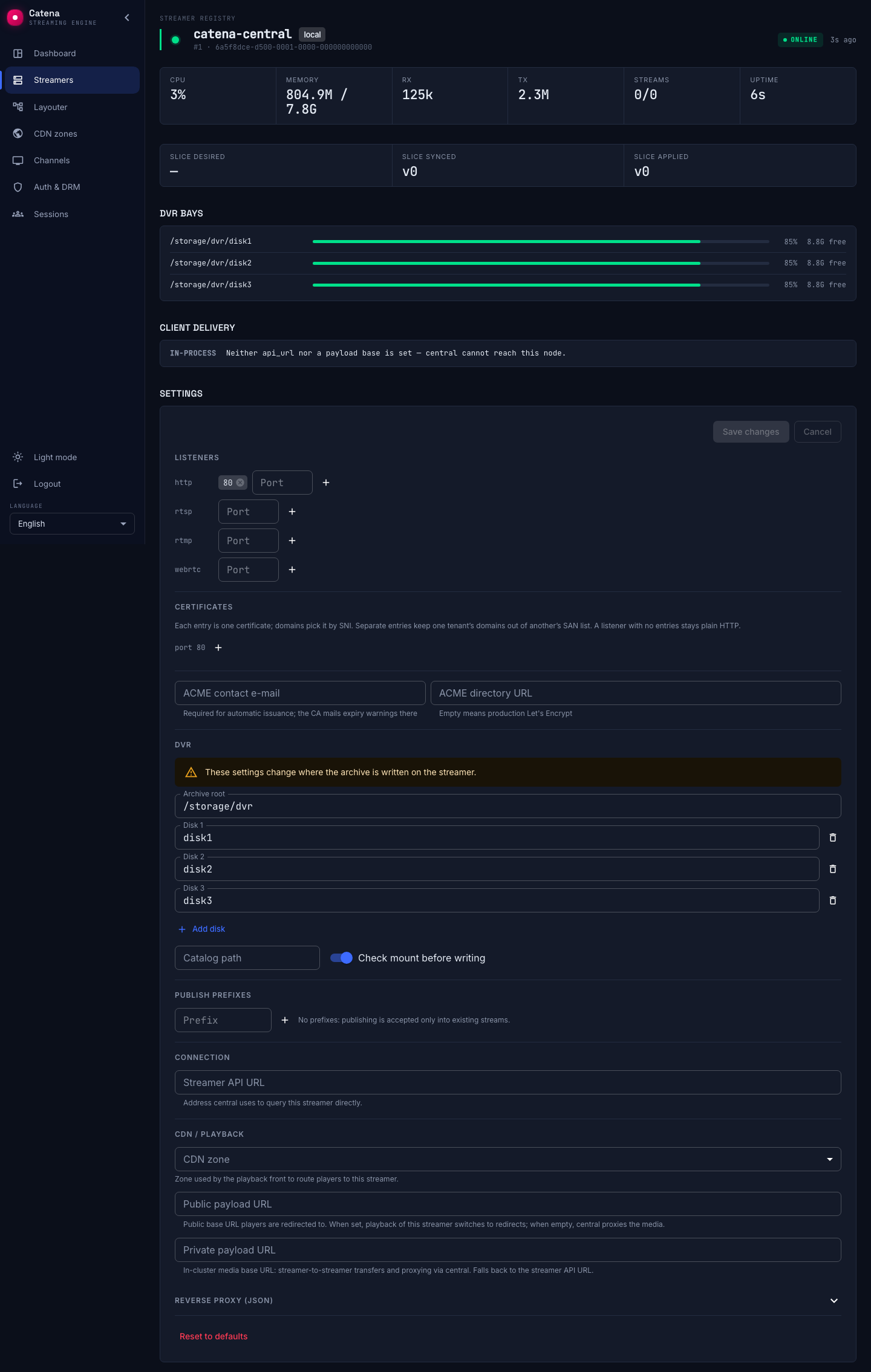
- No reachability chip. Central does not call this streamer over the network, so
api_urlandapi_authdo not apply to it. In everything else it is an ordinary streamer: central delivers its HTTP port and DVR storage the same way it does to joined machines, so they are edited in the streamer's settings in the console. The machine'scatena.yamlkeeps only thecentral:section.
Running central without it
If you want central to be a pure control plane — the web interface and the API, with no ingest, no transcoding and no viewers on that machine — start it in its own mode instead:
catena central run
Started that way the process serves only central. No local streamer is created at all, and the registry contains only the machines that joined.
Two things to know before you switch:
- Add a streamer first. Streams can only move to a machine that exists. Join at least one streamer, confirm it is online, and only then convert central — otherwise the streams have nowhere to go and stop playing.
- The package does not ship this layout. The
catenaunit starts the ordinary mode, so switching means overriding it yourself. It is a supported mode of the binary, but no packaged deployment uses it — treat it as an advanced setup rather than a documented default.
Override the unit with a drop-in:
systemctl edit catena
[Service]
ExecStart=
ExecStart=/usr/sbin/catena central run
After the restart the former local record stops reporting, goes Offline, and its streams are re-planned onto the remaining streamers. The record itself stays in the registry until you remove it.
One functional difference: standalone central does not mount the Retroview statistics proxy. If you rely on it, keep the single-process layout.
What not to do
Do not try to revoke or delete the local streamer through the API because the interface does not offer the buttons. The interface hides them deliberately, but the API does not currently refuse the call:
- Delete tombstones the record. Central then seeds a fresh local streamer with a new
node_idon its next start, and the tombstone stays behind in Deleted streamers. - Revoke stops the layouter placing streams on it, but does not stop the streamer running — and on a one-machine installation it changes nothing, because there is nowhere else for the streams to go.
Neither is a way to turn the local streamer off. The way is above.