Events
Events shows episodes from cameras and video analytics, and user-created events. You see data from cameras available to you.
Tabs and search
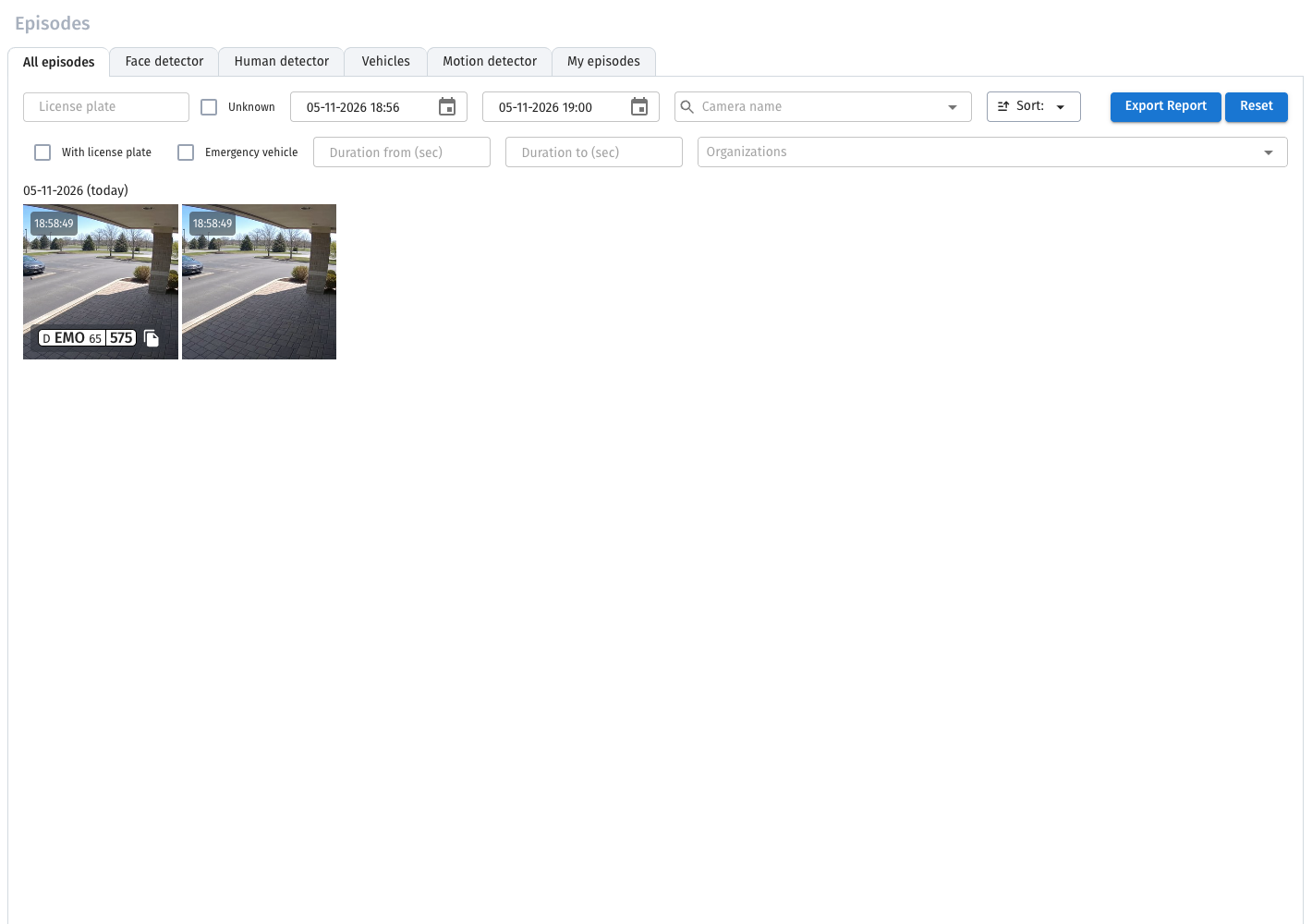
The feed has a combined tab and tabs by event type:
- All episodes — combined feed.
- Face detector — detected faces and person matching results.
- Human detector — person detection.
- Vehicles — vehicle and plate analytics events.
- Motion detector — motion events.
- My episodes — user-created events.
Select a time interval and cameras. Additional filters depend on the tab and screen width; some fields open with the additional filters button.
- Cameras — restrict the feed to selected cameras.
- Organizations — filter by camera owner.
- Time interval — event start time.
- Duration — episode duration.
- License plate — plate text search on the vehicle tab and combined feed.
- Person — events for a selected person on the face tab.
- Unknown — on Face detector, events for automatically created persons with default names; in the combined feed, also vehicles without a recognized plate. See unknown visitor search.
Changing filters reloads the feed. More events load as you scroll. Use the reset filters button to clear search conditions.
Filters restrict the feed by cameras, time and event attributes:
View an event
An event card opens episode details and related video.
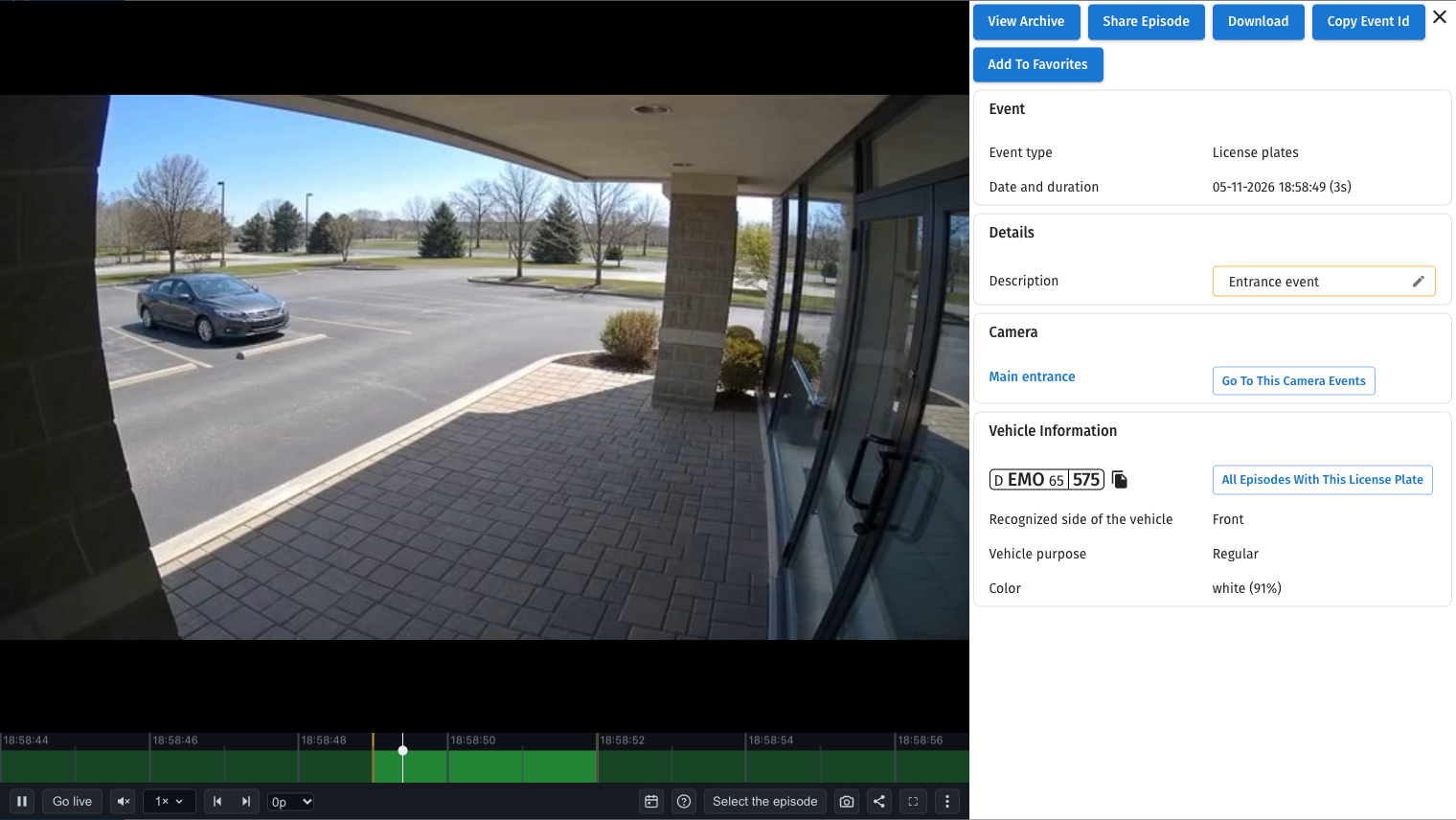
Open the card for details and video. Playback requires a stored archive and permission to access it.
Within your permissions, the episode actions provide details, favorites, links, video download and deletion. Saved events appear in Favorites.
Preview unavailable means the event image could not be retrieved. It does not identify the cause: check camera availability, streamer connectivity and recording at the event time.
Export the list
Export report downloads a CSV event list using the current filters. One export contains up to 3000 events. For larger intervals, split the request by time and repeat.
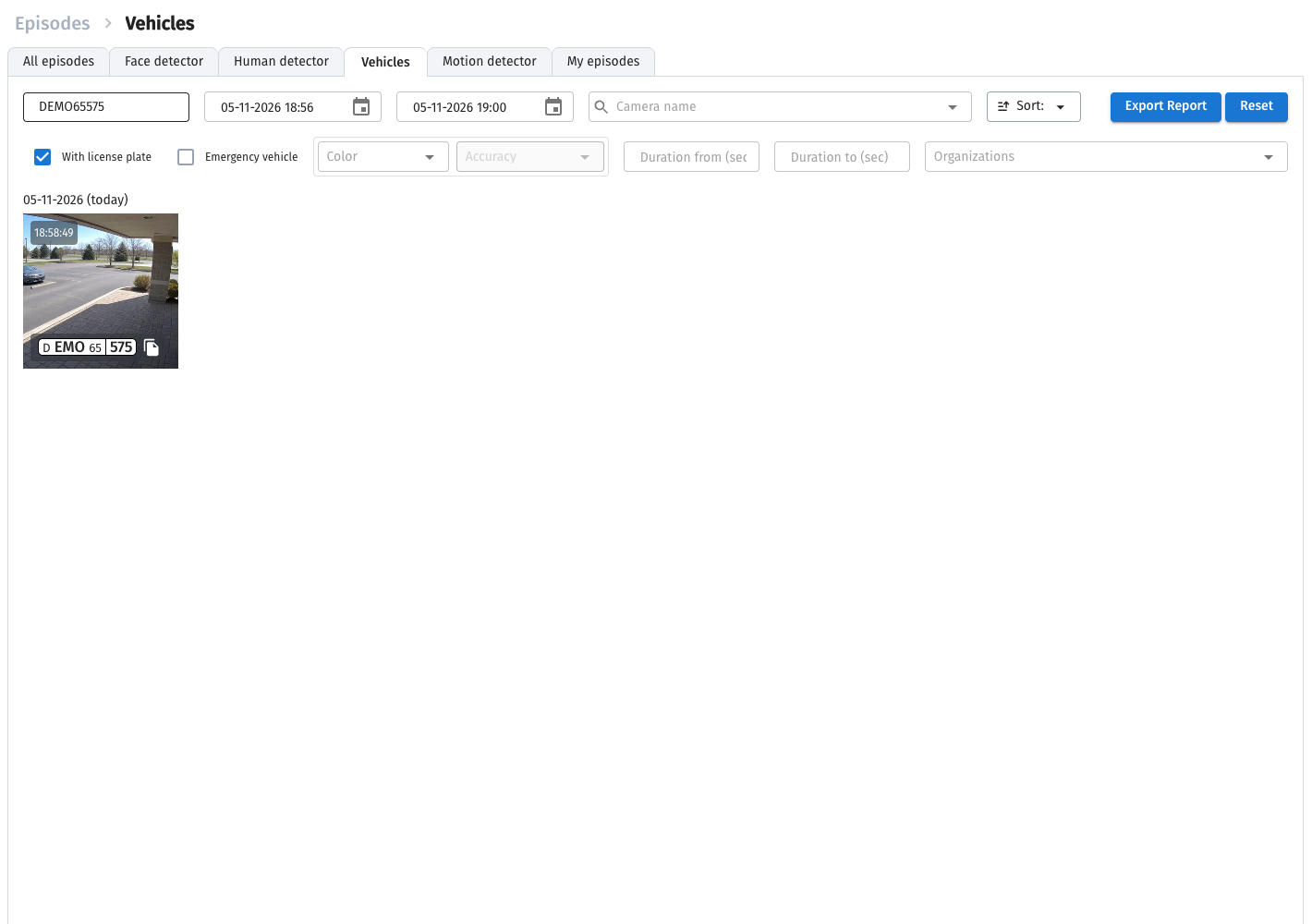
CSV contains the event list. Save video separately using archive download when recording is available.