User authentication backend
Watcher can check usernames and passwords through an external HTTP backend. Enter its HTTPS address in the external authentication field in Settings. In the settings API, this field is auth.external_auth.
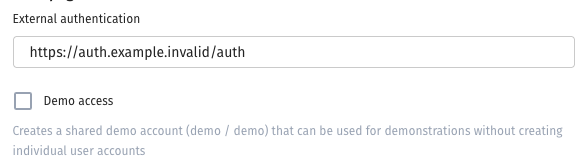
External handler address in the authentication settings.
The backend only checks credentials. Configure Organizations and camera access in Watcher. A successful backend response can create a missing account but does not assign organizational permissions or an administrative role to it.
When a user signs in with a username and password, Watcher sends a GET request to the specified address, adding the login and password parameters. For example:
GET /auth?login=resident-example&password=ExamplePassword
The parameters are encoded as a query string. Use HTTPS and exclude passwords from request logs on the external service and its proxies.
The result depends on the HTTP status:
- 200 — credentials are accepted. Watcher creates the user if missing or updates the existing user's local password hash.
- 403 — credentials are rejected. For an existing user, the local hash is replaced with an invalid value; signing in with the previous local password will then fail.
- Another status, including
404— Watcher checks the username and password against the local database. - Connection error or timeout — Watcher also uses the local database. The HTTP request timeout is two seconds.
An external rejection does not change the disabled field. An administratively disabled user cannot sign in even after a successful backend response.
If the external service is unavailable, local verification uses the last successfully saved password. A successful external check updates the password in Watcher. With this integration, arrange password changes in the external system; otherwise the next successful backend login will replace the local password.
Request examples
Check the external handler contract separately from Watcher. Specify a test user and do not log the password:
curl --silent --output /dev/null --write-out '%{http_code}\n' \
  --get 'https://auth.example.com/auth' \
  --data-urlencode 'login=resident-example' \
  --data-urlencode 'password=ExamplePassword'
Expect 200 for an allowed login and 403 for an explicit rejection. Then sign in to Watcher through the interface or POST /watcher/client-api/v3/login with Basic authentication and check access to cameras assigned in advance.
When testing fault tolerance, separately disable access to the test backend and check that the local password produces the expected result. Also test an incorrect password: a 404 response from the external service enables local verification and is not equivalent to a rejection.