CBR for DVB
A modulator does not need an average rate, it needs evenness at the TS packet level: the bandwidth is allocated, and the stream must occupy it exactly, with no dips and no bursts. The same requirement comes from professional receivers and from networks where transport is counted by bandwidth rather than by a per-minute average.
CBR in Mcaster is a property of the outgoing multiplexer, not a separate "enable CBR" button.
What the multiplexer does
- The target rate is derived from the track bitrates — with roughly 5% headroom for growth and a budget for the service tables.
- Sparse places are filled with null packets (PID 0x1FFF): the bandwidth is occupied evenly even when the frames arrived in bursts.
- The PCR is placed from a drift-free clock, so the divergence between PCR and DTS does not accumulate even over many hours of broadcasting.
- The decoder buffer model (HRD) is accounted for — overflows and underruns are tracked rather than discovered at the receiver.
Evenness is measured against the stream's internal clock (27 MHz), not against wall time: the layout does not depend on how unevenly the frames arrive from the source.
What evenness costs
The three requirements of a multiplex — lay the packets out evenly, never stall, never drop anything — are pairwise satisfiable and jointly are not. Evenness is a claim about the future while the data is a fact about the past: to lay packets out evenly the schedule has to know the pace in advance, and the pace can only be measured from what has already arrived.
In practice this means:
- A PID with nothing to send yields its slot instead of stopping the multiplex. An audio track announced in the PMT but silent must not hang the video — and it does not.
- A lagging PID catches up inside the window instead of being dropped. A classic broadcast mux loses data at this point; here the trade is made the other way.
- The pace is measured from the packed PES, not inferred from the declared bandwidth times a constant.
What follows for the operator: set the output bitrate honestly, with headroom for peaks, rather than to the last bit. An understated bandwidth is not "slightly worse quality", it is a systematically lagging PID.
Set the output tracks
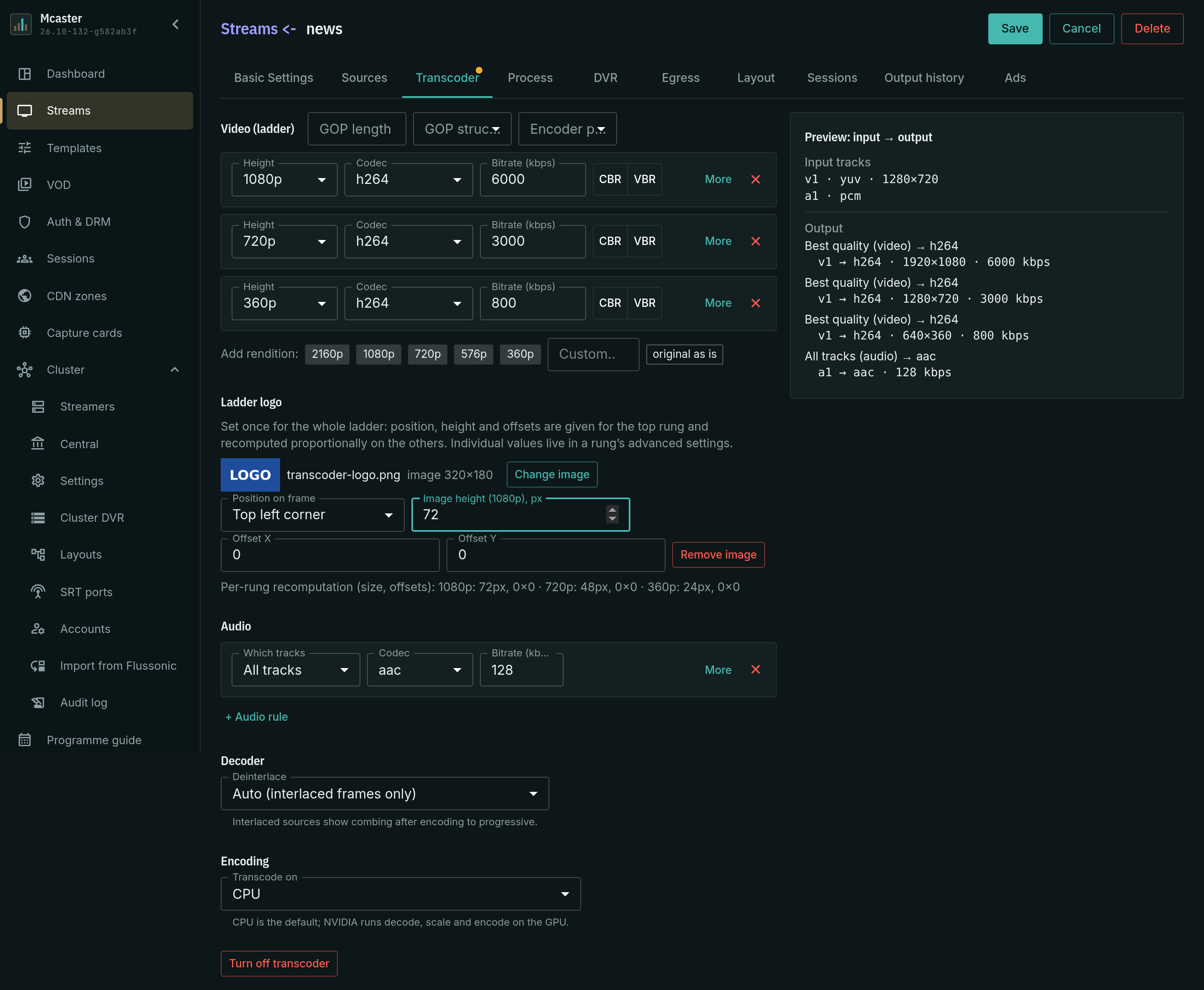
Open the stream, the Transcoder tab. You can start from a preset — say Standard ladder 1080/720/360 + AAC — and edit the rungs from there.
On a rung in the Video (ladder) block:
- Bitrate (kbps) — the track's target rate. The sum of the tracks plus the service tables is the bandwidth the transport stream will occupy.
- GOP length and GOP structure — for broadcast the GOP is usually exactly one second: an entry point for the receiver and for splicing. The Unify GOP button aligns it across all rungs.
- Codec — with the value As is the rung is not re-encoded. If the source already arrived in the right shape, the multiplexer needs no transcoder to lay it out evenly.
- Height, Rate control and Encoder preset — the rung's other properties.
The Encoding block chooses what does the work: CPU or NVIDIA GPU (with a card selected, or automatically the least loaded one).
Warning
A passthrough rung next to encoded ones degrades the ladder: its GOP and keyframes are not aligned with the other rungs. The panel marks such a rung separately.
See Anamorphic video and SAR to preserve anamorphic video, produce square pixels and choose a resize strategy.
Logo on the video
The transcoder burns a channel logo or a watermark into the video track: the picture is visible on every output — the multicast feed to the modulator, OTT delivery and recorded copies. The whole ladder gets its logo from the Ladder logo card; the same fields live in a rung's advanced settings.
The card sets the logo once for the whole ladder:
- Assign — pick the picture from the logo library: search by name and upload a PNG, JPEG or WebP file up to 1 MB.
- Position on frame — top left corner, top right, bottom left, bottom right or centre. Offsets are counted from the chosen corner inward, and for the centre a shift from the centre.
- Image height (…p), px — the logo height on the top rung; the width follows from the picture's proportions. An empty field means the picture's native size, which is shown next to the preview.
- Offset X, Offset Y — the offsets in pixels.
The values are given for the top rung and recomputed on the others in proportion to its height: below the fields you can see what each rung will get before you Save. The logo goes on an encoding rung only: passthrough ("As is") and the RAW codecs have none.
Deinterlacing
An interlaced input — SD MPEG-2, broadcast 1080i — encoded into progressive video shows up as a comb. Deinterlace lives in the Decoder block, because it is a property of the input rather than of a rung: the decode happens once, and the resolved picture goes to every progressive output track. A rung with interlaced output gets the frame before the filter.
| Mode | What it does |
|---|---|
| Automatic (interlaced frames only) | the default: the filter is applied to frames the decoder marked as interlaced; a progressive input passes through at no cost |
| Force (all frames) | for sources that lie about interlacing |
| Off | no filter is built, the frames go into the encoder as they are |
Deinterlacing does not change the frame rate: one progressive frame per input frame.
Interlaced output
A broadcast 1080i or 576i receiver needs an interlaced signal, while the transcoder encodes progressive video by default. To make a rung come out interlaced, click More on it and turn on Interlaced output.
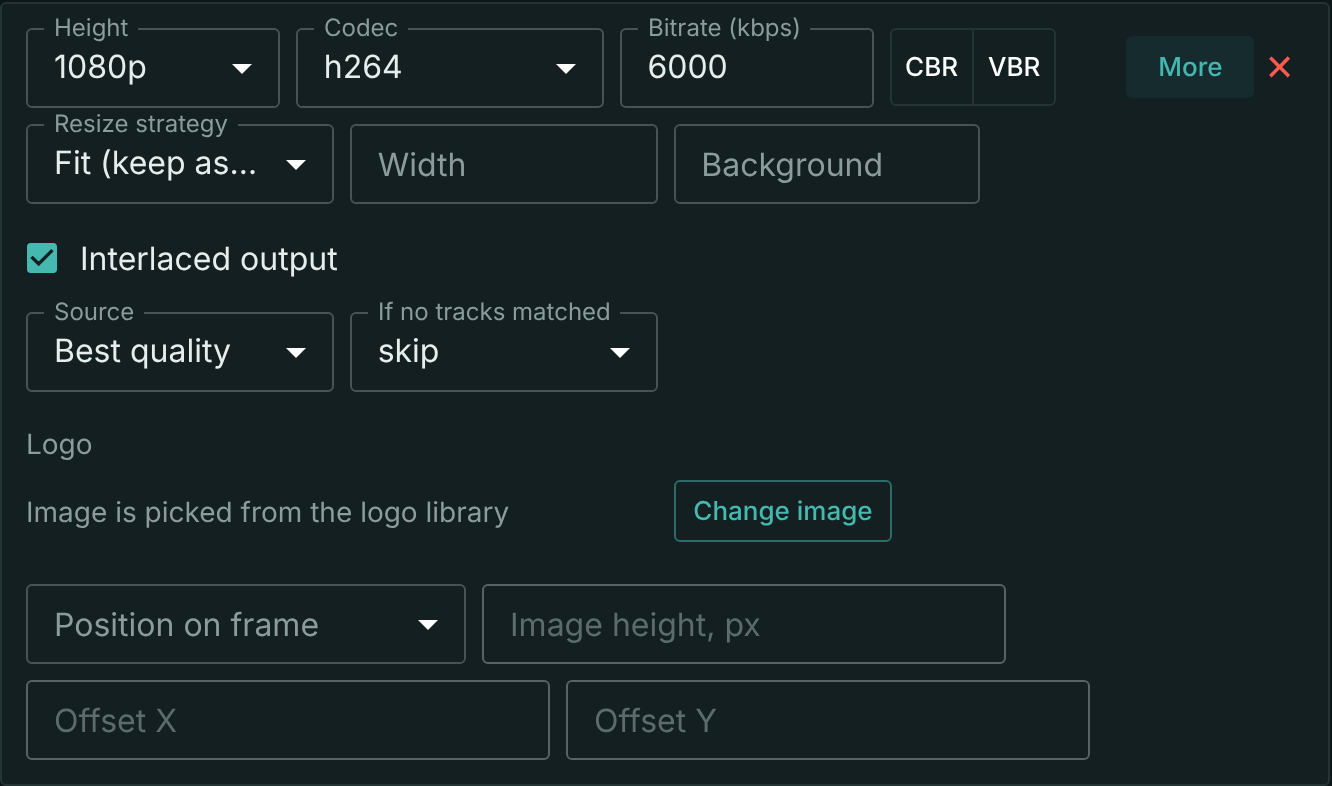
What happens to the rung:
- The field order comes from the source — top field first or bottom field first; the transcoder does not change it. A progressive source has no field order and comes out bottom field first; the command below checks the order.
- The fields are processed separately — resizing and color conversion do not mix the fields with each other. The exception is a 4:2:0 source whose height is not divisible by 4 (NTSC 486 lines, for example): such a frame does not split into two equal fields, so the transcoder processes it whole and the fields get mixed; the log then shows the warning
interlaced source cannot be split into fields. - Deinterlacing does not touch this rung — it gets the source frame before the filter, while the progressive rungs of the same ladder get it after. That is why a broadcast 1080i and a progressive 720p for the internet can live in one stream.
The video is encoded in H.264 with MBAFF: the field-or-frame decision is made for areas inside the frame.
The checkbox is not available on every rung:
- H.264 only — switching the codec to another one clears the checkbox.
- CPU encoding only — with NVIDIA GPU the checkbox cannot be turned on, and one that is already on is not cleared automatically: Save fails until you clear it.
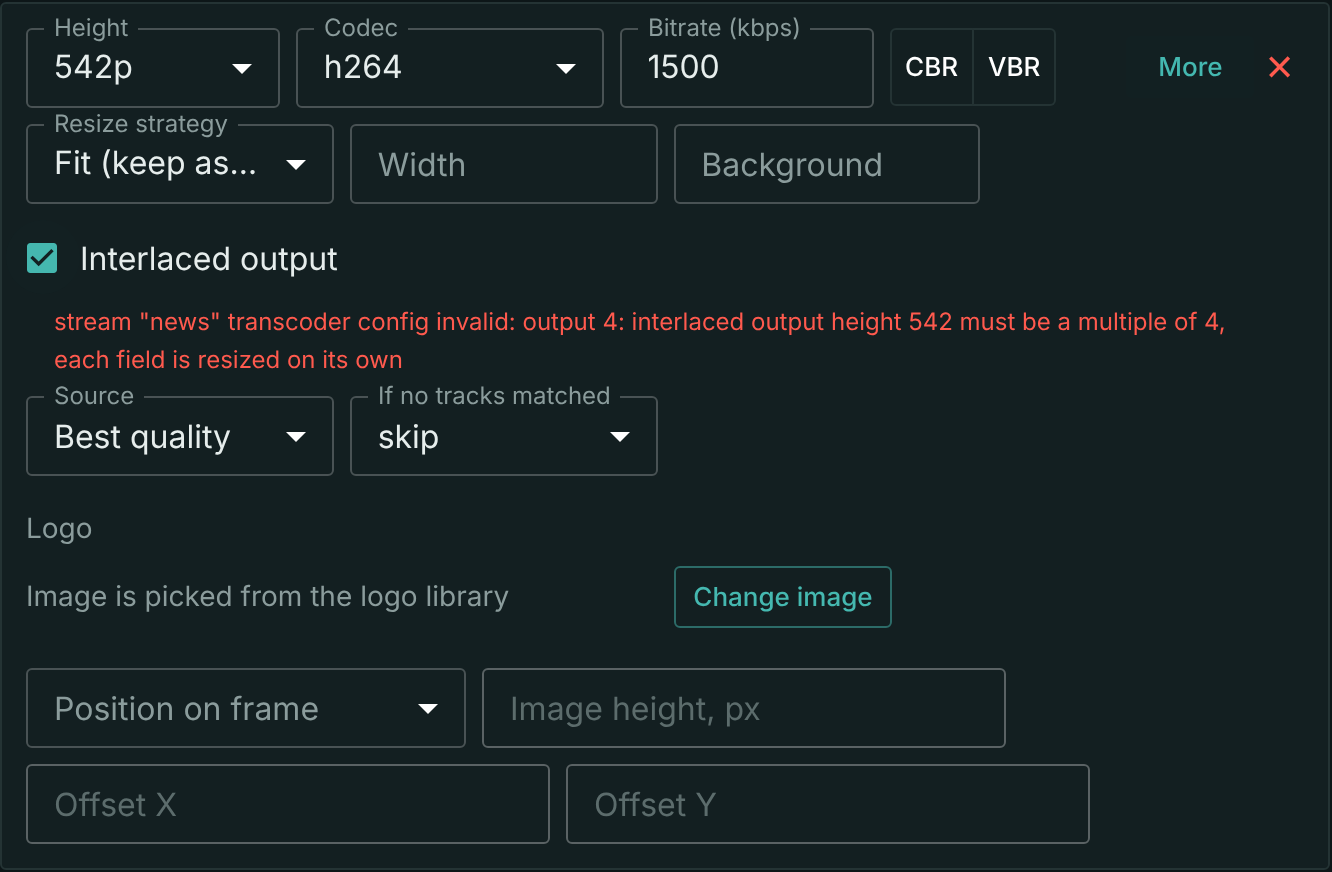
- Output height divisible by 4 — each field takes half of the frame. A rung without resizing takes the source height, and the transcoder checks it at startup.
An uncompressed interlaced input (SDI, ST 2110) is not encoded by an interlaced rung: such an input does not carry the field order, and the fields would come out swapped. The transcoder does not start such a rung and names the reason.
If a setting is invalid, Save fails and the reason appears under the checkbox of that rung. If a rung fails to start while the stream is running, a Transcoder is not working banner with the reason and a button to the Transcoder tab appears above the stream tabs.
Check the output field order frame by frame. Do not rely on the ffprobe stream summary (field_order): depending on how the stream is written, it can read tt for x264 output even when the bottom field is first.
ffprobe -v error -select_streams v -show_entries frame=interlaced_frame,top_field_first -of csv=p=0 out.ts | sort | uniq -c
Lines 1,1 mean top field first, 1,0 mean bottom field first, 0,0 mean progressive frames: the rung did not come out interlaced.
Checking
What to look at on the output:
- the rate at the receiver — it must not wander; a dip means the multiplex had nothing to send;
- the PCR jitter and the continuity counters — see TR 101 290; an even stream with an incorrect PCR does not help a modulator;
- the service tables — the receiver must see the service under the expected number, see Outgoing MPEG-TS.
Overriding the tables on an individual destination does not break the CBR: the destination gets a copy of the shared output with rewritten PIDs and tables, while the packet layout and the PCR remain those of the shared multiplex.
What next
- Outgoing MPEG-TS — PNR, PIDs and SDT.
- Delivery to the network — how this stream reaches the modulator.
- TR 101 290 — what proves the output is fit.