Stream copy
A received signal rarely leaves the headend in one form. The same TV channel goes into a DVB multiplex at constant bitrate, into OTT delivery with a quality ladder and into the archive; one customer gets it as is, another with a different transcoder and separate delivery. Receiving the signal twice is not always possible: an SRT encoder answers one caller, and a satellite receiver has one output. The Copy source reads another stream of the same headend inside the process — no second connection to the source and no network loop. The copy is a stream of its own, with its own settings.
What the copy receives
The copy reads the target stream after all of its processing — transcoder, alignment and segmentation — and sees exactly what the target sends to its output, with the same timestamps. The fragment boundaries the target cut the stream at arrive together with the frames: the copy cuts at the same places, and the archives of the two streams consist of identical segments.
Nothing else is inherited. The copy is a separate stream with its own tabs: transcoder and CBR, delivery to the network, OTT copy and archive are configured on it anew and do not affect the target. This way one received signal gets as many independent processings as needed, while the source stays connected once.
Set up a copy
- Create the stream that will be the copy — for example,
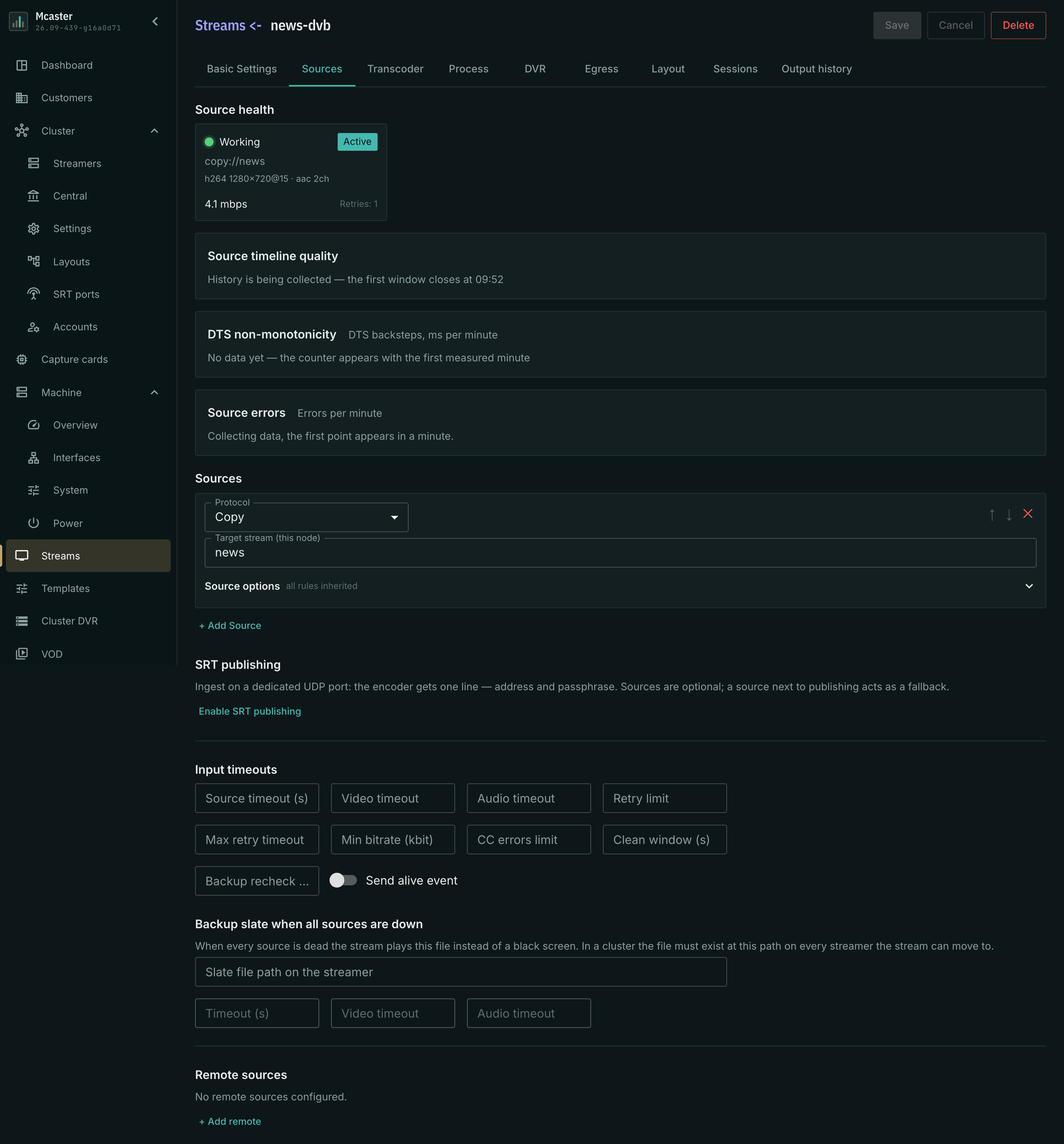
news-dvbnext to the receiving streamnews. - On the Sources tab click + Add source and choose the Copy protocol.
- In the Target stream (this node) field enter the name of the stream to read:
news. - Save. The source indicator turns green as soon as the target serves frames; the card under the source shows the status and bitrate, like for any other source.
In the stream list the target and the copy are two ordinary running streams.
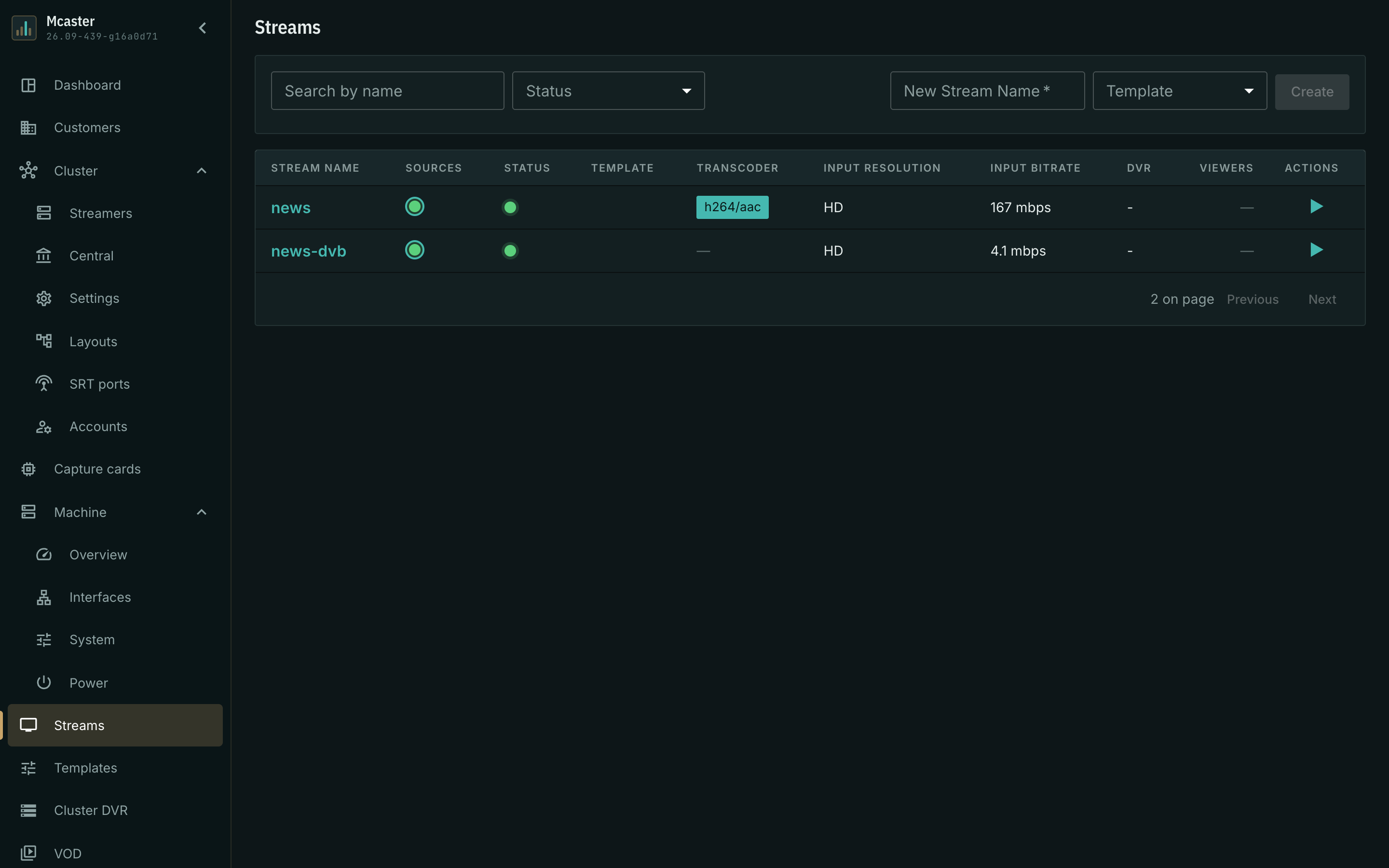
The target's settings do not change: it does not need to know about its copies, and there can be several of them.
An on-demand target
If the target stream's Start mode is On demand, the copy starts it itself, like a viewer would: the target starts together with the copy and runs while the copy reads it. Once the copy is stopped or deleted, the target goes idle by its own no-viewers timeout.
What is not allowed
Validation on save rejects two configurations and highlights the target stream field:
- A stream reads itself. The copy would wait for the frames it is supposed to produce.
- A chain of copies closes into a ring.
areadsbandbreadsa: neither has a source. A chain without a return — a copy of a copy — is allowed.
If the copy does not run
- The source is dead, the target is not found. Check the name in the target stream field: a stream with that name must exist on this headend.
- The target is stopped. The copy's source is in error, the stream waits. As soon as the target serves frames again, the copy connects by itself — nothing needs changing.
- Input errors are growing. The copy cannot keep up with the target and some frames are lost: the headend is overloaded. See input errors and the headend's load.