Audit log
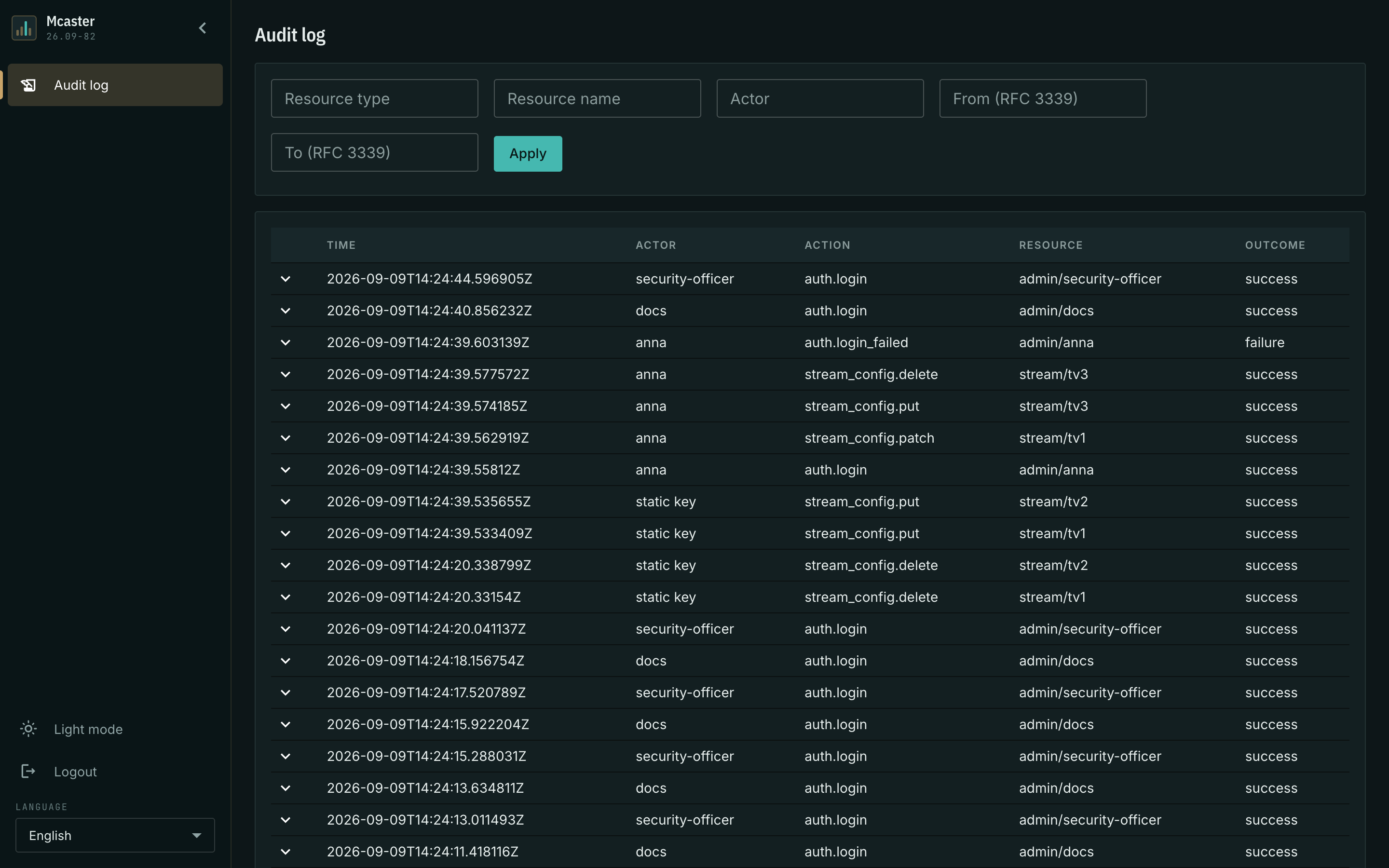
The audit log answers one question: who did this. Every change made through the console or the API — a stream created, a delivery removed, a machine's settings edited, an administrator added — leaves a record with the time, the author and the name of the thing that changed. Logins to the console land there too, successful and failed ones alike.
This is neither logging nor monitoring. Logs answer "what happened inside the process", the journal answers "what did a person do". That is why there are few records, they are meant to be read by eye, and the console cannot delete them.
Who sees the journal
The Audit log section is visible to two roles:
- security — the supervising role: the audit log and its own account (login, changing its own password, logout). Settings, streams and observed state are closed to it entirely, reading included.
- superadmin — as with everything else in the console.
The admin and viewer roles have no access: supervision of the operators does not belong to the operators themselves, and to a viewer the journal would reveal administrator logins and the addresses they log in from. The ban is enforced by the server, not by the menu: a role without access is refused on a direct link as well.
Roles are assigned in the Accounts section. The person who watches what the operators do gets an account of their own with the security role, rather than a superadmin.
What goes into the journal
A record is left by a change that actually happened and by a login:
- settings edits — of a stream, a machine, a template, a schedule source, access, the control installation itself;
- work with the cluster's machines — registration, revocation, removal, opening and closing the join window;
- work with accounts — creation, edit, removal, password change;
- migration of settings from Flussonic v3 — both building the plan and applying it;
- a manual placement run;
- an administrator's login and a failed login attempt;
- work with the customer registry — creating, editing and deleting a customer, linking and unlinking an account.
A bulk operation leaves a record per affected object, not one per call: migrating three hundred streams shows up as three hundred records, and a search by name finds any of them.
Revealing a live join token stands apart: it is a read, but revealing a secret amounts to handing it out, so the record stays. The token value itself never enters it.
What the journal does not carry
The journal says nothing about what is not a person's action:
- Failed attempts. A permission refusal, a validation refusal, a document version conflict — none of these is a change. Such attempts are visible in the logs and the counters. There is one exception: a failed login is recorded, because password guessing is exactly what supervision is for.
- A repeat that changes nothing. Saving a document identical to the stored one leaves no record.
- The machine's own decisions. Scheduled stream placement, retention cleanups, a change of mandate holder belong to the logs and to the placement decision journal, not to the audit. A manual placement run is recorded, though: a person started it.
- Session refresh and logout. A login and a failed login are recorded; refreshing a session and logging out are not.
Records never carry secrets: no passwords, keys, tokens or complete settings documents. An edit is recorded as which fields changed, not what was written into them.
The feed and its columns
Records run newest first. Load more fetches the next page — the feed does not end at the first fifty records.
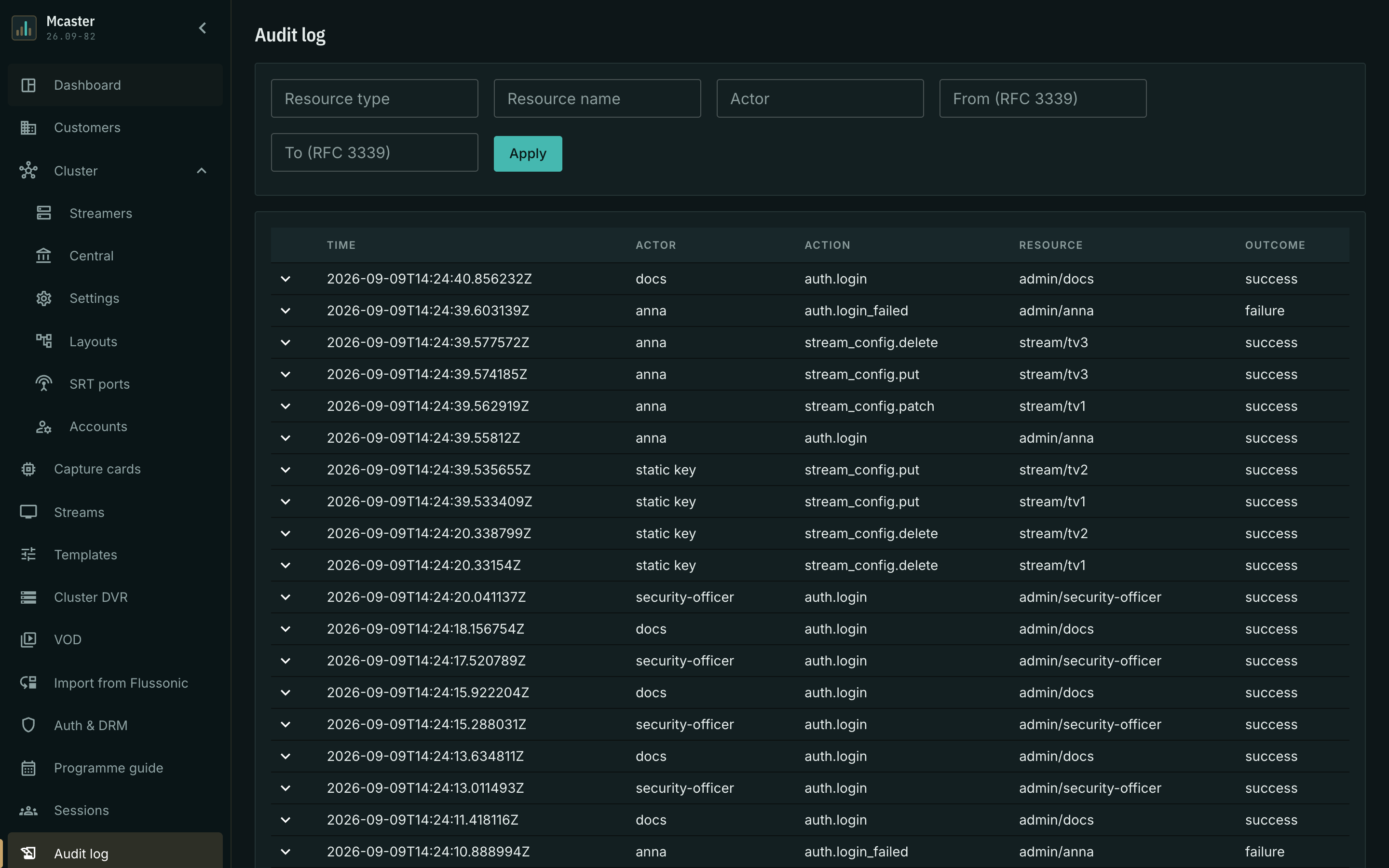
The table has five columns:
- Time — when the action happened.
- Actor — who acted. Either an administrator's login, or one of the service kinds: static key (a login with the break-glass credentials from
/etc/mcaster/secrets.env, shared by everyone, hence no name behind them) and node (the registration of a cluster machine, where the actor is its identifier). - Action — what was done, as a machine name of the form
<resource>.<verb>:stream_config.put,node_config.patch,admin.create,auth.login. The names are stable, which makes them convenient to search and filter by. - Resource — what it was done to: type and name, for instance
stream/program-a. - Outcome — success for an action that happened and failure for a failed login.
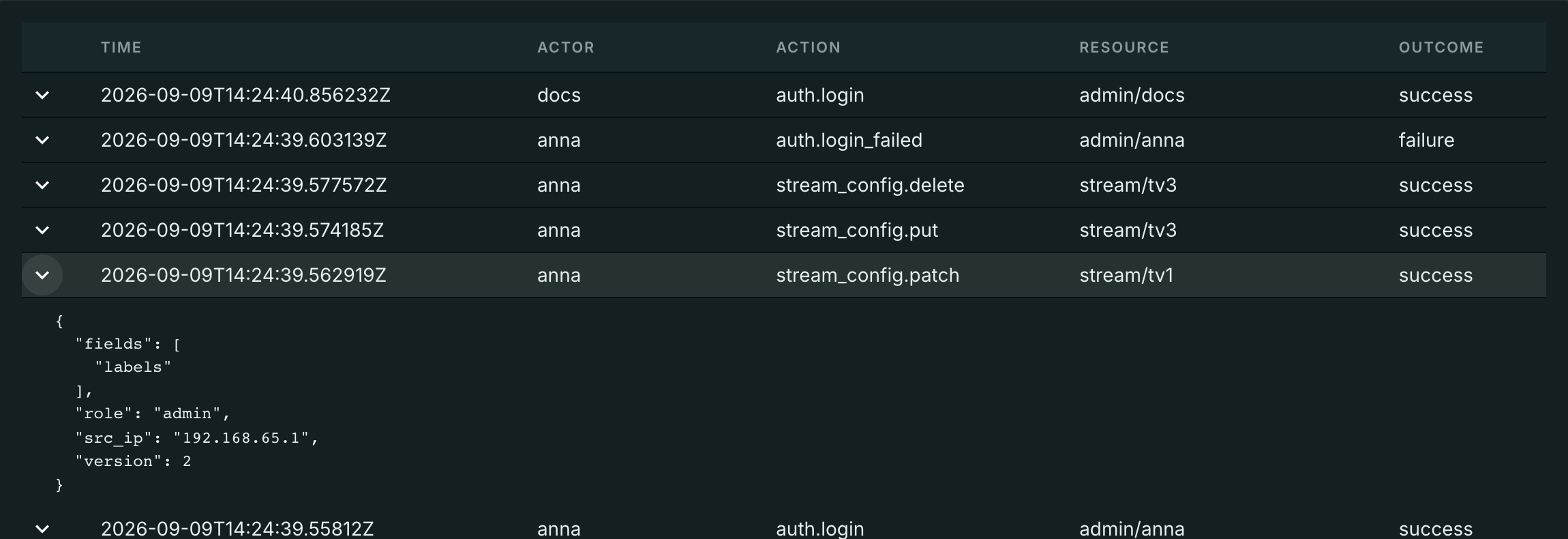
The arrow to the left of a row expands the record's details: the address the request came from, the administrator's role, the document version after the edit, the list of edited fields and — if the request arrived with a tracing header — its identifier, which matches the record against the logs.
Searching the journal
Five fields sit above the feed and work together:
- Resource type and Resource name — "everything done to this stream".
- Actor — "everything this person did".
- From and To — a time window in RFC 3339, for instance
2026-08-14T14:00:00Z.
Apply re-reads the feed from the top. An empty field means "do not filter".
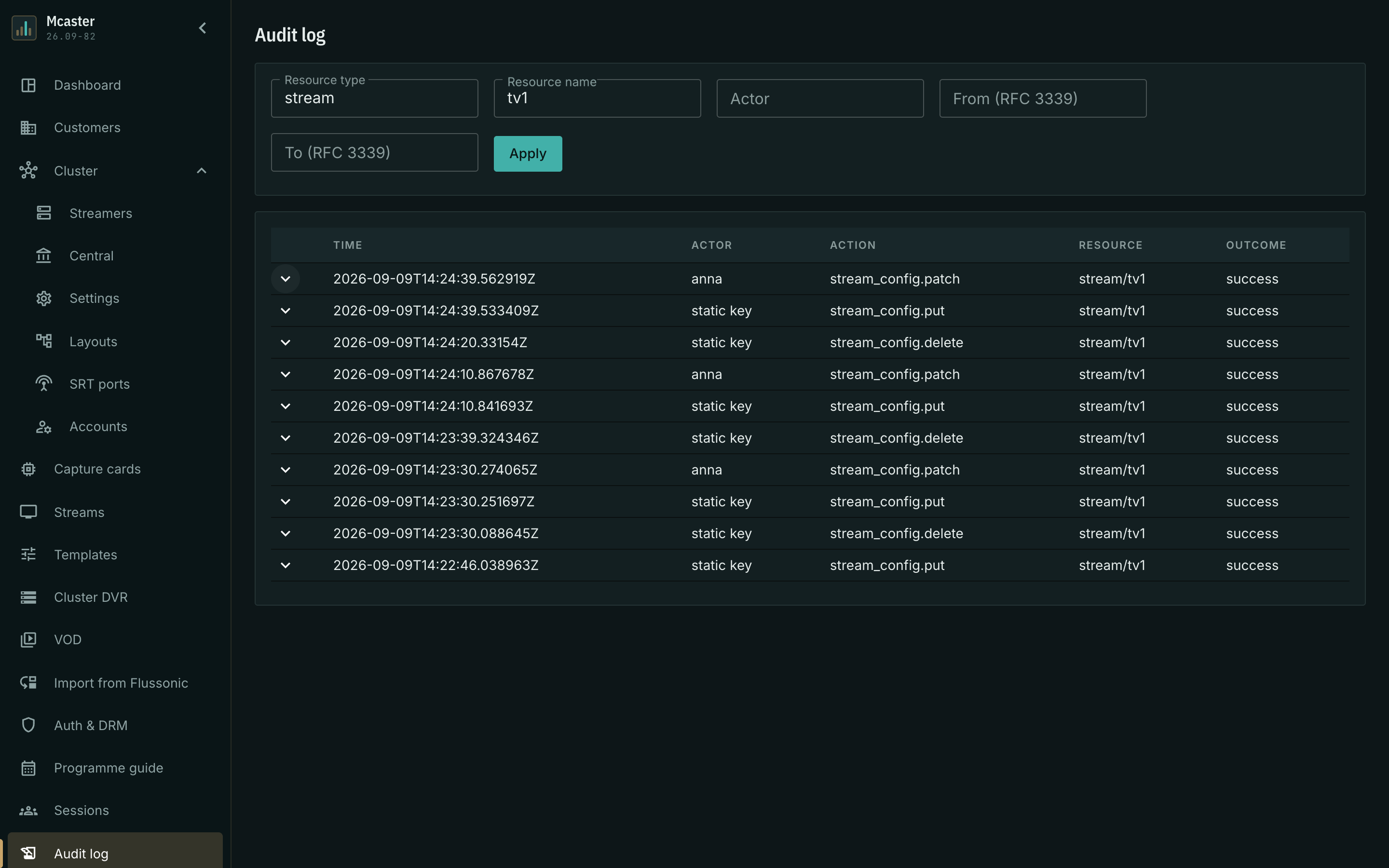
An incident is usually taken apart in two queries: first by resource — what happened to this stream, then by the actor from the record you found — what else that same person did that day.
Retention and protection
The journal lives in the same database as the rest of the machine's state and survives a restart of the process. It creates no files on disk.
Records are only ever appended: editing or deleting an individual record exists neither in the console nor in the API. Retention — seven days by default — is set by the audit_log_ttl_secs process setting in /etc/mcaster/, and the console cannot change it. That is deliberate: whoever wants to hide their action must not be able to shorten retention with the same access that let them perform it. A value of zero means "keep everything", not "wipe everything".
Against someone with access to the database itself the journal offers no protection and promises none.
SIEM export
Outwards the journal is served in one way only — by reading. Mcaster opens no files, sockets or outgoing connections to a collector.
An external collector reads GET /central/api-v4/audit-log with the same operator authorization as the rest of the management API, and follows the journal by cursor: the response carries a next field to be passed as the cursor parameter of the following request. The order is stable — newest first — and every event has a global identifier derived from the installation's identity and the record number. A page re-read after a disconnect therefore yields the same identifiers, and the collector deduplicates on its own; events of two different installations never collide.
The filters are the ones from the console: resource_type, resource_name, actor, from, to, limit (up to 1000 records per page).
As a ready file in CEF, which a SIEM accepts without adaptation, the journal is exported with the Export to CEF button above the feed and with a separate API request — see CEF export to SIEM.
The journal and the licence
The audit log is a separate licence option. While it is not granted, nothing is recorded at all, and the section says so outright: the feed is empty and a message above it states that the journal is not included in the licence. An empty feed without an explanation would be indistinguishable from "there is nothing in the journal", and broken supervision would look like working supervision.
The option is read on every request, so once granted the journal starts working without a restart: new actions are recorded, the feed opens. What happened while the option was not granted will not appear — those records were never created.