Customers
The Customers section answers the two questions a seller has: who buys from us, and what exactly each of them bought. A customer here is a legal entity with a contract, not an account: a customer logs in nowhere, and their staff, if they need access to the console, get ordinary accounts.
A customer's service is not created by a button of its own. It is derived from the stream settings: a push and an SRT delivery each carry a Sold to field, and as soon as a delivery names a customer, that customer has a service on that stream. Remove the last delivery and the service disappears by itself.
It is built that way so that there is no second source of truth. A separate service record would sooner or later disagree with the settings, and the operator would end up with two pictures that do not match: what the paperwork sold and what the air actually carries.
What the section does not do
The section keeps what has been sold, not the billing and not the monitoring:
- there are no tariffs, invoices or money in it;
- charts, history and service quality live on the dashboard and on the stream page — here each purchased thing carries only its present state, enough to answer a "we have no picture" call without leaving the page.
The list of customers
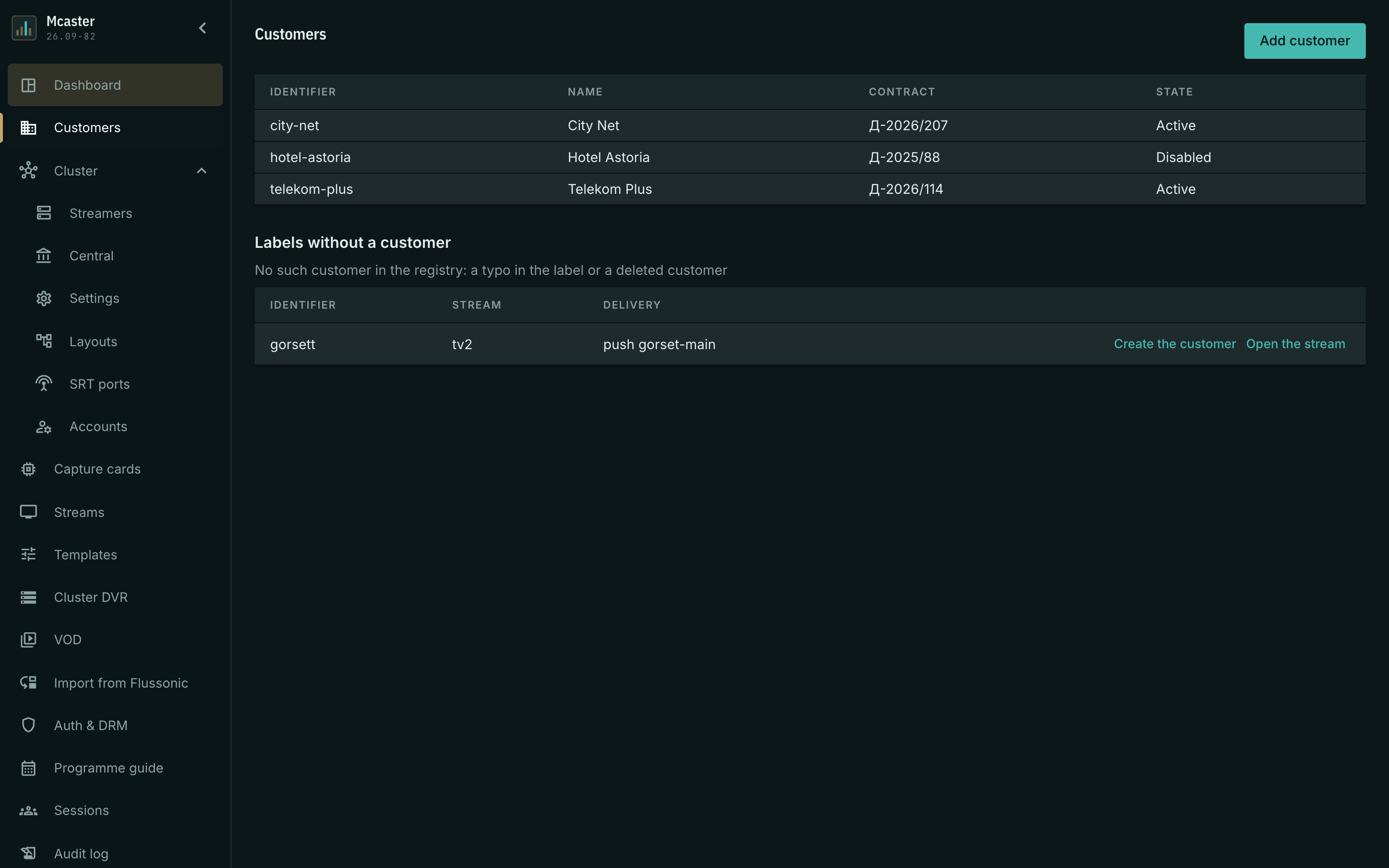
The list has four columns: Identifier, Name, Contract and State (Active or Disabled). A row leads to the customer's card.
Add customer opens a form of three fields — the identifier, the name and the contract. The first one deserves attention.
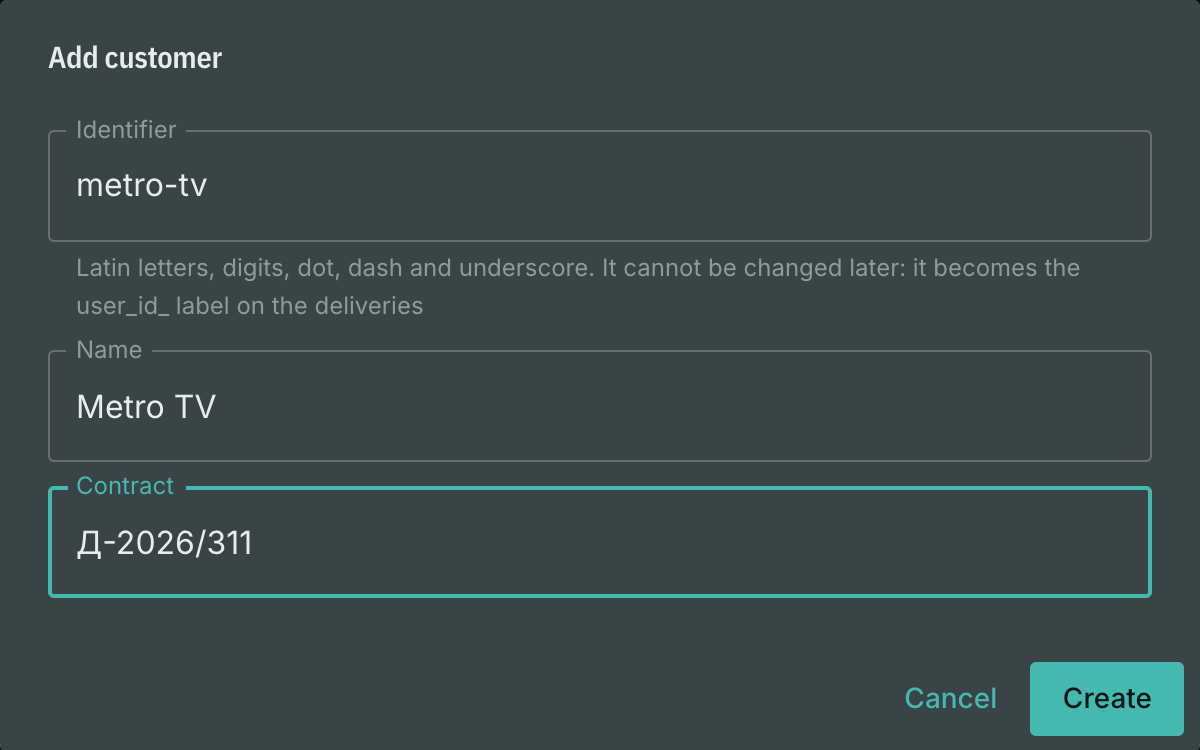
The identifier cannot be changed. It does more than address the customer: it is what travels as the user_id_<identifier> label into the settings of the deliveries, and it is what names the viewer in the session statistics. It cannot be changed afterwards — a change would orphan every delivery sold at once. Latin letters, digits, dot, dash and underscore are allowed; the form checks the value exactly the way the label will check it later, and rejects an unusable one right at the field.
The customer's card
The card has three parts: the services, the access keys inside them, and the accounts.
Services
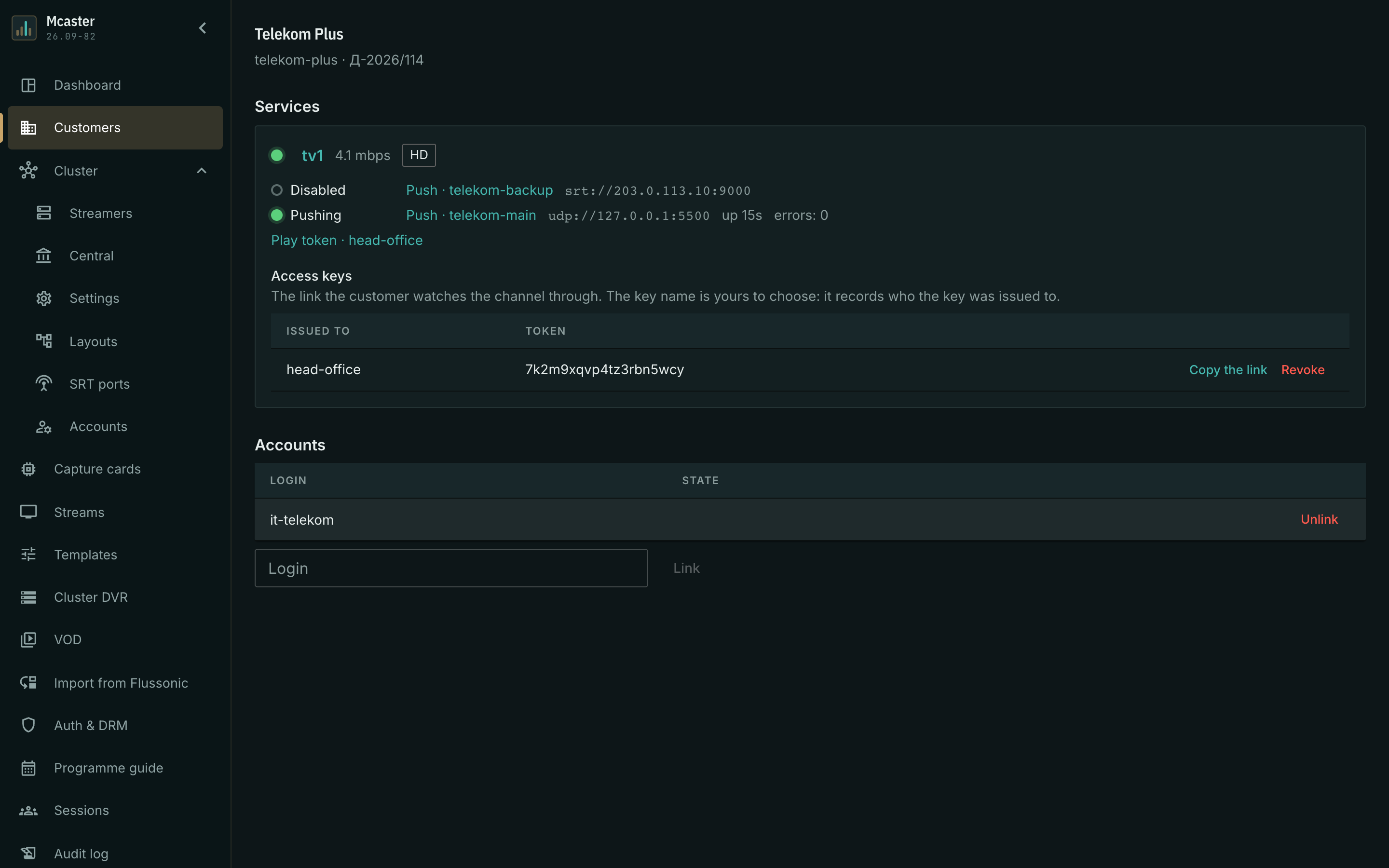
One service is one stream behind which stands at least one delivery of this customer. Each of them shows:
- the stream's state indicator, its current bitrate and its picture class;
- the list of deliveries: the kind (Push, Play token, SRT playback), the name, the destination (protocol, host and port — without keys and passwords), the state, how long the current run has lasted, the number of send errors and the number of restarts, if there were any.
The stream name leads to its page, a delivery to the tab where it is configured. Taking any question about a service further happens there.
An SRT playback service also carries the current session counters: a running SRT pull shows its bitrate and health state, and the customer's sessions on the Sessions page attribute each viewer to the client map entry used.
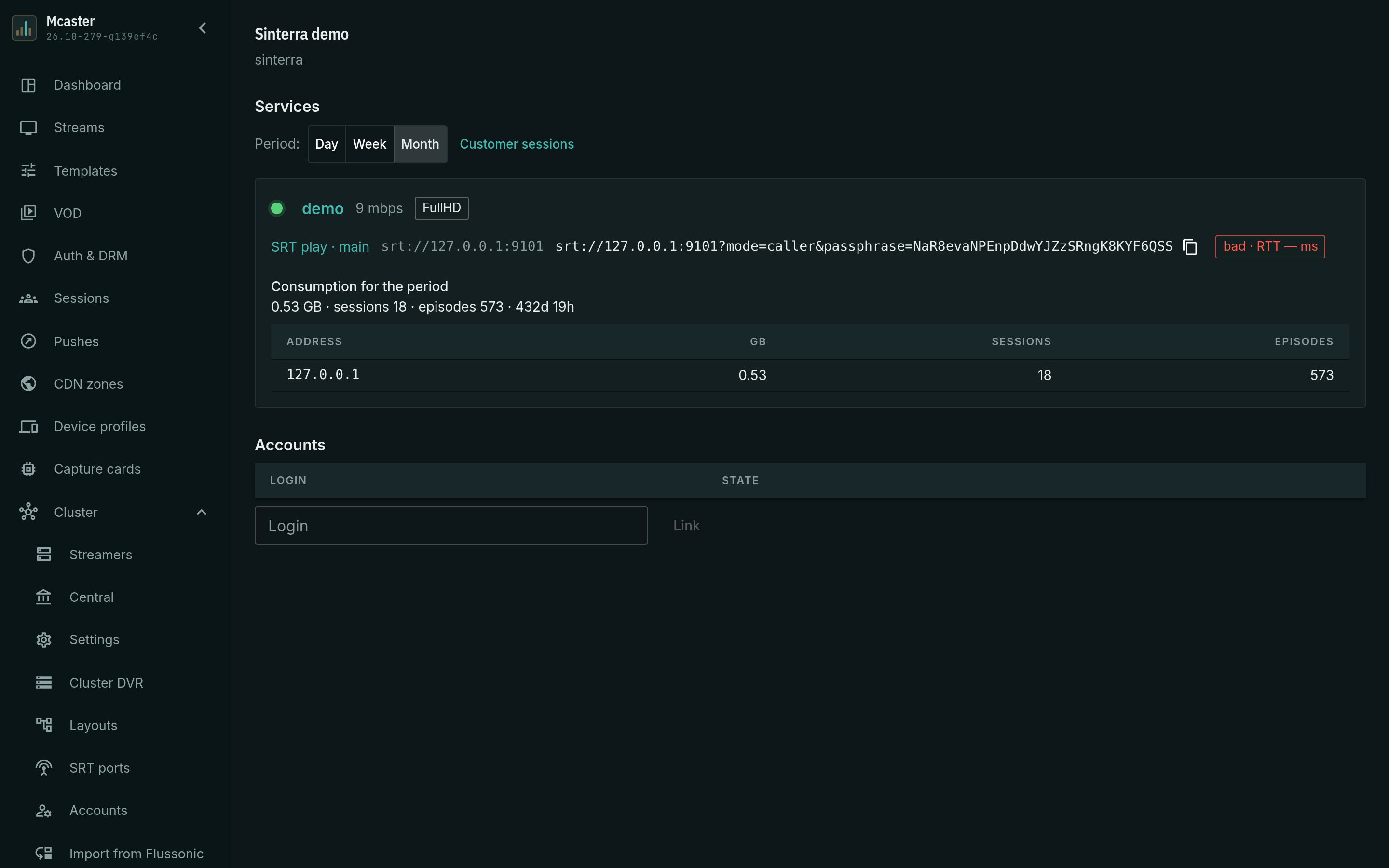
A value that does not exist is never replaced with a zero: a service that is not being observed — the stream is down, statistics are closed by the licence, the machine did not answer — simply shows no bitrate and no counters. A delivery the operator switched off is marked Disabled and shows no counters at all: "errors: 0" next to the word "disabled" would read as "running and error-free".
The restart count deserves a separate mention. A delivery that never managed to connect has zero send errors and hundreds of restarts — that is the number that answers "so why does the customer have nothing".
Access keys
An access key is the string in the link the buyer watches the channel through. Keys are declared in the settings of the stream itself, and the card shows those of them that belong to this customer. Creating a new key is not something the console can do yet — that goes through the management API — but showing an issued one, handing the operator a ready link and revoking it, it can.

- Issued to — the key's name. The operator chooses it: it is a note about who the key was given to ("head office", "backup"), not an address and not a login.
- Token — the whole value. It is not masked: it is emailed to the buyer, and hiding in the console what leaves the building anyway only gets in the operator's way. Roles that have no access to settings are not shown the key at all.
- Copy the link copies not the key itself but a ready playback link — with the address, the stream name and the key. There is no need to assemble it by hand: that is where the typos come from. The address is the one the console is opened at; if delivery lives on another domain, the link is assembled from the public playback address in the control installation's settings.
- Revoke deletes the key. There is no separate "revoked" state: the record of the key is the right of access. Playback in progress stops at the next access check, which is why the button asks for confirmation.
A key opens only the stream in whose settings it is declared, and only for watching: publishing with it is impossible, and it grants no access to the management API. A session opened with a key is named in the statistics by its customer's identifier — that is how each buyer's consumption is counted separately.
Accounts
Here are the console accounts that belong to this customer — the buyer's engineers, say, who were given access. The field below links an existing login, the button in the row unlinks one.
- A customer may have any number of accounts, but an account has at most one customer: try to link a login that is taken and the console names the customer it already belongs to.
- An account with no customer is normal: that is what your own operators' accounts look like.
- If the login has been deleted in the Accounts section, the link stays visible with a No such account mark. This is not an integrity error: customers and accounts are managed by different sections, and no single action reconciles them.
The account itself is not created here — the card manages ownership, not credentials.
Labels without a customer
Below the list of customers a Labels without a customer table appears — deliveries labelled with an identifier that no customer in the registry has. There are exactly two causes: a typo in the label, or a customer named in a label but never entered into the registry.
Hiding them is not an option: the label on a delivery is not checked when it is written, and this is the only place where such a mistake becomes visible. The row names the stream and the delivery, and the buttons offer to create such a customer or to open the stream and fix the label.
Selling a stream to a customer
- Create the customer in this section — the identifier, the name, the contract.
- Open the stream, go to the delivery settings tab and add a delivery: a push to the buyer's address or an SRT delivery with its own port and password.
- In the Sold to field pick the customer from the list (see the picture below). An empty value means Internal — sold to nobody: that is how pushes for monitoring, for backup and for showing a partner are marked.
- Save. A service on that stream appears in the customer's card.

One delivery can be sold to several buyers — the form then lists every owner and does not allow editing: replacing the set with a single value would silently withdraw the sale from all the others.
When the section is not there
The customer registry is a separate component of an installation. The Mcaster package enables it itself, so on an ordinary machine the section works from the start. If the console shows a message saying the registry is not enabled, the installation was assembled without it — which happens on hand-built stands; the list of customers is then not empty but absent, and that is said outright so that nobody goes looking for missing data.