SRT publishing
SRT ingest works like this: you tell the station in advance where to dial for the signal, and it reaches the sender itself. Publishing flips the scheme — a correspondent with OBS or a mobile encoder dials the cluster itself, using one address and one port, without knowing or choosing which machines the cluster is made of. The door is open on every node at once, and the stream is received by the one the cluster gave the ingest to.
This is how you connect external authors: a reporter with a phone, a partner studio, a camera at a venue. They get a single connection string — the cluster handles the rest.
How the cluster takes the call
- The stream's dedicated UDP port is listened on by every node of the cluster — whichever one you dial, it is the same door.
- The caller passes the passphrase check right at the handshake.
- The stream is received only by the node the cluster gave the ingest to. That node is picked by the cluster layout — by load, labels and liveness, not by where the call landed. The encoder reaches it — the broadcast is on, and an on-demand stream comes up right there.
- A call to any other node is closed right after the handshake: that stream is not in its configuration, and holding the connection silently would show the encoder a broadcast that is not being received. The encoder sees an immediate drop and redials; once it reaches the ingest node, it starts broadcasting.
- While a publication is running, the door is busy: a second encoder reaching the same node gets a "busy" refusal and cannot knock down the live broadcast.
- A dropped publication waits for its return: after a few seconds of silence the connection is closed and the stream goes back to waiting. The ingest does not move anywhere — an encoder that comes back continues on the same node, until the cluster moves the ingest itself (when the node fails, say).
Sources are optional for such a stream: it can live off publishing alone and start with the first call. A source configured next to the publication acts as a backup — the live feed outranks it.
One address for every encoder
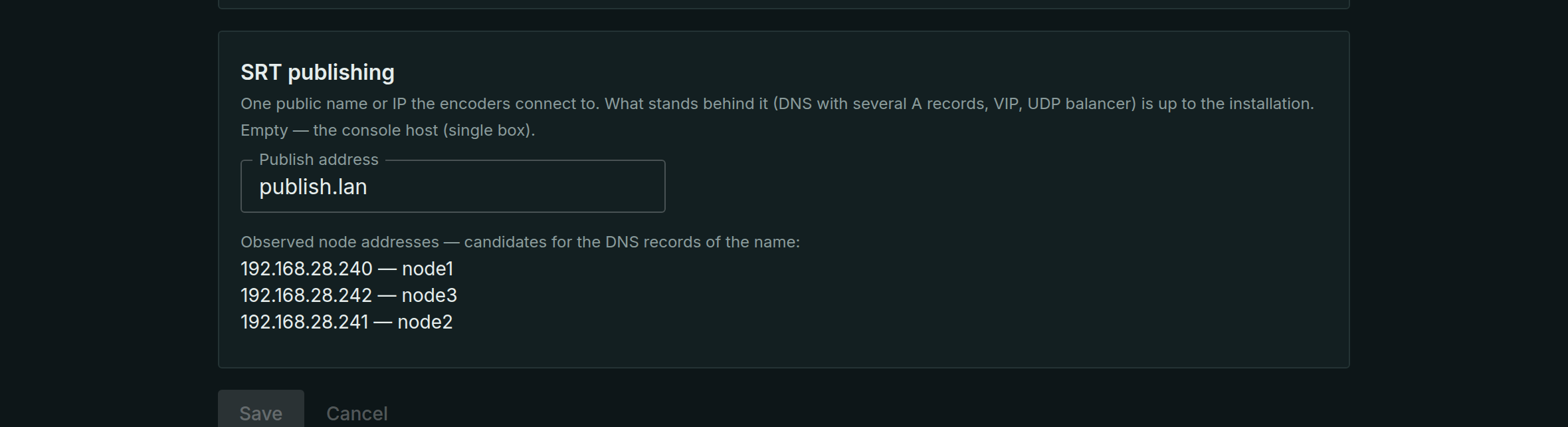
An encoder needs one address, and the cluster has several nodes. The Publish address setting (the Central settings menu) is the name or IP that the console puts into the connection string. What stands behind that address — a DNS name with several A records, a VIP, or a UDP balancer — is the installation's choice; this page covers the DNS variant as the one that needs no extra software. An empty setting means the console host and only suits a single box.
Scenario: a DNS name with several A records
SRT has no redirects: the client dials a specific address over UDP, and the protocol has no way to say "ask the next node over". What SRT clients — OBS, Larix, VLC — do have is A-record retry: when an address is unreachable they walk the name's records themselves, spending around three seconds per dead one. A name with an A record per node gives you failover by the client's own effort: a node dies — the encoder dials the next one. The same walk is what brings the encoder to the ingest node: a node without the ingest drops the connection right after the handshake rather than on a timeout, so the attempts go fast.
The setup order:
- Declare the nodes' public addresses. In each node's card fill in Public media address — the field offers a choice of addresses the node sees on its interfaces; behind NAT only you know the right one, type it in by hand.
- Check the hint. Under the Publish address setting the console lists the DNS record candidates — one address per live node, with the node's name. That is the exact list of what goes into the zone.
- Create the A records. In your DNS zone create a name — say,
publish.example.com— with an A record pointing at each node's address from the list. - Put the name into "Publish address" and save. The cluster periodically resolves the name and checks the result against the node registry: the setting shows that the name leads to live nodes. A name that does not resolve, or leads only to nodes that are down, raises a warning — the classic maintenance mistake of "node retired, record forgotten" is visible immediately, not at the first broken broadcast. From this moment the encoder URLs of every stream are assembled with the name.
Two honest caveats:
- Several A records are failover, not load balancing: resolvers cache and shuffle records their own way, and encoders on the same network may all dial the same door. This does not affect the layout — which node gets the ingest is the cluster's decision; DNS only affects how many attempts it takes the encoder to reach the right door.
- Not every mobile client walks the records. Some applications take the first address and keep hammering it. For those it is safer to configure two addresses in the encoder's profile — primary and backup.
Stream settings
Open the stream on the Streams tab and find the SRT publishing section:
| Field | What it sets |
|---|---|
| UDP port | the publishing port; one port — one stream, on every node at once |
| Passphrase | the AES encryption key, 10–79 bytes; a mismatch is refused at the handshake |
The passphrase is optional, but a port without one is an open door: anyone who dials in can publish. Leave it empty only on a trusted network — the form warns about this.
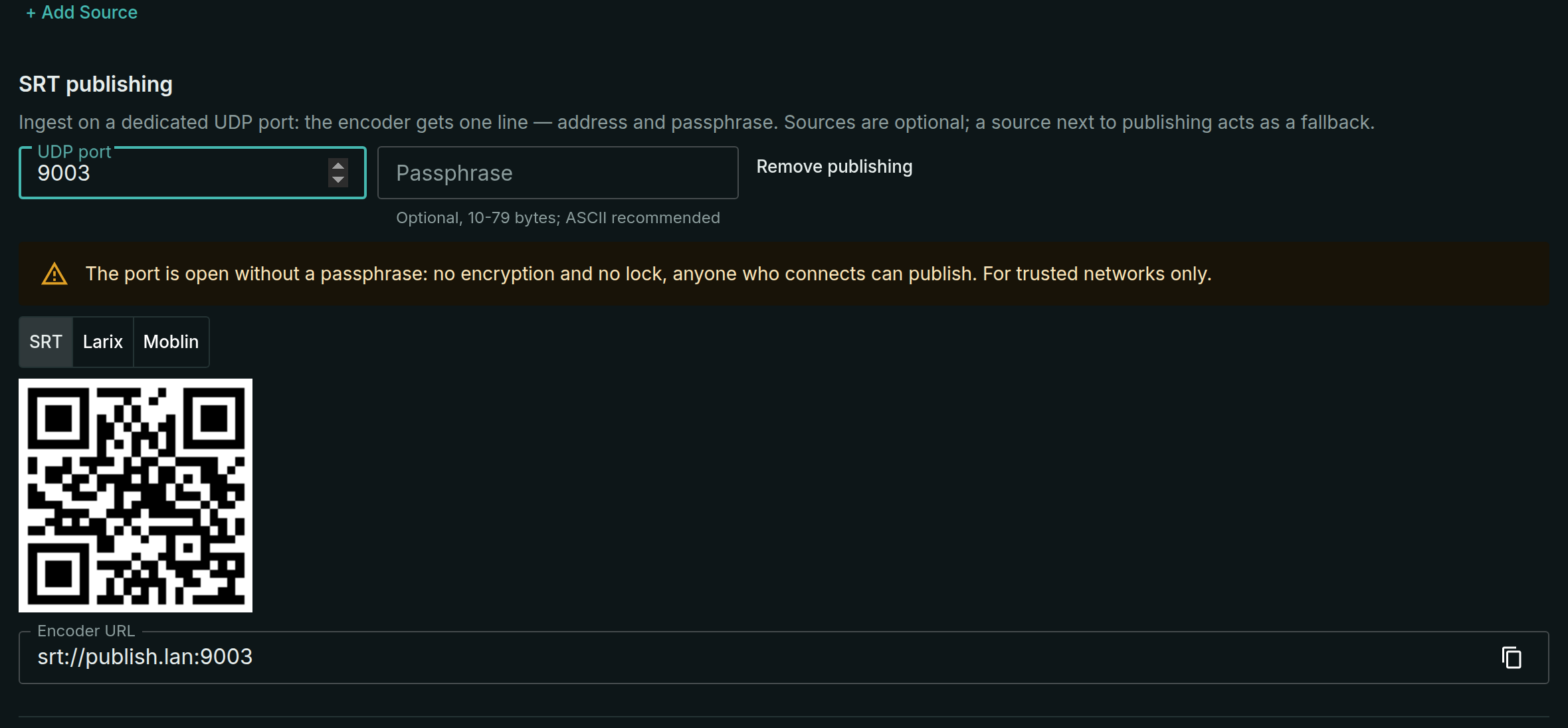
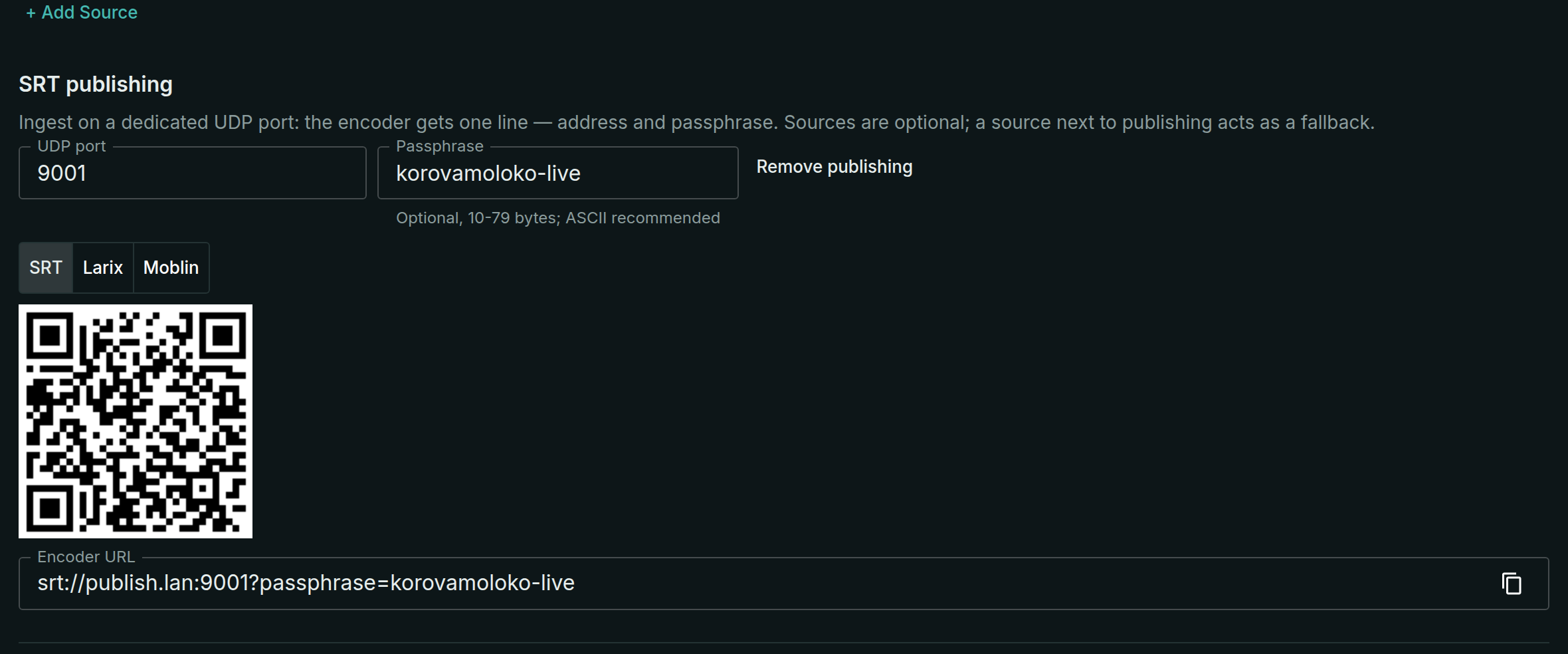
Below the fields the ready-made Encoder URL is assembled — srt://address:port?passphrase=… — with a copy button and a QR code: the address and the key go into a mobile encoder through the camera, not the keyboard. The address in the string is the Publish address from the section above: set it before handing the string out, or the encoder walks away with the address of one specific node.
Next to the QR are the Larix and Moblin tabs: the same door as a ready-made import link for those apps — scan it with their camera and the connection appears in their settings by itself.
Connecting an encoder
In OBS: Settings → Stream → Service: Custom..., and the whole string from the stream card into the Server field:
srt://publish.example.com:9000?passphrase=your-key
Show the QR from the same section to a mobile encoder. After the broadcast starts, the stream comes up within a few seconds: the encoder may need a couple of attempts to reach the ingest node. The result is visible in the stream list and on the ports page.
The SRT ports summary
The SRT ports page (in the menu under Streams) is the map of every SRT door of the cluster: publishing and delivery ports, which stream owns each, whether a passphrase is set, whether the port is actually listening. It also shows:
- picking a port for a new stream — the taken numbers are in front of you, a duplicate port is flagged;
- a live publication — the encoder's address and the node receiving the stream;
- the silence between calls — there is no session, the port is simply listening; which node takes the next call follows from the cluster layout, and the summary makes no promise about it;
- the publish address check — the same status line as next to the setting.
When a call is refused
| What happened | What the encoder sees |
|---|---|
| The passphrase did not match | a refusal at the handshake, no connection |
| The call landed on a node without the stream's ingest | the connection closes right after the handshake; the encoder redials until it reaches the ingest node |
| The receiving node is already busy with a running publication | a "busy" refusal; the ongoing broadcast is not interrupted |
| The publication went silent | after a few seconds of silence the connection closes and the stream waits for the next call |
What next
- SRT and RIST ingest — the classic scheme when the source address is known in advance.
- SRT delivery — pass the received signal on.
- Monitoring — connection counters and ingest quality.