The dashboard
The dashboard is the first screen after signing in. It answers one question: is everything all right right now. Not "what is configured" and not "what happened yesterday", but the state of the installation this minute.
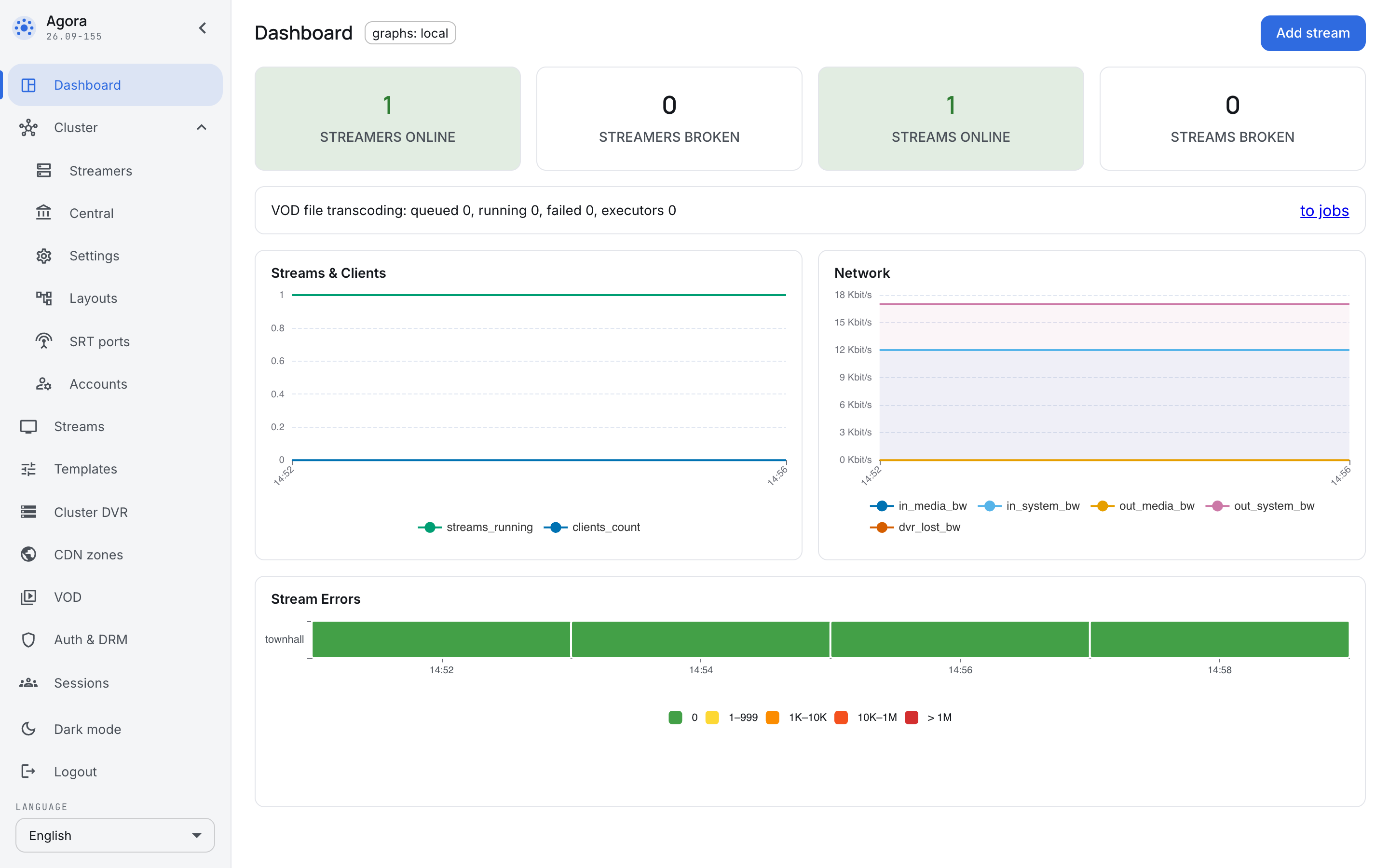
Four counters
The tiles at the top are what this page is opened for before a meeting:
- Streamers online — servers in touch.
- Streamers broken — servers the control plane could not reach.
- Streams online — broadcasts that are running.
- Streams broken — broadcasts that exist but are not running.
A green tile means there is no reason to look further. A non-zero "broken" is a reason to open Streamers or Streams: the dashboard says what happened, not why.
The charts
- Streams and clients — how many broadcasts are running and how many people are watching. It shows a meeting's load: how viewers arrive before the start and how they leave afterwards.
- Network — how much the installation takes in and how much it sends out.
- Stream errors — a strip per broadcast, coloured by the number of errors per minute. Green means the broadcast did not fail once in that period; the colour moves through yellow to red as the count grows.
The charts are not decoration; they separate "it broke" from "it was always like that". A "it is slow" complaint is checked against them in a second: either delivery has hit its ceiling or it has not. The error strip, in turn, answers not "is it broken now" but "when exactly did it start failing" — the first question asked after a meeting the viewers complained about.
The charts: local label says where the data comes from — the installation's own store.
A separate line carries the state of file transcoding: how many jobs are queued, running and failed.
The order of investigation
The dashboard is the top of the funnel, not the place where things are fixed. The usual order is:
- The tiles — what exactly is wrong: servers or broadcasts.
- The section the tile pointed at — Streamers or Streams.
- The card of the particular broadcast or server — the cause is there.
The reverse order — starting with the card — usually ends with the symptom being treated: the broadcast is not running because the server it was on went offline, and the broadcast's card says little about that.