Delivery zones
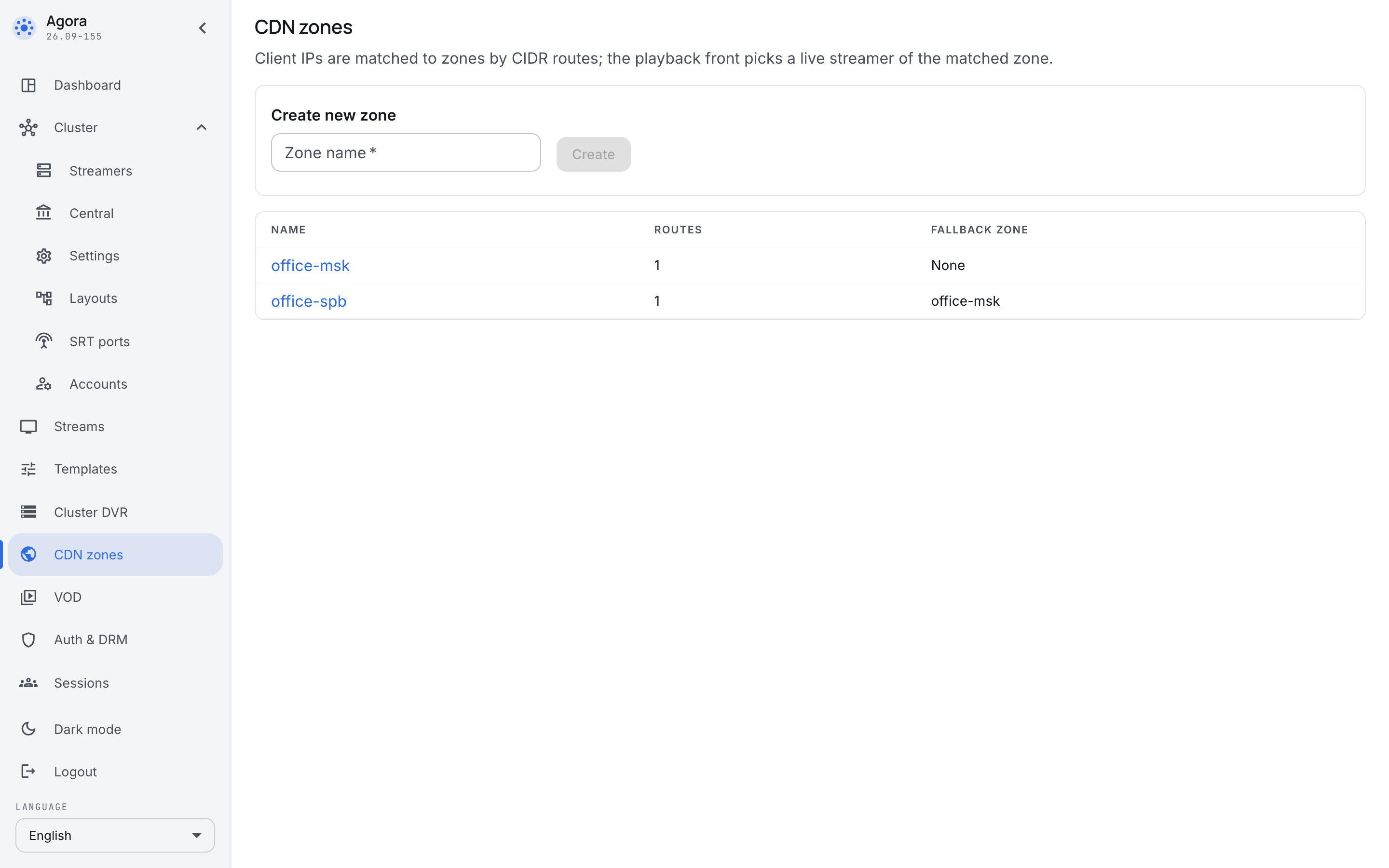
A zone is the site a viewer watches from. In a corporate network a site usually coincides with an office: the Moscow office has its own servers, St Petersburg has its own, and an employee has no reason to pull the broadcast across half the country when the picture is available in their own server room.
Zones answer one question: which server to send a viewer to when they have just opened a broadcast.
How a viewer lands in a zone
A zone is described by a list of subnets in CIDR notation — 10.10.0.0/16, 2a02:6b8::/32. IPv4 and IPv6 live in the same list.
When a viewer opens a broadcast, their address is matched against the subnets of every zone. The longest matching prefix wins — that is, the most precise description. This lets the network be described in layers: a wide zone for the whole company and narrow zones for individual offices inside it; an employee at an office lands in their own zone, while a guest from a subnet nobody described separately lands in the general one.
Servers are attached to a zone in their own settings: a zone is not a list of machines but an attribute of a machine.
The fallback zone
A zone may name a fallback zone — where to take a viewer when no live servers are left in their own. This is what turns an office server room failing from "the broadcast is gone" into "the broadcast is slower".
The fallback is a reference, not a copy: a chain of zones may lead further on, and a reference to a zone that does not exist yet is allowed — the chain simply ends there.
Why a corporate broadcaster wants this
The point of zones is not saving traffic as such but where the bottleneck sits. An all-hands is watched by every office at once, and the link between sites is the one place where a thousand viewers turn into a thousand streams. Zones keep that traffic inside the site: one stream travels between offices, not a thousand.
That is why zones are set up before the first big meeting, not after it.
Explicit routes and refusal
The first valid CIDR route enables restricted playback across the installation. Central selects only nodes in the matching zone and its explicit fallback_zone chain. Unzoned nodes and unrelated zones are excluded. none (null in the API), a missing zone or a repeated zone ends traversal. When no eligible target remains, central returns 503 with Retry-After; an unknown stream returns 404.
When CDN routing is enabled, requests without a matching CIDR or a client IP also fail. Configure a general route explicitly: 0.0.0.0/0 for IPv4 and ::/0 for IPv6. Empty zones do not enable CDN routing. Deleting the last CIDR route restores unrestricted selection: edge streamers first, then ingest streamers.
Origin is not a universal fallback. Viewers from one failed office could overload it and disrupt broadcasts in other offices. To allow it, assign the origin node to origin-pool, create that zone (its routes may be empty), and set the office fallback to it. The name has no special meaning. An origin in the client zone is also explicitly allowed.
| Configuration | When every office-2 node is unavailable |
|---|---|
office-2 → none |
Refusal; office-1 and origin excluded |
office-2 → office-1 → none |
Only office-1, then refusal |
office-2 → origin-pool → none |
Only origin-pool, then refusal |
Load and limits
Within a zone edge and ingest are equal: central selects the node with the fewest active Play sessions, distributing ties evenly. Origin has no special priority. JSON lists zones in chain order and each zone's nodes by increasing load; private addresses are excluded. Normal GET may use proxy or local delivery.
The node's CDN settings provide two independent fields:
playback_session_limit: maximum active Play sessions (Publish excluded).playback_bandwidth_kbit: outgoing traffic of the whole host in kbit/s, including internode traffic. Separate from the placement budgetnetwork_bandwidth_kbit(RX+TX).
An empty field removes the limit; 0 prevents new selection. A value at or above the limit excludes the node. If every node is excluded, central tries the next explicit zone. Missing required metrics exclude a node; the last report is usable while the node is online. Explicit limits also apply without CDN zones.
These limits govern new routing decisions in central. Delayed reports and previously issued URLs can cause overshoot. They do not shape bandwidth or terminate sessions. Players receive the updated route on their next routing request; existing URLs are not revoked.
For VOD, central first filters available placements by allowed zones, then selects the highest available revision, followed by zone and load. A newer forbidden replica cannot exclude an older permitted replica; a newer permitted fallback replica may take precedence over an older home replica.
One trusted proxy
Enter CIDRs under Cluster trusted proxies in the shared central settings, one prefix per line. The list applies to the entire cluster, including every central instance and streamer, with no local overrides. For example:
192.0.2.10/32
2001:db8::10/128
Only a trusted peer may supply the last IP in X-Forwarded-For. The proxy must append the actual client address. Missing or malformed headers fall back to the socket peer; X-Real-IP is ignored. An empty list trusts no headers. Multiple trusted proxy hops are not supported.
Changes and clearing the list apply automatically as configuration refreshes, without a restart. An invalid CIDR is rejected and the field shows the error. The API exposes trusted_proxies through PATCH /central/api-v4/config; an empty array or null removes trust in all proxies. The listener determines the public URL scheme.