Sessions
A session is one viewer watching one broadcast. The Sessions section answers two questions: who is watching right now and who watched earlier.
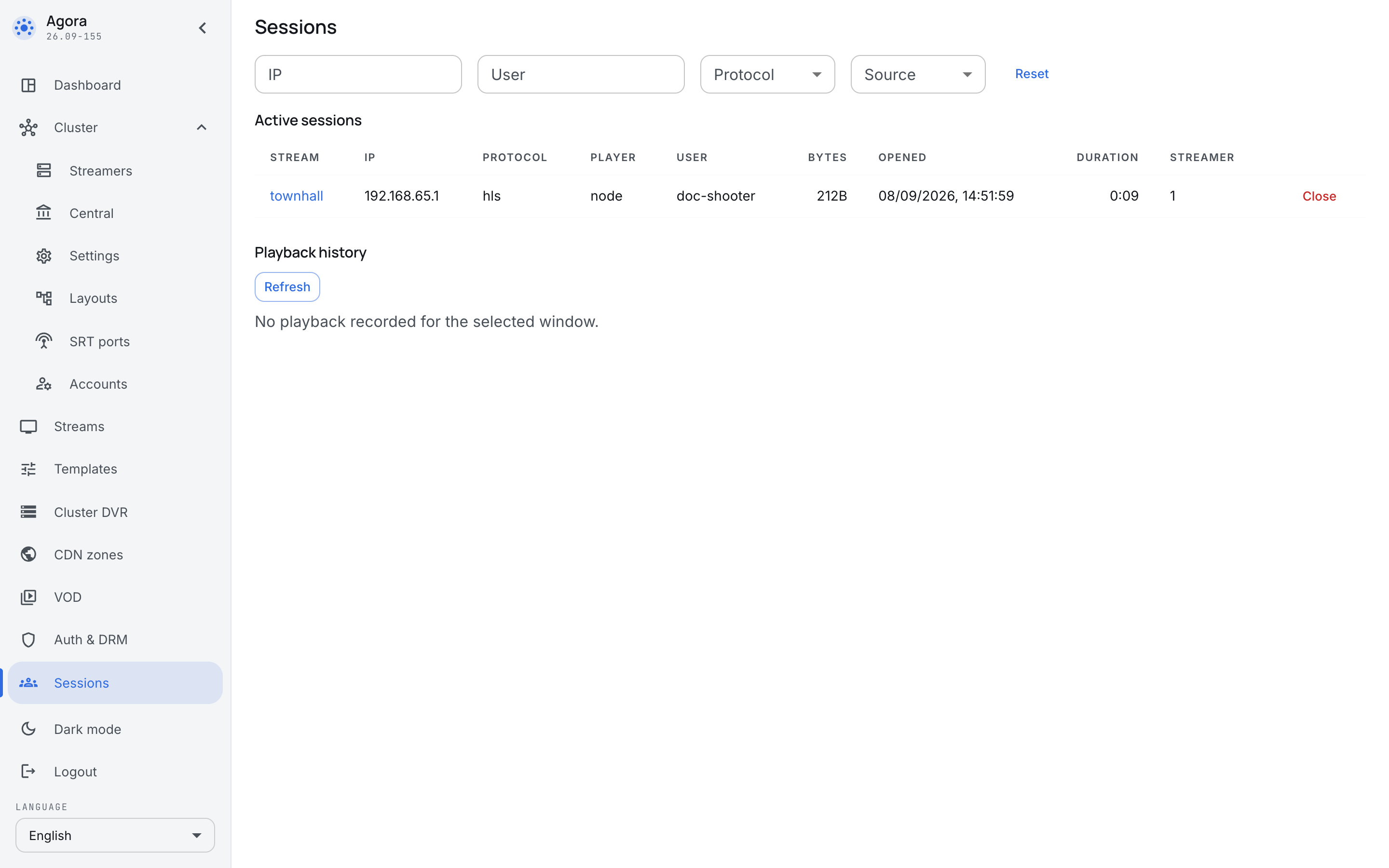
For internal broadcasting this is not only about load. "How many people watched the meeting to the end" and "did the person the recording was opened for actually open it" are asked after every large broadcast, and this section answers them.
Active sessions
The upper table is the people watching now:
- Stream — what they are watching.
- IP — where from. The subnet says which office the viewer came from.
- Protocol and Player — what they are watching with.
- User — who the viewer said they are. The value comes from the ticket your portal issued, so what stands here is an employee rather than a nameless address.
- Bytes and Duration — how much has been served and how long they have been watching.
- Streamer — which server is delivering.
The Close button cuts the session off. A viewer who still has access will open the broadcast again, so the button is a way to deal with one session, not to take access away; access is taken away in Auth & DRM.
The filters at the top — by IP, user, protocol and source — earn their keep when there are hundreds of viewers: during a large meeting an unfiltered table is unreadable.
Playback history
The lower table holds the sessions that have already ended. Two columns join those of the active ones:
- Closed — when the session ended.
- Close reason — why. The usual reason is
idle_timeout: the viewer closed the tab and the server stopped receiving requests from them. That is a normal ending, not an error.
The history is what watch-through is counted from and what complaints are investigated with: "it cut out halfway through me" is a question about the duration and the close reason of one session, not about the broadcast as a whole.
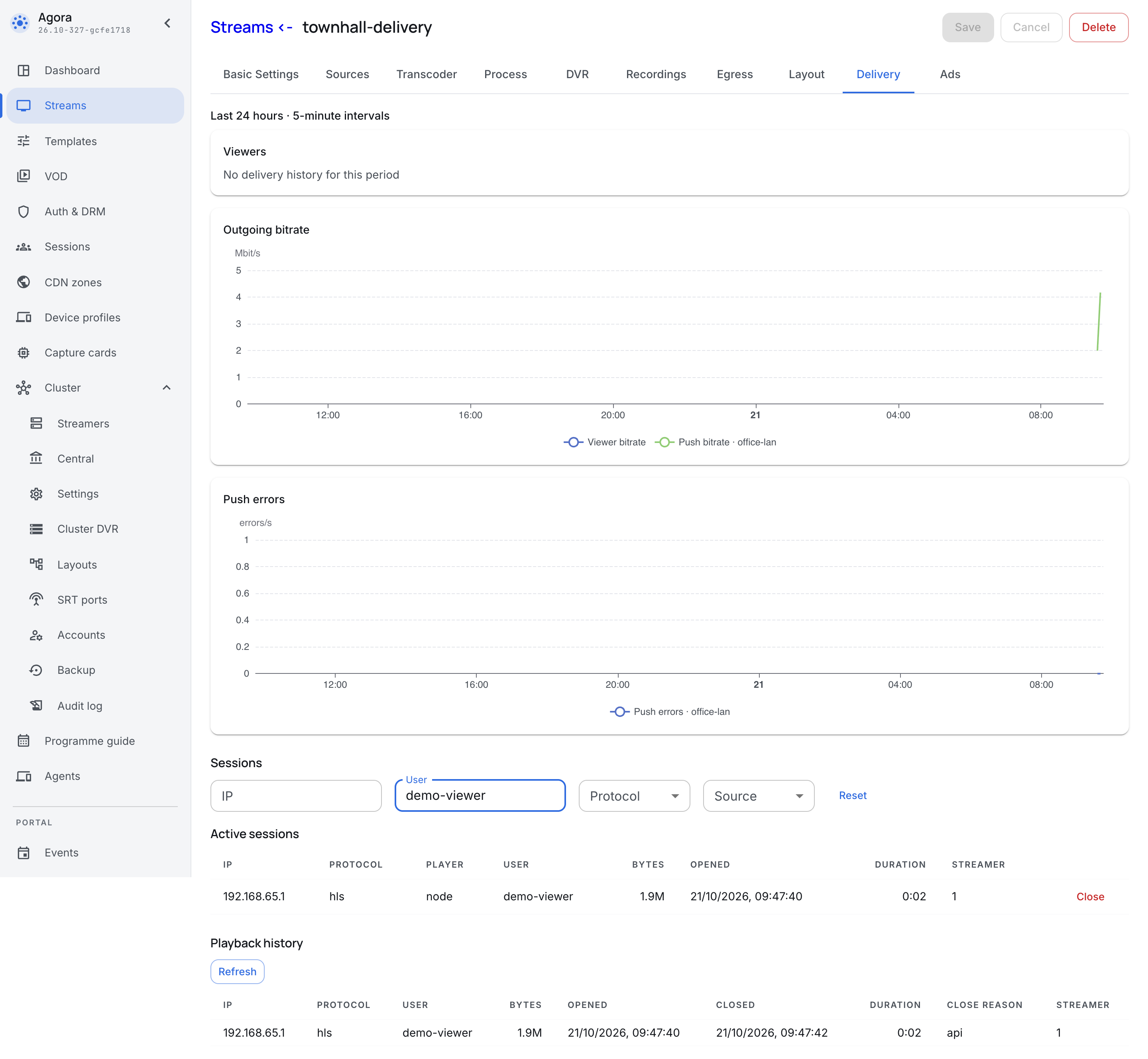
The sessions of one broadcast
The same list, filtered to one broadcast, is on its card’s Delivery tab below the statistics graphs. The graphs show the last 24 hours at five-minute intervals:
- Viewers — the number of simultaneous viewers.
- Outgoing bitrate — traffic to viewers and push destinations in Mbit/s; push lines are labelled by destination.
- Push errors — errors per second, with a separate line for each push destination.
Each graph has its own scale. If history is empty, unavailable or not licensed, the session tables remain available.
What is not here
This section holds viewers only. The people who sign in to the panel are administrators, and their sessions live elsewhere. The lists do not overlap: they mean different things, and a mistake in one costs something different from a mistake in the other.