Speech recognition
A meeting, a lecture and a training session arrive in Agora as voice and nothing else: the subtitle track a broadcaster's feed brings along does not exist here and has nowhere to come from. Yet these are exactly the recordings people later search the archive for and watch as a recording. Speech recognition closes that gap: the server reads the audio of the recorded broadcast itself and appends a subtitle track to it.
The live broadcast is not touched at all. Recognition works on top of the archive: it reads the recorded audio and writes the subtitles back into it. Two consequences are worth knowing up front.
- The broadcast must have an archive. Without recording, recognition has no audio to take and nowhere to write the result.
- Falling behind is safe. If recognition does not keep up with the live edge, subtitles lag and then catch up; the broadcast itself is not affected in any way.
Turning it on
Recognition lives on the Processing tab of the broadcast card — the same tab as subtitles, teletext and thumbnails — in the Speech recognition section. The Recognise speech into subtitles switch turns it on.
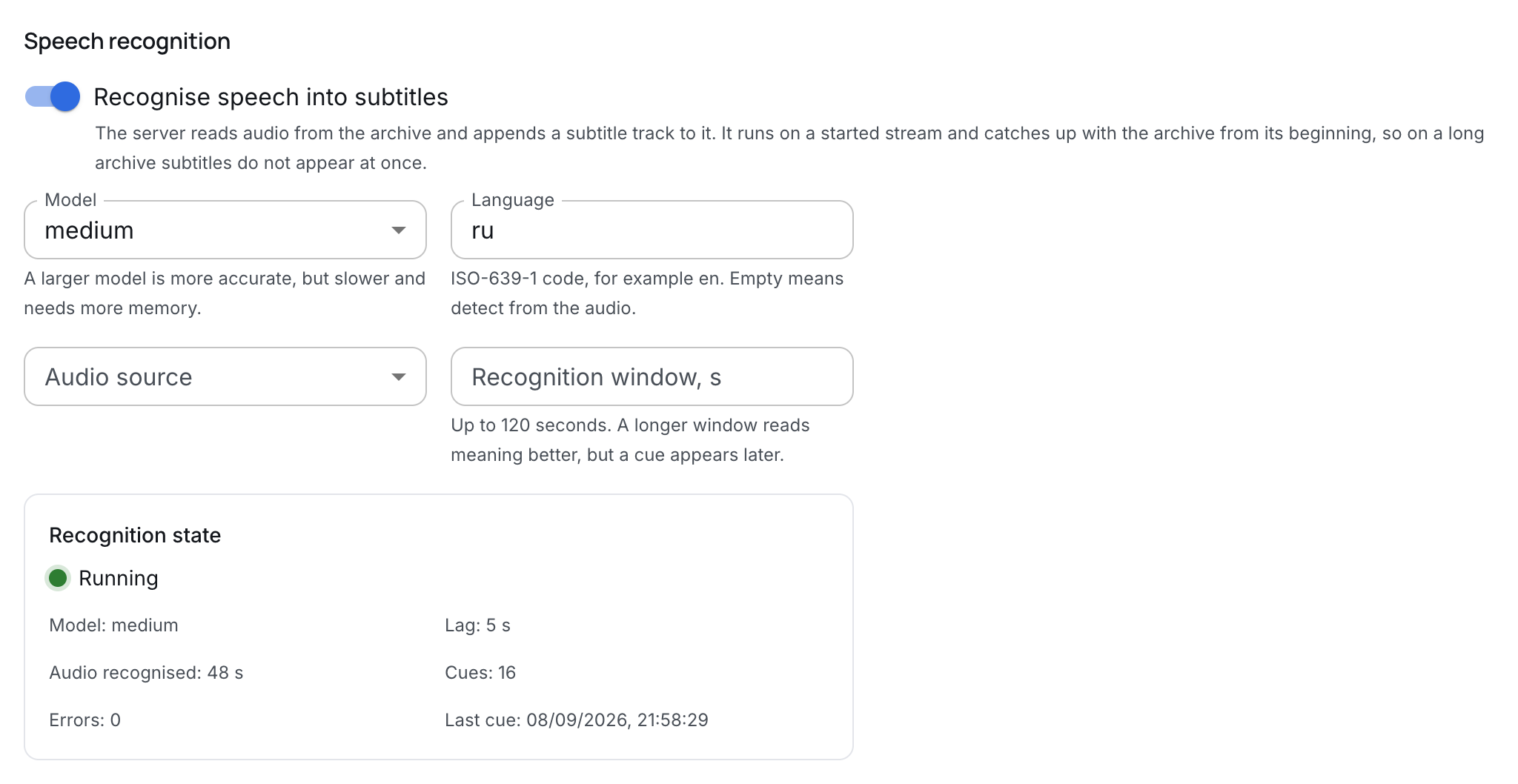
There are four fields and none of them is required — the defaults are enough to turn recognition on with a single switch.
| Field | What it sets |
|---|---|
| Model | The size of the recogniser. A larger model is more accurate, but slower and needs more memory. |
| Language | An ISO-639-1 code, for example en. Empty means detect from the audio. |
| Audio source | The track of the feed to listen to. The first one by default. |
| Recognition window, s | Up to 120 seconds. A longer window reads meaning better, but a cue appears later. |
Set the language when you know it. Detection decides on the first seconds of audio and gets it wrong on a recording that opens with music or silence — and a wrong language spoils the whole track, not a single cue.
Audio source matters where the feed carries several languages: recognition listens to exactly one track. If the chosen track is not on air, the state says so — "The selected audio track is not on air".
It does not start without recording
Turn recognition on for a broadcast without recording and the panel answers at once, without waiting for a save:
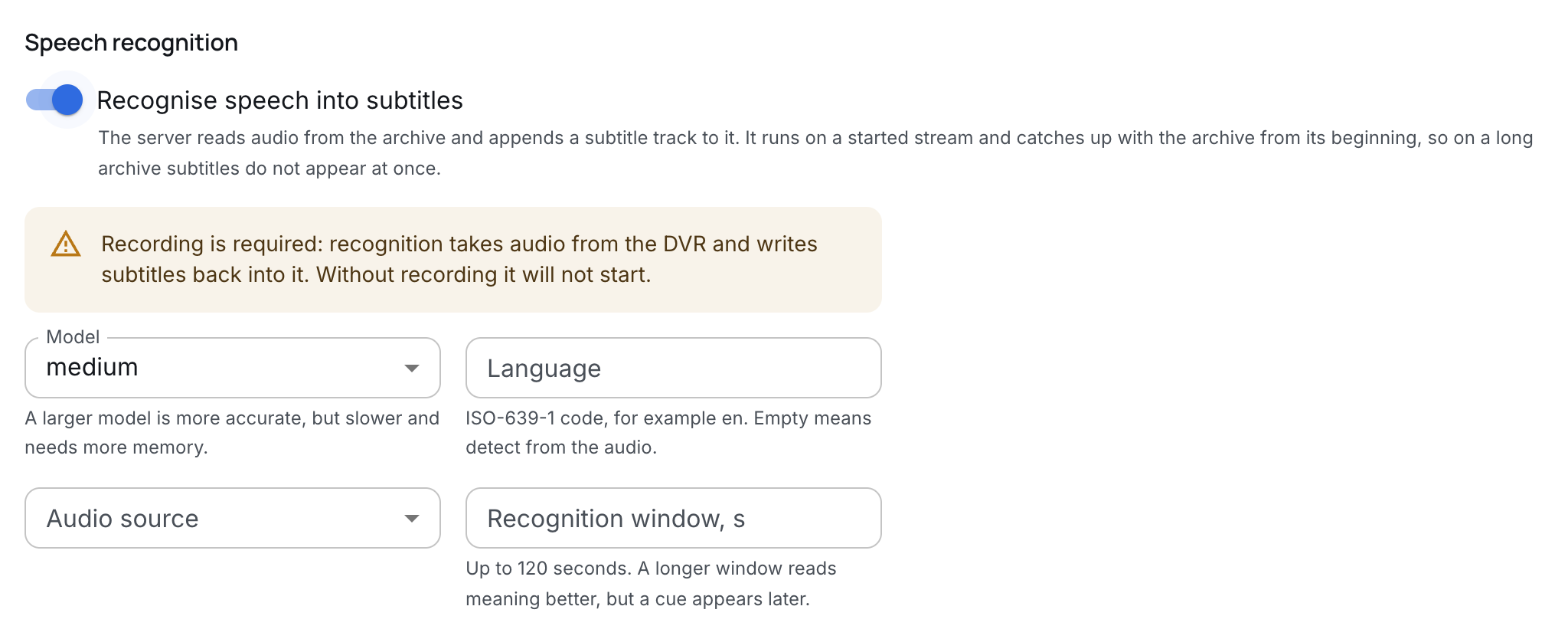
This does not forbid saving the setting; it warns that the setting will not work. Give the broadcast an archive — it lives on the neighbouring DVR tab of the same card — and recognition comes up on its own.
Recognition state
Below the form the panel shows what is actually happening. This is the one place where the live work of recognition is visible: the broadcast card takes the state from the node where the broadcast is recorded.
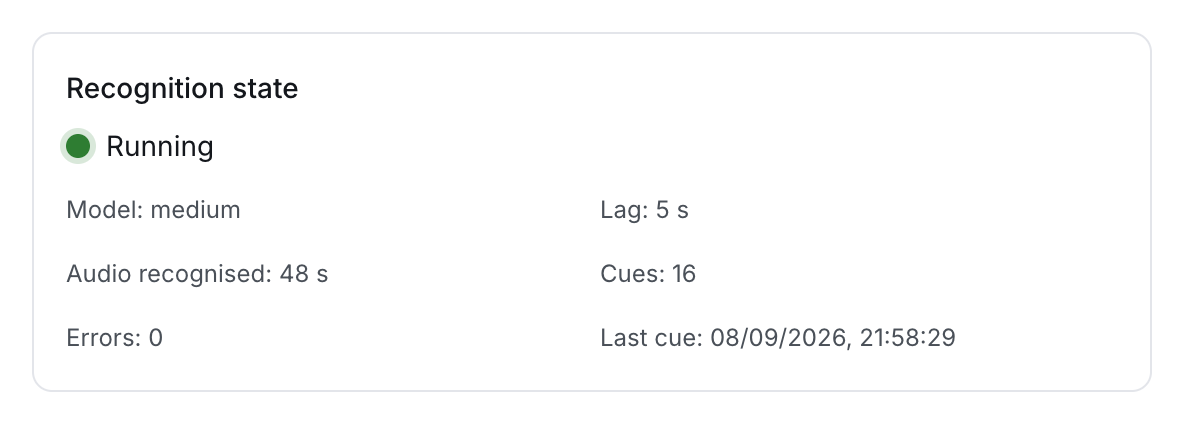
- Running / Not running — whether recognition is up. "Not running" always comes with a reason in words.
- Lag — how far the recognised part is behind the present moment. At the live edge this is seconds; on an archive that recognition is catching up with from the beginning it is hours, and that is a normal working mode, not a failure.
- Audio recognised — how much audio has already gone through the recogniser.
- Cues — how many subtitle lines have been written.
- Errors — archive read and recognition failures. Zero here is the usual state.
- Last cue — when recognition last wrote anything.
The panel names the reasons recognition does not come up directly:
| What it says | What to do |
|---|---|
| The stream has no archive recording | Turn the archive on, on the DVR tab. |
| The model file is missing or failed to load | Put the model file on the server (below). |
| The selected audio track is not on air | Choose another audio source or leave the default. |
| The recogniser does not know this language | Check the language code or clear the field. |
| This server build has no speech recognition | Contact support: the box is built without the engine. |
Recognition that runs and has a recent error is a warning, not an outage: one unread chunk does not stop the work, recognition carries on from the next one.
The model file
The model itself does not ship with the server: a usable one weighs over a gigabyte, and which one is wanted is the box owner's choice. The server looks for it in the product's state directory — /var/lib/agora/whisper-models — and expects a ggml-<model>.bin file there, that is ggml-medium.bin for the medium model.
While the file is missing, the recognition state honestly says "The model file is missing or failed to load", and the broadcast keeps running and recording as if nothing happened.
One file serves every broadcast of the box: the model is read into memory once per process, however many broadcasts ask for it.
What the viewer gets
What has been recognised becomes an ordinary subtitle track of the broadcast: it shows up in the media info, travels in HLS and DASH, and is switched on in the player like any other.
It makes sense to watch it on the archive. At the live edge the subtitles are not there yet — they appear with exactly the lag the state shows — while a recording of a meeting opens with the text already in place.
What next
- Archive — what recognition cannot start without.
- Broadcasts — the card whose tabs all of this lives on.
- Playback and access — how the viewer opens a recording.