NDI playback
Agora advertises each stream as a separate NDI source on the local network. A receiver discovers the source and connects to it. Playback requires both NDI listener on the streamer and Publish this stream to NDI on the stream.
NDI has no authentication. Enable it only in a trusted network: anyone with network access can connect to an advertised source without an Agora playback token.
Pin the stream to a server
At present, configuring NDI in a cluster starts with pinning the stream to a specific server using labels with a required_… requirement. Enable the NDI listener on that same server.
- Open Cluster → Streamers, select a server on the NDI receivers' network, and add
ndi-studio-aunder Labels on the Cluster tab. Save the settings. - Ensure that only the selected server has this label. If multiple servers have it, the requirement permits placement on any of them.
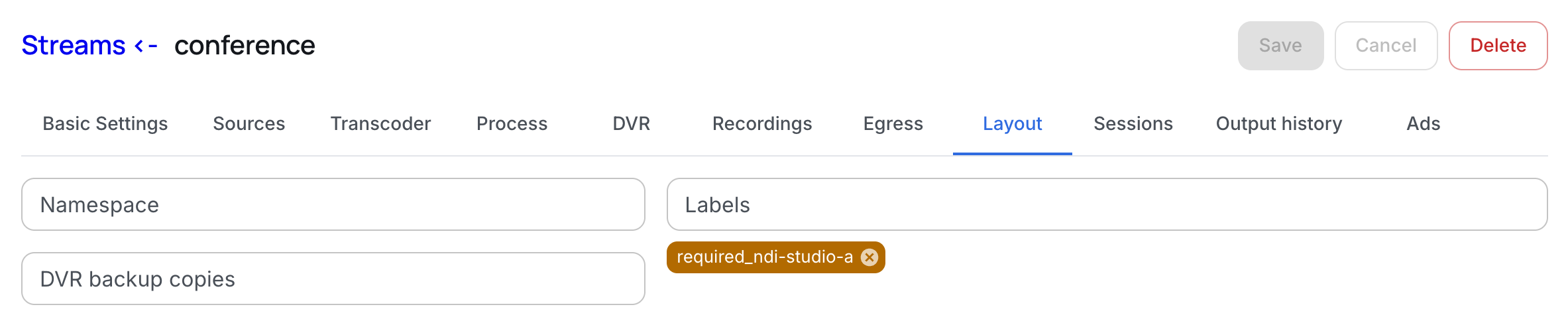
- Open the stream under Streams. On the Layout tab, add
required_ndi-studio-aand save the stream. - Enable the listener as described below and check the assignment on Layout: the stream must be running on the selected server.
required_ is a mandatory placement condition; preferred_ only expresses a preference and does not pin the stream. Existing namespace restrictions and other labels must also match. If the only eligible server is unavailable, the stream will not be assigned to another server without this label.

Enable the NDI listener
Open the selected streamer's Server tab, find the listener settings and enable NDI listener. Save the settings.
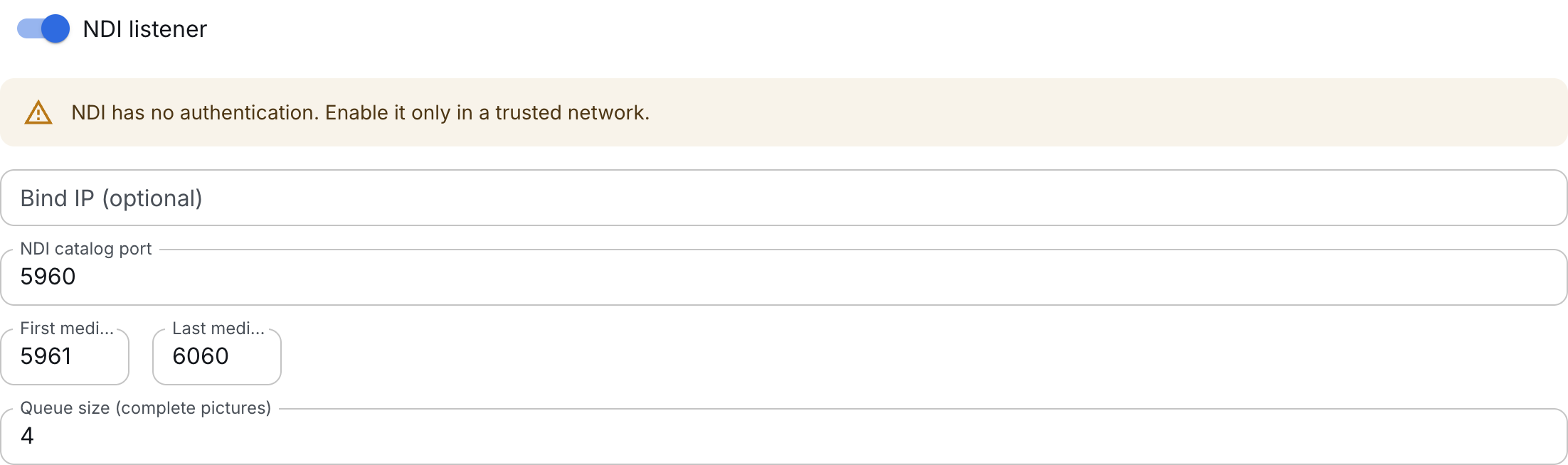
| Field | Default | Purpose |
|---|---|---|
| Bind IP | Unset | All IPv4 interfaces. You can specify the IP of the NDI network interface. |
| NDI catalog port | 5960 |
Shared TCP catalog of this server's sources. |
| Media port range | 5961–6060 |
One automatically allocated TCP port per advertised stream. |
| Queue | 4 |
Each receiver's queue limit in complete pictures; a pair of fields counts as one picture. |
The bind IP must belong to this server. The catalog port must be outside the media range. Allow receivers to access the TCP catalog port and media range; mDNS discovery also needs UDP port 5353 on the local network. Changing the catalog port from 5960 may prevent discovery by IP alone in NDI Access Manager.
Leave Bind IP empty to use all IPv4 interfaces.
Prepare the signal and enable output
NDI output encodes an already prepared uncompressed signal. It selects the first suitable raw video track and the first suitable raw audio track in the stream, skipping compressed tracks.
- Video:
v210oruyvy422. -
Audio:
- 16-bit PCM
- S32P
- FLTP
-
No audio: video-only output is supported.
If the source already provides suitable tracks, no additional decoding is needed. For a compressed source, open Transcoder and prepare raw output, for example using RAW for SDI (v210) + PCM. Despite its name, this preset also produces tracks suitable for NDI. The NDI listener itself does not decode H.264/HEVC or convert AAC to PCM. When changing an existing stream's transcoder, also retain any compressed tracks needed by its other receivers.
On Egress, enable Publish this stream to NDI. SpeedHQ quality defaults to 90, with allowed values of 52–99. Save the stream and wait for it to run on the pinned server. The first NDI receiver starts only the NDI encoder; connecting does not start a stopped stream.
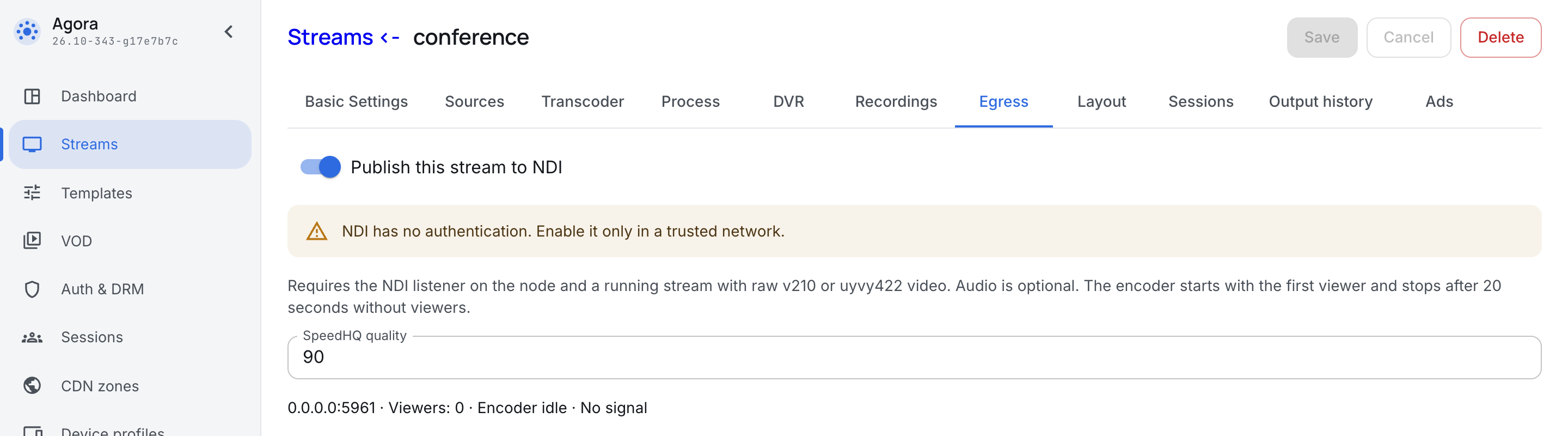
With no NDI receivers connected, “Encoder idle” and “No signal” are expected: NDI processing starts when the first viewer connects.
Connect a receiver
In the NDI receiver's source list, select server-name (stream-name), for example studio-a (conference). Each enabled stream appears as a separate source; multiple receivers can connect to the same source.
Output uses NDI High Bandwidth with SpeedHQ, rather than NDI HX. Leave the receiver's transport mode at Auto: current output uses TCP. No push destination address is configured in Agora for this output; the receiver opens the connection.
Status and shutdown
The NDI output settings show the media port address and viewer count, together with encoder and signal status. Preparation or publication errors appear alongside them.
- First viewer: starts the NDI encoder; subsequent receivers use the same source.
- No viewers for 20 seconds: the encoder stops, while the advertisement and media port remain.
- Stream output or listener disabled: connections close immediately and advertisements are removed.
Connections remain open during a temporary lack of frames. NDI output does not generate black video or silence: configure a backup source if a slate is needed. If central becomes unreachable, the server continues serving the configuration it has already applied.
If the receiver has no video
| Symptom | What to check |
|---|---|
| Source missing from the list | Stream assignment to the pinned server, both NDI switches, catalog access and mDNS discovery. |
| No available ports | The media port range and ports held by other processes. Each advertised source needs a port even without viewers. |
| Source visible, but no signal | The stream is running, it has suitable raw video, and NDI output reports no error. |
| No audio | The stream contains a supported uncompressed audio track. AAC alone is not suitable. |
| A slow receiver disconnects | Network capacity and receiver load. After its bounded queue fills, the server skips complete pictures; 5 seconds of continuous dropping disconnects that client. |