RTMP publishing with a stream key
Prepare a broadcast in Agora, assign its publishing key and give the key to the encoder operator. The encoder sends video to that existing broadcast; the server address and key are entered separately.
Receiving port
Open Cluster → Streamers, select the receiving streamer and open Server. In the ports section, rtmp must contain a receiving port, for example 1935. If empty, add the port and save. Allow the encoder to connect to that TCP port.
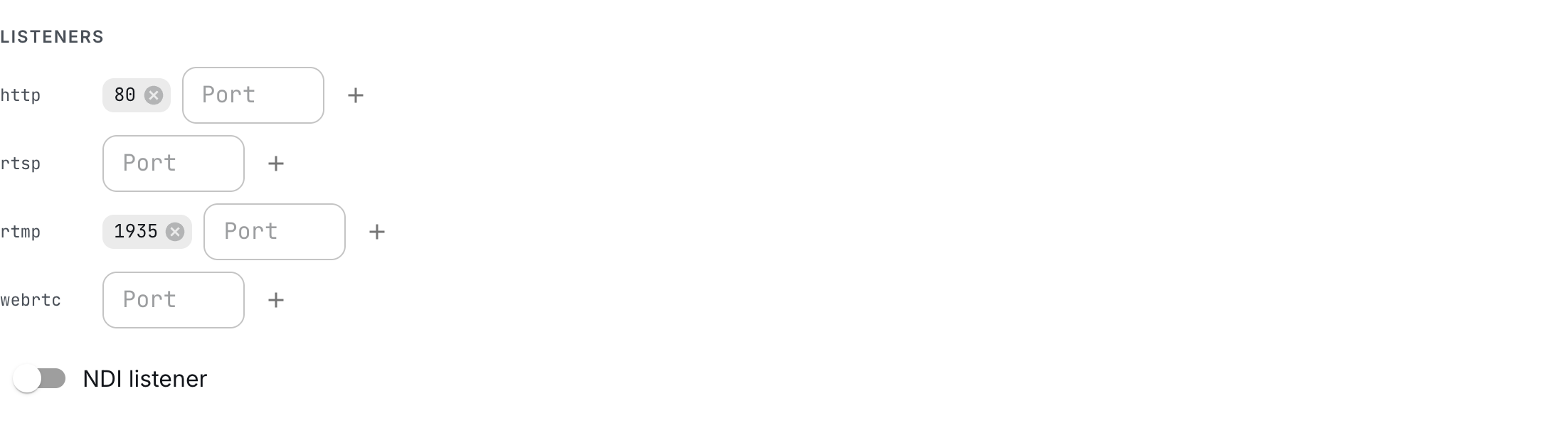
For a single-process installation, use the Agora machine's address. In a cluster, connect the encoder to the streamer assigned to ingest the broadcast; the assignment is shown on the stream's Layout tab.
Broadcast and key
- In Streams, create
townhall-rtmpor open an existing broadcast. - Open Sources and select Publish as the source protocol. To add publication alongside existing sources, click + Add source.
- Under RTMP publishing, click Regenerate key. You can enter a key yourself: at least 5 Latin letters, digits or
._-characters. There is no upper length limit. Regeneration creates a random 10-character key. - Click Save, then click the copy button to the right of Stream key.
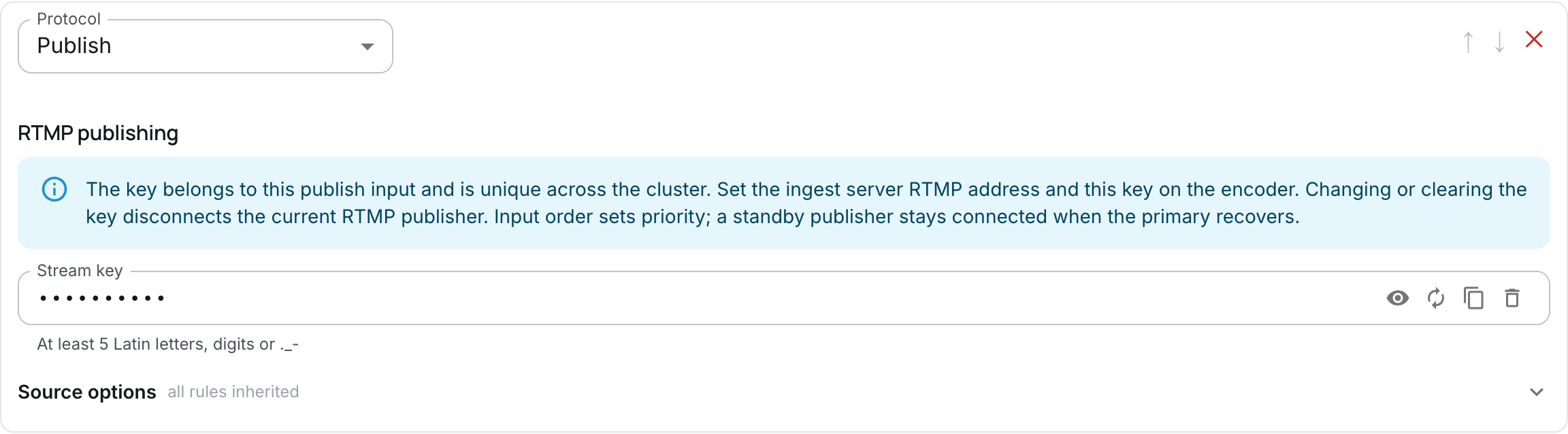
The key is hidden by default. The buttons to the right of the field are:
- Eye — show or hide the key; leaving the field hides it again.
- Regenerate key — create a new random key. Save the settings to apply it.
- Copy value — copy the real key without showing it on screen.
- Delete key — clear the key while keeping the Publish input. Save the settings to disable RTMP publishing.
The key must be unique across the installation, including disabled streams. A duplicate is rejected on save with an error at the field. A broadcast can have only one Publish input, and Publish inside MBR is unsupported. townhall-rtmp identifies the broadcast in the panel; the encoder receives the key.
Encoder settings
OBS
In OBS, select a custom RTMP server. Enter the server address and key separately:
| Field | Value |
|---|---|
| Server | rtmp://agora.example.org:1935 |
| Stream key | The Stream key value saved in Agora |
Replace agora.example.org with the receiving streamer's address and 1935 with its configured port. No application path is required in the server address. The encoder does not use your Agora administrator credentials: the stream key authorizes publishing.
For this walkthrough, choose H.264 video and AAC audio, then start streaming in the encoder.
FFmpeg
With FFmpeg, you can publish a test pattern and tone without an input file. The example requires a build with libx264. Replace Abc012._-Z with the key saved in Agora and use the receiving streamer's address:
RTMP_STREAM_KEY='Abc012._-Z'
ffmpeg -hide_banner \
  -re -f lavfi -i 'testsrc2=size=1280x720:rate=25' \
  -f lavfi -i 'sine=frequency=440:sample_rate=48000' \
  -c:v libx264 -preset ultrafast -pix_fmt yuv420p -b:v 1800k -g 50 \
  -c:a aac -b:a 128k \
  -f flv -rtmp_app '' -rtmp_playpath "$RTMP_STREAM_KEY" \
  'rtmp://agora.example.org:1935'
The key is passed separately with -rtmp_playpath; -rtmp_app '' sets an empty application name. No /live path is needed. Press Ctrl+C to stop publishing.
Check reception
Return to Sources. The Publish input shows a working state and the received track parameters. This setup receives H.264 video and AAC audio.
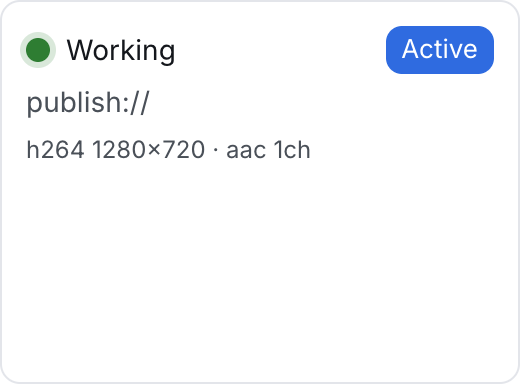
If a healthy primary source precedes Publish, the encoder stays connected as standby. When the primary disappears, video starts at the next keyframe. A primary that returns through the clean window leaves the standby connection open.
Replace or disable the key
To change encoders, stop the previous publication and connect the new encoder with the same key. The server rejects a second simultaneous publisher, even while the first is on standby.
To revoke the old key, generate a new one or clear the field and save. Once the receiving streamer applies the change, the current RTMP publication disconnects. The Publish input remains; changing the RTMP key does not disconnect an SRT publication. Other settings leave the RTMP connection open when its key is unchanged.