Archive settings
The archive is stored on streamers. Watcher defines recording and retention settings for a camera or preset. User access to archive playback is configured separately and does not change recording retention.
- Playback and export — working with saved video.
- Events — finding episodes by camera and time.
- Presets — shared settings for multiple cameras.
- Streamer DVR — storage directories, disks and RAID 0.
Configurable archive parameters
Open camera or preset settings. If a preset is not customizable, its parameters cannot be overridden on an individual camera. Editing a camera requires the relevant permission in its Organization.
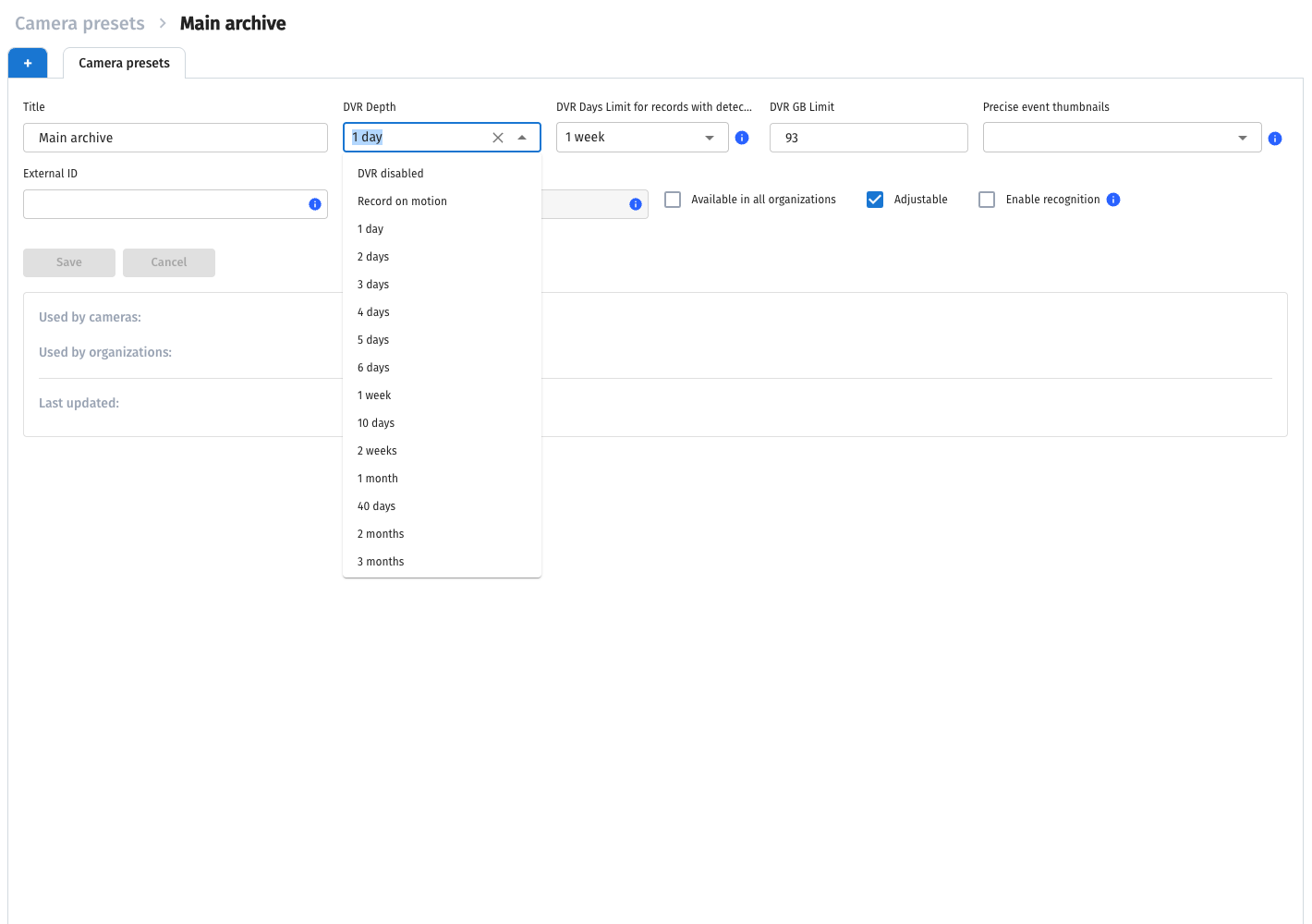
- DVR depth — retention period for regular recordings. DVR disabled disables archive recording. Record on motion is intended for event-based recording; camera event delivery must be configured for it.
- Episodes recording retention — additional retention for segments related to events. It is set separately from regular archive depth.
- DVR Space — camera archive size limit. The interface uses GB.
- Precise event thumbnails — retention of event images received from analytics. These are separate data from the video archive.
Event recording retention provides these options:
- Unlimited — no configured deletion period; volume is still limited by allocated space and available disks.
- DVR disabled in the additional retention field — no separate extension of event retention. This does not replace the main recording switch.
- Period — select days, weeks or months from the available options.
NVR also uses Use all available space mode. It distributes available archive capacity; do not select the system partition as ordinary video storage. Cloud recording and local recorder recording are configured separately: see NVR cameras.
Thumbnails and video
The image in an event card may come from analytics or the archive. Precise thumbnail retention does not extend video retention. A thumbnail does not establish that a video recording exists for that time.
Precise images increase Watcher data volume. Choose retention based on camera and event counts, then check space usage and event availability.
Archive cleanup
Cleanup runs automatically according to retention and size limits. Reducing a limit does not immediately free space: storage components apply settings and perform deletion.
Deleting a camera from Watcher and deleting its existing archive are separate actions. To monitor disks, check actual used space and archive parts on streamers. Do not treat camera deletion as confirmation that its recordings have been cleaned up immediately.
After changing parameters, wait for a new segment to be recorded, open the camera as a user with archive access and check the recorded range in the player.