Local post
A local post is an HDMI output of the machine where a kiosk app (Babylon) shows a camera dashboard. The viewer of such a post never signs in to the panel: there is no login or password, and the machine identifies the viewer itself — by a PIN, or not at all when the post is a wall-mounted screen nobody "signs into".
A post fits wherever an operator must see the cameras but must not manage the machine: a security wall, a corridor, a duty room.
Enabling a post
A post is enabled by a firmware file, not by a panel setting. Create a provisioning.d directory next to the machine configuration and list the outputs:
# /etc/optic/provisioning.d/local-viewer.yaml
local-viewer:
  outputs:
    hdmi-1: hdmi-1
    hdmi-2: gate-north
Each line is "output → dashboard": the HDMI output name on the left, the dashboard shown on it on the right. Names follow the dashboard rules: lowercase latin letters, digits and single hyphens.
On start-up and on each configuration reload (systemctl reload optic) the machine:
- creates the missing dashboards with an empty layout — you fill them in the dashboard editor;
- leaves existing dashboards alone: layouts, names and assignments made in the panel stay as they are;
- does not delete a dashboard when its line is removed from the file — but the post starts answering "no such output".
The file belongs to the firmware; the panel neither shows nor edits it. No directory — no posts, and that is normal: a machine without the file behaves as usual.
Operators and their PINs
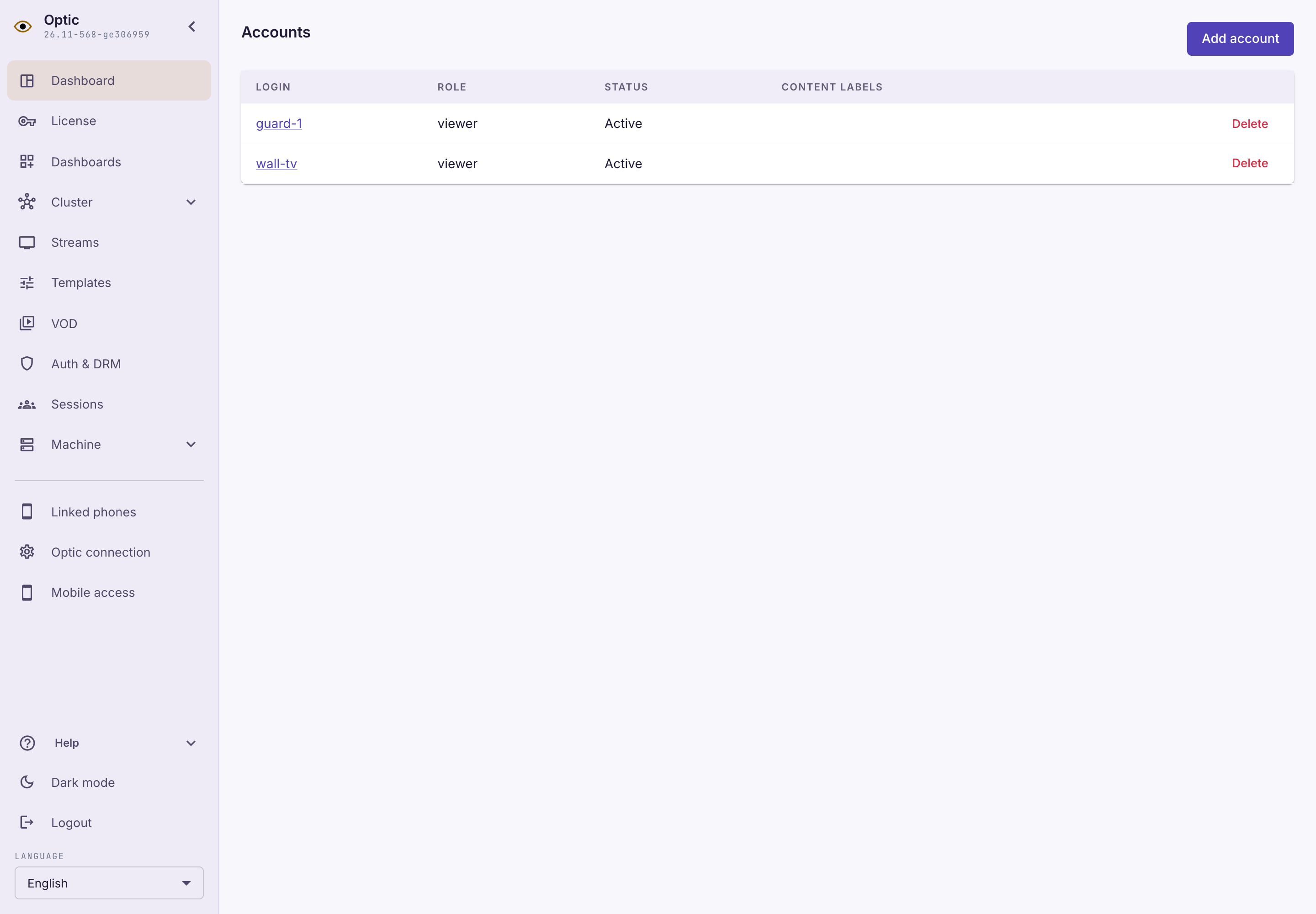
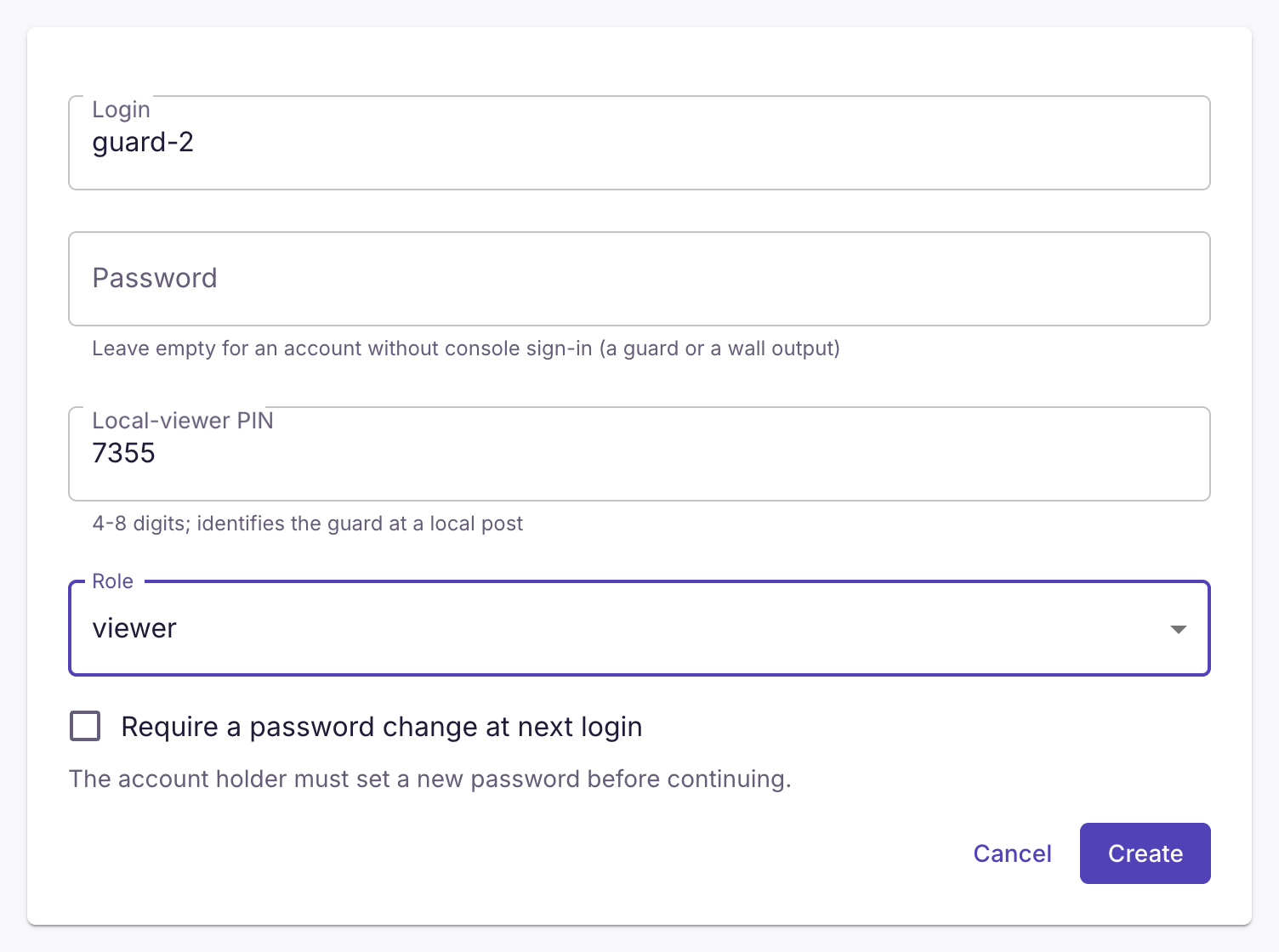
Operator accounts are created in the Accounts section — see Users. Three things differ from an ordinary account:
- the role is viewer: an operator sees the assigned dashboards and the statistics, but does not manage the machine;
- the password may be left empty: such an account cannot sign in to the panel at all until a password appears;
- the PIN is 4–8 digits in its own field. The PIN is not a password: it identifies the person at the post, and only there.
Give every operator a PIN of their own. Two operators of the same dashboard must not share a PIN: the machine refuses with a demand to tell them apart instead of picking one arbitrarily.
Assign the operators to the output dashboard in the dashboard editor. Whoever is assigned may enter at the post; the assignment is the viewing right.
A wall-mounted post
A wall-mounted TV is a post without a person: the layout must simply hang there. Create a separate account with the viewer role, no password and no PIN, and assign it to the output dashboard. Babylon of such an output never asks for a PIN — the machine identifies the first suitable account without a PIN by itself.
When the output dashboard only has accounts with PINs, the machine answers "a PIN is required" and the kiosk shows the entry screen. Thus a "wall" post and an "operator" post tell themselves apart by the assignment list, with no separate setting.
What an entry looks like
At the post the kiosk shows a PIN pad. The machine compares the entered value with the PINs of the accounts assigned to the output dashboard:
- exactly one PIN matched — the session opens: the kiosk receives the layout, a viewing key for the layout cameras and a key for reading episodes; the audit log shows the entry under the operator's name;
- nothing matched — the post refuses; after five wrong attempts within five minutes the output closes until the window ends — brute-forcing a PIN at a post does not work;
- change an operator's PIN — within a minute the post asks for input again.
An operator handing the post over to another is just a different PIN: the new entry is written to the log as a separate sign-in. Renewing a session with the same PIN does not clutter the log.
Revoking access
Post access is revoked by the same actions as anything else:
- disable the account — the operator stops being identified, their viewing keys are revoked, new sessions are rejected;
- remove the assignment from the dashboard — that operator's PIN identifies nobody at this output any more;
- delete the dashboard — the post answers "no such dashboard" until it is restored (a restart of the machine with a live
provisioning.dline recreates it empty).
A playback already in progress lives out its key lifetime — the machine does not cut the screen mid-shift.
Connecting the kiosk
Babylon connects to the machine through the local socket /run/optic/local-auth.sock. Access to the socket is the local-viewer group: the kiosk user must be a member, nothing else needs configuring. There is no network access to the post: the machine does not accept entries over the network at all.