Adding a camera
In Optic, a camera is configured as a stream. Obtain the camera's RTSP URL and video access credentials. The camera must be reachable from the streamer that will ingest its video.
Connect an RTSP source
- Open Streams, enter
entrancein New Stream Name, and click Create. - Open the new stream and its Sources tab. Add an RTSP source.
- Set URL, for example
rtsp://camera-user:camera-password@192.168.10.20:554/main. Replace the address and credentials; obtain the actual path from the camera's settings or documentation. - Click Save. On Basic Settings, check the source status and the picture in the embedded player.
A single RTSP source is enough for one camera. For multiple qualities, configure MBR below.
Add MBR from camera streams
MBR combines existing qualities. First enable the main and substreams on the camera and obtain their RTSP URLs. For example, the main stream may be 1920×1080 and the substream 640×360.
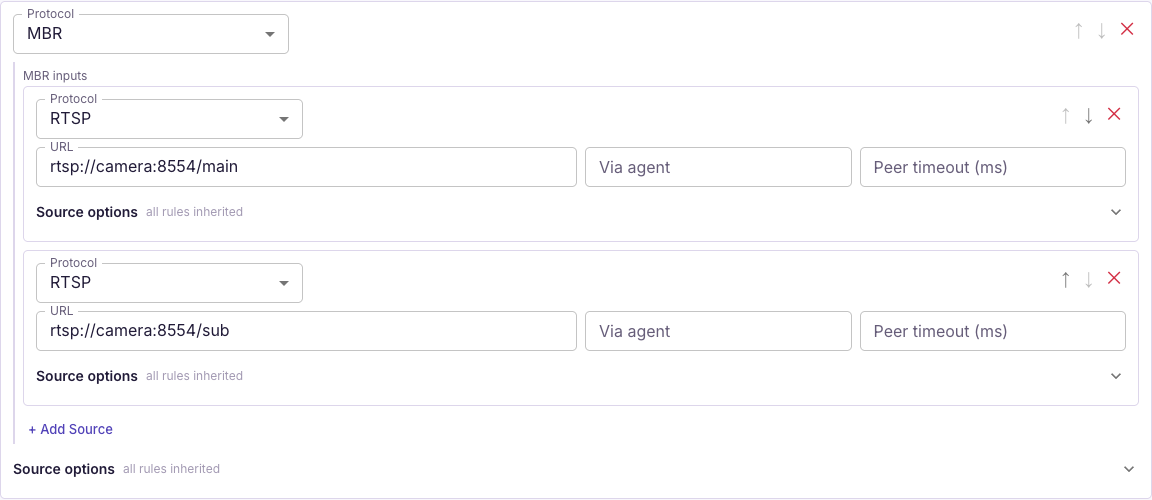
- On Sources, replace the single RTSP source with an MBR container.
- Inside MBR inputs, add two RTSP sources.
- Set the first URL to the main stream, for example
rtsp://camera-user:camera-password@192.168.10.20:554/main. - Set the second URL to the substream, for example
rtsp://camera-user:camera-password@192.168.10.20:554/sub. The/mainand/subpaths are placeholders. - Click Save. Check that input statistics show both video tracks and that both qualities are available in the player.
Both inputs must be inside the same MBR container. Two separate top-level sources configure failover, rather than a quality ladder. MBR does not create resolutions or transcode video.
If the camera provides only one quality, you can apply Standard ladder 1080/720/360 + AAC on Transcoder and save. The transcoder generates those qualities and needs encoding resources on the streamer. Use MBR for existing main and substreams.
Enable audio transcoding
If the camera sends G.711 audio, transcode it to AAC for browser playback.
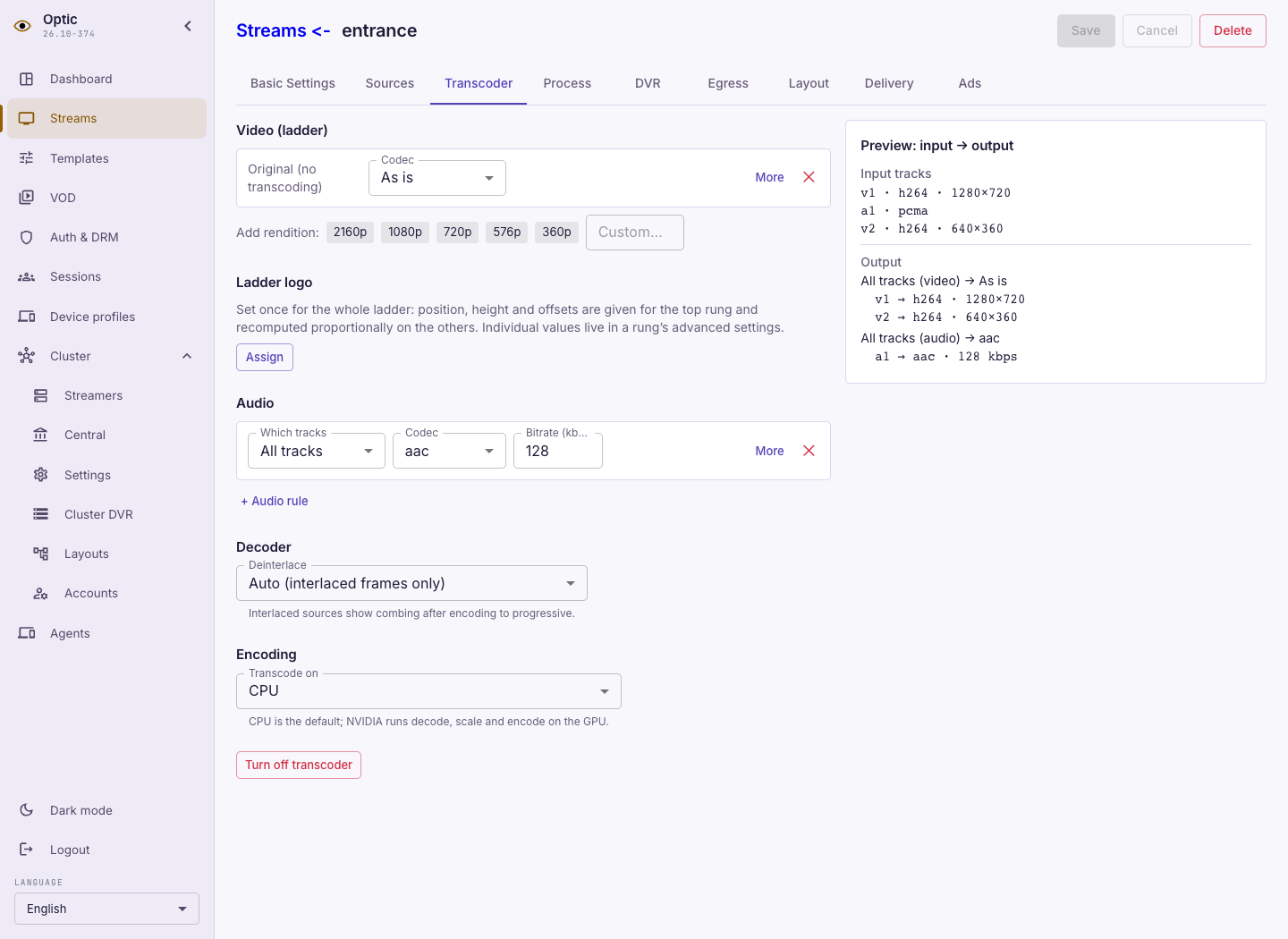
- Open Transcoder. If no transcoder is configured, apply Fix audio (video as is + AAC).
- Check that video tracks remain As is and Audio has an All tracks → AAC rule. With an existing transcoder, add or change the audio rule while preserving the required video tracks.
- Set the audio bitrate, for example 128 kbit/s, and click Save.
- Check the output summary for AAC audio and video tracks. Open the player and listen; with MBR, switch between both qualities.
The transcoder outputs only tracks declared by its rules: an audio-only rule without video removes the picture. An AAC rule cannot create audio if the camera sends none. If encoding does not start, check the streamer's transcoding plugins and the error shown on the tab.
To store video, configure the archive.