A central group on separate servers
Redundancy explains the components of a redundant installation and what a second instance changes. This page describes the settings of each instance, group addresses on streamers and redundancy checks.
This guide configures an existing installation with separate central instances and connected streamers. Product installation, process startup and joining streamers are outside its scope.
What is being deployed
An installation with a spare has four parts, and only one of them is Optic itself:
- One PostgreSQL cluster, reachable by every instance at one address. It is the only store of state and the only part whose fault tolerance Optic does not take on itself.
- Two or more central instances — separate machines with the same config, differing in their roles and their advertised address.
- Streamers — separate machines, each given not the address of one instance but the list of the group's addresses.
- An operator entry point — one address with an available instance behind it: a DNS name with failover, or a load balancer.
The rule for this installation is: central and streamers run on separate machines. A local streamer inside the central process is unsuitable: its streams stop together with central.
How many of each
| Part | How many | Note |
|---|---|---|
| PostgreSQL | One logical cluster | Two independent database servers are two separate installations, not a spare |
| Central instances | Two or more | A third one joins with the same config; the existing ones need no rewrite |
| Streamers | As many as broadcasting requires | Their redundancy comes from placement, not from here |
| Operator entry point | One address | Streamers do not go through it |
The config of a central instance
Instances of a group differ in exactly two lines — the advertised address and the set of roles. Everything else is identical, the database connection string included.
The first instance:
listeners:
  http:
    - port: 80

central:
  database_url: postgres://optic:password@db.example.com:5432/optic
  admin_keys:
    - management-key
  components: {run: true, migrate: true, layouter: true, stats: true, agents: true}
  advertise_url: http://central-a.example.com

optic: {}

api_auth:
  login: admin
  password: operator-password
The second one is the same, without the migrate role and with its own address:
central:
  database_url: postgres://optic:password@db.example.com:5432/optic
  admin_keys:
    - management-key
  components: {run: true, migrate: false, layouter: true, stats: true, agents: true}
  advertise_url: http://central-b.example.com
These settings go in each machine's /etc/optic/optic.yaml.
Roles are claims, not assignments
A role in the config means "this machine is ready to do this work", not "this machine does it". Which instance actually does the work is decided by PostgreSQL rather than by the config — which is why layouter and stats are claimed by both, and that is neither a mistake nor a double start.
run— serve requests: the console, management API, streamer sync and metrics. Required on every instance.migrate— apply schema migrations at startup.layouter— execute placement runs.stats— hold current cluster-wide statistics.agents— accept agent endpoint control connections.
The one role that must not be left on every instance is migrate. It is not guarded by a mandate: two processes starting at once will race each other through the migrations. So one instance applies the schema and the rest start after it.
central.components is merged field by field. An omitted field inherits its value from the previous layer; true enables it and false disables it. An empty object preserves previous values. The optic package enables agents by default. Other components retain their values or the operator's settings. Example component settings:
central:
  components:
    run: true
    migrate: true
    layouter: true
    stats: true
    agents: true
On the second instance, explicitly set central.components.migrate: false. A drop-in can change just one field without repeating the others. Restart the process to apply the change.
The old central.roles array is no longer supported, including alongside components. Before upgrading, replace it in every file: use true for roles in the old nonempty list and false for the others to preserve the exact set. Remove an old empty list to keep the defaults. A legacy field in the main file prevents startup; in a drop-in it produces a warning and that file is skipped.
The advertised address
advertise_url is the address other group instances use to reach this machine. One instance holds current statistics while the others read them over the network: the holder publishes its address for the others to use.
A load balancer address will not do — it would lead a neighbour back to itself. The address has to be the address of one specific machine.
Set advertise_url on every instance in the group. Without it, other instances cannot read its statistics or forward agent commands to it. The console marks a missing address separately; see group checks.
Who does what: mandates
Work that must not run concurrently is performed by one instance: the mandate holder. The mandate is held in PostgreSQL on a dedicated connection. When the connection ends, the mandate is released without timeout-based handling of stuck executors.
There are several mandates and they are independent. Central has no single leader: layouter and stats may sit on different machines, and that is a normal state rather than an imbalance.
Each acquisition has a number: an epoch. It increases when the holder changes and is checked on every write. An instance that continues working after losing its mandate has its writes rejected rather than changing placement with stale results. Mandate handover is therefore safe and needs no manual confirmation.
A holder change takes seconds: the time PostgreSQL needs to detect the session's termination and another instance needs to acquire the released mandate.
An instance without mandates still fully serves the console, API and streamer sync. Mandates govern only background work.
The config of a streamer
A streamer addresses the group, not a process, so its config carries a list of addresses:
managed_by:
  name: streamer-01
  url:
    - http://central-a.example.com
    - http://central-b.example.com
  join_token: join-token
The order of the list is the operator's preference. The streamer goes to the first address while it answers, moves on to the next one after a failed request, and tries the first one again once every five minutes: as soon as it is alive again, the machine comes back to it. The probe is an ordinary sync request, there is no separate availability check: an address is good when sync works over it.
The same list is accepted by the CENTRAL_URL environment variable — addresses separated by commas.
The streamer learns the group on its own
The streamer's config is not the only source of addresses. Every answer to a sync carries the group roster: the addresses of the available instances that serve streamers. The streamer appends them to the addresses from its config — those stay in front, in the order given — and keeps what it learned on disk next to the rest of the machine's state, so it survives a restart and is used as early as registration.
What follows for operations:
- You can add an instance without changing streamer configs. An instance using the same database and an
advertise_urlappears in the group roster within seconds; every streamer learns about it on its next sync. - A streamer installed with one address gets the backup on its first response. Existing streamers join the group without config changes on their machines.
- An instance that stops reporting to the group is removed from announcements after twenty seconds, and streamers remove it from their learned addresses. Announcements never change configured addresses: they cannot add or remove them.
A second configured address is still needed on machines that have not yet synchronized with central. Before the first response, a streamer knows only the configured group addresses. Central uses the sync loop as its only indication that the streamer is online. If a streamer loses its only address before the first sync, it is marked offline after a minute and a half; the layouter then moves its streams away from a working machine.
Put the first instance first on some streamers and the second instance first on the others. This distributes incoming sync requests during normal operation. When an instance fails, only its streamers switch to the other address and return when it is available again.
The operator entry point
The operator needs one address that finds an available instance by itself: a DNS name with failover, or a load balancer in front of the group. A request handler holds no state of its own, so any instance can answer an operator's request.
Streamers must not go through that entry point: they have a list of addresses of their own, and an extra intermediary on the sync path only adds a point of failure.
What to check once it is up
Open Cluster → Central in the console.

- The table has one row per instance. A row appears within seconds of startup. If it does not, the instance has not reached the database.
- The Instance column shows each central's address. The "not advertised" mark means other instances cannot reach it:
advertise_urlis missing. - The Role claims column shows declared roles. Ensure exactly one instance claims
migrate. - At least one instance has a nonempty Mandates held column. If all are empty, no instance has claimed
layouterorstats, so the group has neither placement nor current statistics. - The Build column is identical on all rows. Different versions in a group are normal only during an upgrade.
- The Streamers section shows all streamers from any instance. If different addresses show different streamer lists, the instances are not receiving shared statistics: check
advertise_url. - A
group.jsonfile appears in the streamer's state directory (/var/lib/opticon a packaged machine), containing instance addresses absent from its config. If it is missing, the streamer has not received a response yet, or other instances have noadvertise_url.
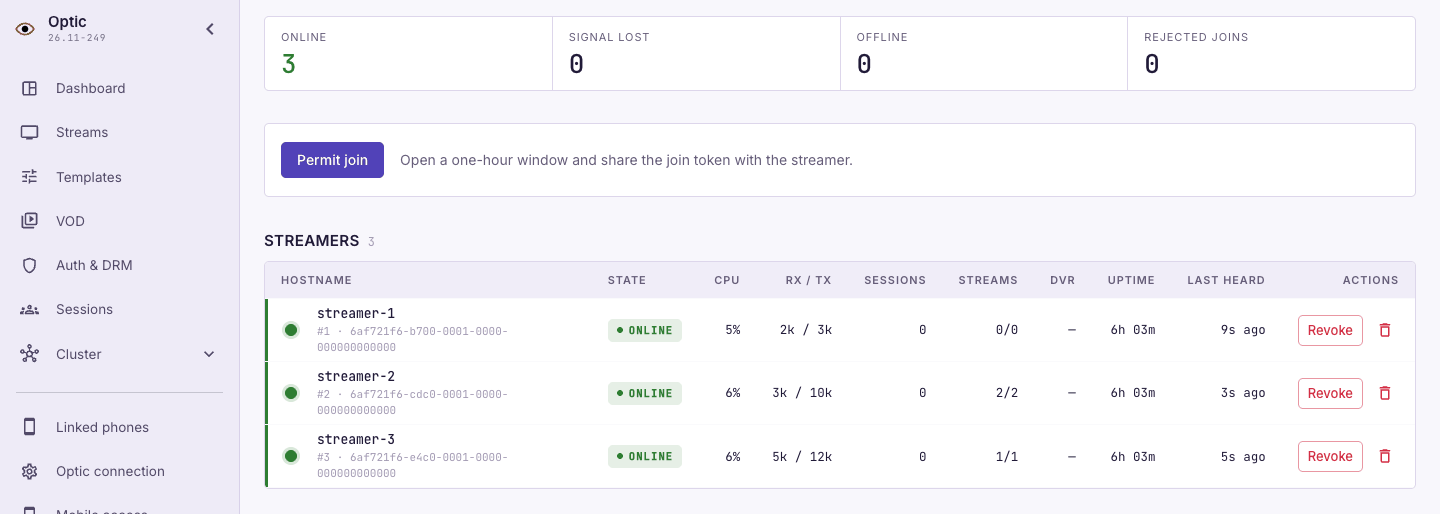
Test failover on a separate test installation: stop one central and check group availability through the remaining instance.
What this arrangement does not do
- It does not make the database redundant. PostgreSQL fault tolerance is the database's own job: a replica with failover, or a managed instance from a provider.
- It does not replace backups. A spare protects against the loss of a machine, not against a mistaken deletion — see Backup and restore.
- It does not affect broadcasting. Streams broadcast and record without central; only the control plane is made redundant, see Streamer autonomy.
Agent connection redundancy
Enable central.components.agents: true on instances that accept agents. The optic package enables it by default. Each central must have its own advertise_url reachable by other instances.
central:
  components:
    agents: true
For agent connections, configure a DNS name with several IP addresses of instances with the agents component enabled. Configure a TLS certificate for that name on each instance. If the connection or endpoint protocol fails, the agent tries another IP from the DNS response. A working connection stays on the central that accepted it. You can send control requests to any central.
For connection settings, see receiving video through agents.
If you already use your own load balancer, agents can also connect through it. It must route new connections to available central instances, support long-lived connections and preserve protocol responses. If the balancer processes HTTP, configure HTTP Upgrade forwarding.