Interface language
The Lumika domain interface works in several languages. This page explains how it picks a language on its own, where to change it manually, and what to tell a subscriber who opened the domain in an unfamiliar language.
Where to change the language
The switcher sits in the top right corner of every page: a globe icon and the name of the current language. Click it and pick a language from the list. Languages in the list are named in themselves — English, Русский, Español — so your own language is easy to find even when the interface is in another one.

On a phone, the page header shows only the globe — tap it.
The chosen language is saved in the account: on the next sign-in, including from another device, the interface opens in it.
Language on the sign-in page
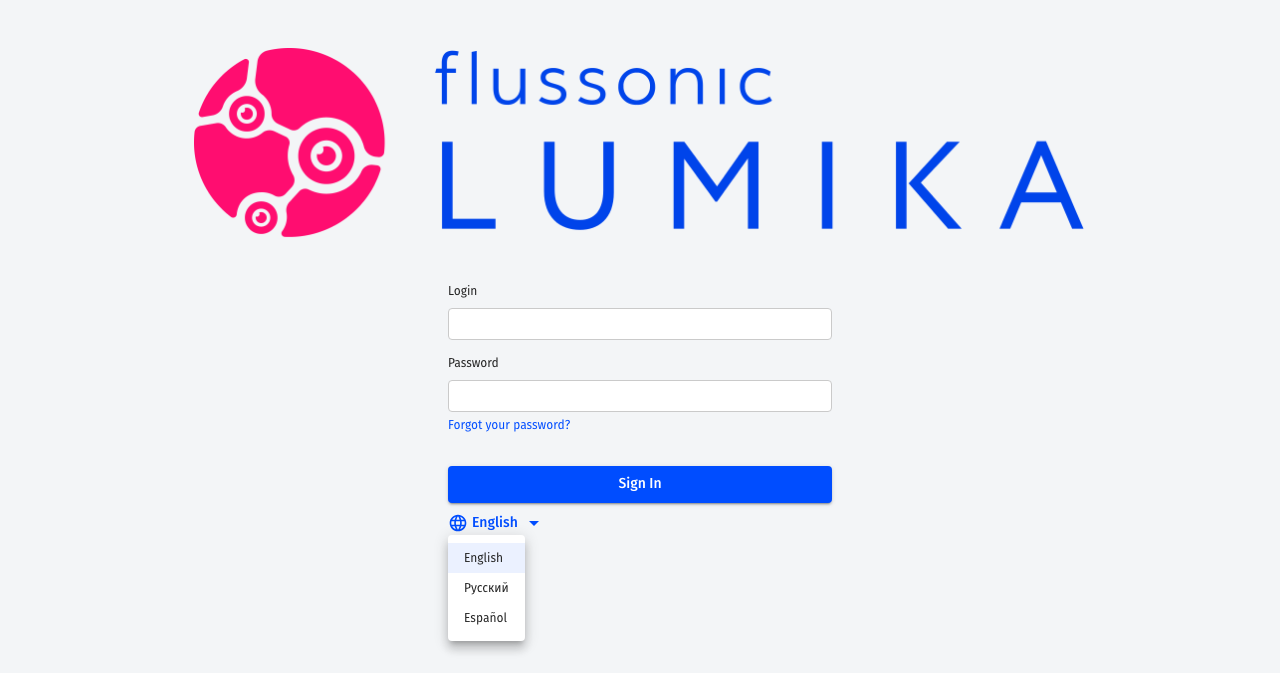
The sign-in page has the same switcher under the Sign In button. A language chosen there is remembered in this browser.
Which language opens on the first sign-in
If no language has been chosen yet, the interface opens in the browser language — provided the domain has that language. If it does not, the domain default language opens.
The order is:
- The language chosen in the account.
- The language chosen on the sign-in page in this browser.
- The browser language, if it is one of the domain languages.
- The domain default language.
The browser language is not written to the account: if a subscriber signs in from a computer whose browser uses another language, the interface follows that browser.
Suggestion to switch the language
If the interface opens in a language other than the browser language — for example, someone else set the account language — a suggestion in the browser language appears once in the top right corner.

- Switch — the interface changes to the browser language, and the choice is saved in the account.
- No, Thanks — the language stays, and the suggestion for this language no longer appears in this browser.
Domain languages
Domain languages are listed in Admin → Settings → Locales, where the Default locale is chosen too. The default language applies only to those who have not chosen a language yet and whose browser is not in one of the domain languages: the browser language takes precedence.