Lumika billing integration
This guide is for developers of an operator's billing system or customer portal. It takes you from issuing a dedicated token to provisioning a subscriber, managing their cameras, and retrieving data for invoicing. Temporary installer access is a separate workflow after subscriber provisioning.
Your billing system maps its subscribers and services to Lumika objects. Lumika applies the settings and reports actual usage. Send requests to your domain, such as https://operator.vsaas.io. The examples use two API namespaces:
- Client API —
/watcher/client-api/v3: organizations, plan assignment, reports, and token management. - Admin API —
/watcher/admin-api/v3: creating and updating regular users, reading and configuring cameras, and listing plans.
The admin-api path does not require granting administrator privileges to billing. A dedicated integration token can perform the operations listed below according to its permissions, within its own domain only. Full contracts: Client API and Admin API.
Choose a task:
- Set up the integration — prepare plans and issue a token.
- Provision a subscriber — follow the object creation sequence.
- Connect a camera at a site — grant temporary access to an installer.
- Maintain the service — change the plan, suspend access, and export usage.
Data model
First, the terms. A domain is your isolated Lumika instance: the address <your-domain>.vsaas.io, your organizations, users, cameras, and plans. A domain contains four types of objects:
- Organization — the subscriber's account. It contains the subscriber's users and cameras.
- User — the account a subscriber or their employee uses to sign in.
- Camera — a unit of service; usage is metered per camera. The API calls a camera a stream, hence the
/streamsmethods and thestream_namereport field. - Preset — a plan: camera settings that determine the cost of providing the service, such as archive retention, storage type, and video analytics.
A usage period is an uninterrupted interval during which a particular camera used a particular plan. These periods make up the usage report.
The mapping to your billing system is:
| Lumika object | Billing entity | Mapping field |
|---|---|---|
| User | subscriber | external_id — the subscriber's identifier in your system; you set it |
| Preset | plan | billing_external_id — the plan's identifier in your system; you set it |
| Preset | plan in the platform's internal accounting | external_id — set by the platform; not visible in the Client API, returned in the report as plan_id |
| Organization | subscriber account | no external identifier of its own; the report identifies the account using the organization owner's external_id |
| Camera | service | name — the stream name, generated when the camera is created; read it from the response and store it |
Warning
Two rules are essential for the integration:
- Set the owner user's
external_idbefore adding cameras to their organization. The account identifier is recorded in the camera's usage period when that period opens; anexternal_idset later appears only in new periods. - The API cannot search by
external_id. Store your own mappings: subscriber → useridand organizationid; service → cameraname.
The recommended model is one subscriber — one organization. Place the subscriber's sites, such as a home, office, and warehouse, in one organization and group cameras into folders. One user can own several organizations; the report then returns separate account_id values with the same external_account_id.
API access
Use a dedicated domain API token for the server integration. A domain administrator creates it, and billing stores the returned key in its server configuration. Billing does not need the administrator's password or personal API key.
Prepare permissions
The complete workflow on this page requires the following permissions. If billing performs only some operations, grant only the corresponding subset.
| Scope | Flags | Operations |
|---|---|---|
config/users |
write |
Create a regular user; change their details, password, or disabled status |
config/organizations |
write |
Create an organization; change its owner and limits |
config/presets |
list, write |
List domain plans; grant or revoke a plan for an organization |
config/streams |
read, list, write |
Retrieve cameras and usage; create a camera; change its plan or disable it |
config/organization-users |
write |
Add a regular user to an organization, grant camera access, and remove them from the organization; required for the installer workflow |
The operation flag and scope must be in the same permissions entry. For example, write on config/users does not allow organization changes. Having read does not replace list.
A token with these scopes does not provide direct access to video, camera images, or archives. It also does not allow signing in as a user or creating other tokens. However, managing users, organization owners, and installer permissions allows the integration to grant access to user accounts. Keep this token on the billing server; the installer uses their own login.
Issue and verify a token
Choose one issue method: the interface or the API. The name billing must be available in the domain. If that token already exists, check its access and use token management; do not issue another token with the same name.
Issue through the interface
Sign in at your domain address as a domain administrator. Open Settings → API tokens.
- Click Issue token and enter
billingin Name. -
For the complete workflow on this page, enable Change for Users, Organizations, and Organization members, and enable both Read and Change for Presets and Cameras. These seven checkboxes grant the five scopes in the table above. For a subset of operations, select only the required permissions.
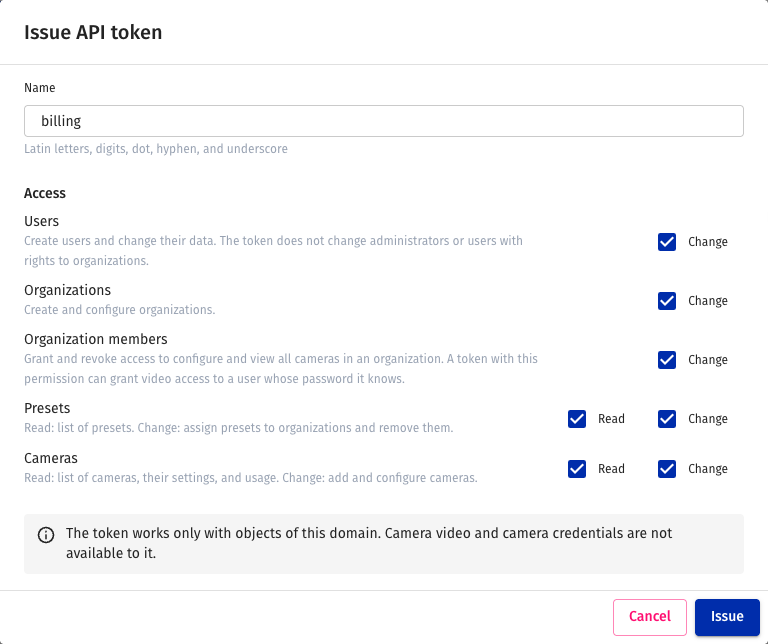
-
Click Issue. In the dialog, use the copy button beside Key and store the value on the billing server. The key is shown only in this dialog; it cannot be reopened from the list after closing.
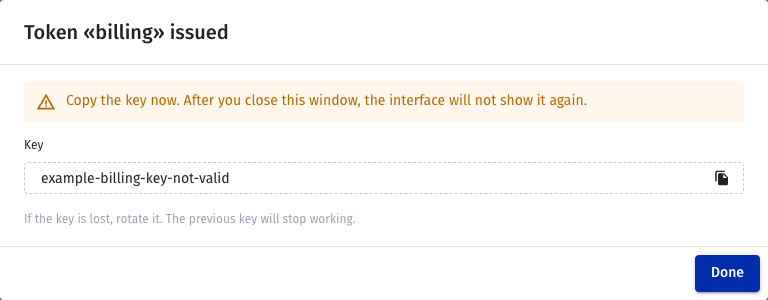
-
Click Done. Check that the
billingrow appears in the list and Access shows the selected permissions.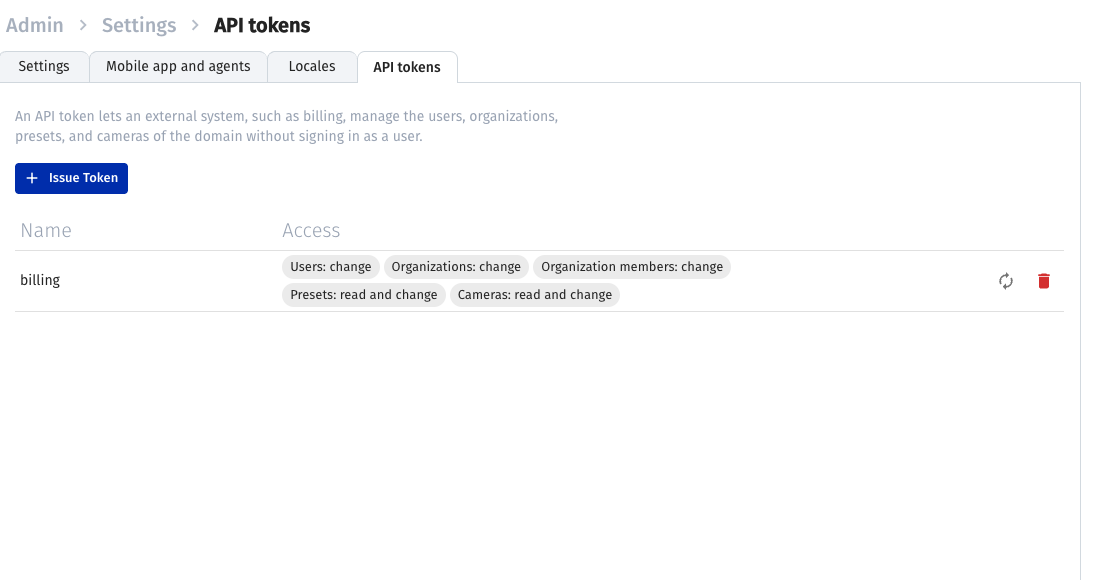
Finish with the request that verifies plan access. The token has already been issued; do not repeat the creation request from the API method.
Issue through the API
- The domain administrator obtains a user session with
POST /watcher/client-api/v3/loginandAuthorization: Basic base64(login:password). Takeaccess_tokenfrom the response. Use this session only to manage the token. -
Send the creation request as the administrator. The name
billingmust be available in the domain:POST /watcher/client-api/v3/api_tokens Authorization: Bearer <administrator access_token> Content-Type: application/json { "name": "billing", "permissions": [ {"scopes": ["config/users"], "write": true}, {"scopes": ["config/organizations"], "write": true}, {"scopes": ["config/presets"], "list": true, "write": true}, {"scopes": ["config/streams"], "read": true, "list": true, "write": true}, {"scopes": ["config/organization-users"], "write": true} ] } -
Store
keyfrom the successful response in the billing configuration. All subsequent examples, except management of the token itself, useAuthorization: Bearer <key>on this same domain. -
Verify the token by listing plans. In Bash, set the domain address and key, then run:
export LUMIKA_URL='https://operator.vsaas.io'
read -r -s -p 'API token: ' LUMIKA_TOKEN
echo
export LUMIKA_TOKEN
curl --fail-with-body -sS \
  -H "Authorization: Bearer $LUMIKA_TOKEN" \
  "$LUMIKA_URL/watcher/admin-api/v3/presets"
Expect
200and an object containing apresetsarray. An empty array means the request succeeded but there are no plans; arrange them with support before provisioning subscribers.401indicates an authentication problem;403indicates insufficient permissions or an operation unavailable to this token. Check the domain address, scope, and operation flag.
The integration token cannot list users or organizations, retrieve user API keys, or delete users or cameras. Store returned id and name values in billing. For administrative reconciliation, use a separate domain administrator session without sharing it with billing.
Change permissions, rotate, and revoke
Manage through the interface
The domain administrator opens Settings → API tokens and finds the billing row.
-
Rotate — click Rotate key (the circular-arrow icon). Read the warning and click Rotate. Copy the new key from the dialog and replace it in the billing configuration. The old key stops working immediately; arrange the switch in advance.
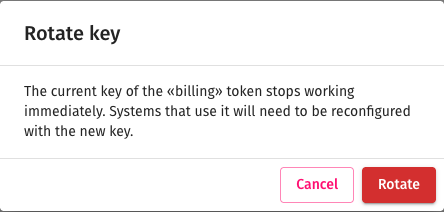
-
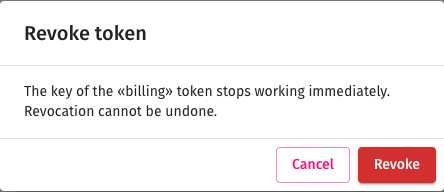
Revoke — click Revoke (the bin icon), then confirm Revoke in the dialog. The revoked token disappears from the list; its key cannot be restored. Verify that access has ended by listing plans: authentication should be denied.
Change an existing token's permissions through the API; this page has no separate permission editing form.
Manage through the API
The domain administrator makes these requests using their own session:
- List integration tokens —
GET /watcher/client-api/v3/api_tokens. - Change permissions —
PUT /watcher/client-api/v3/api_tokens/billingwithname: "billing"and the complete newpermissionsarray. It replaces the previous permissions; the key remains unchanged. - Rotate the key —
POST /watcher/client-api/v3/api_tokens/billing/rotate. Storekeyfrom the response and update the billing configuration. The old key immediately stops authenticating requests, so arrange the switch in advance. - Revoke the token —
DELETE /watcher/client-api/v3/api_tokens/billing. After204, the old key no longer works. Verify revocation by listing plans again: authentication should be denied.
The token name is preserved on update. If a 409 response reports ambiguous_name, stop the update and contact the administrator: the domain contains tokens with the same name. NVR connection keys and camera viewing links use their own mechanisms and are not this integration's tokens.
Plans (presets)
Prepare the plans with support before launching billing. A preset defines archive retention, cloud or local storage, and analytics. Set billing_external_id in Lumika: Camera presets → plan → Billing external ID.
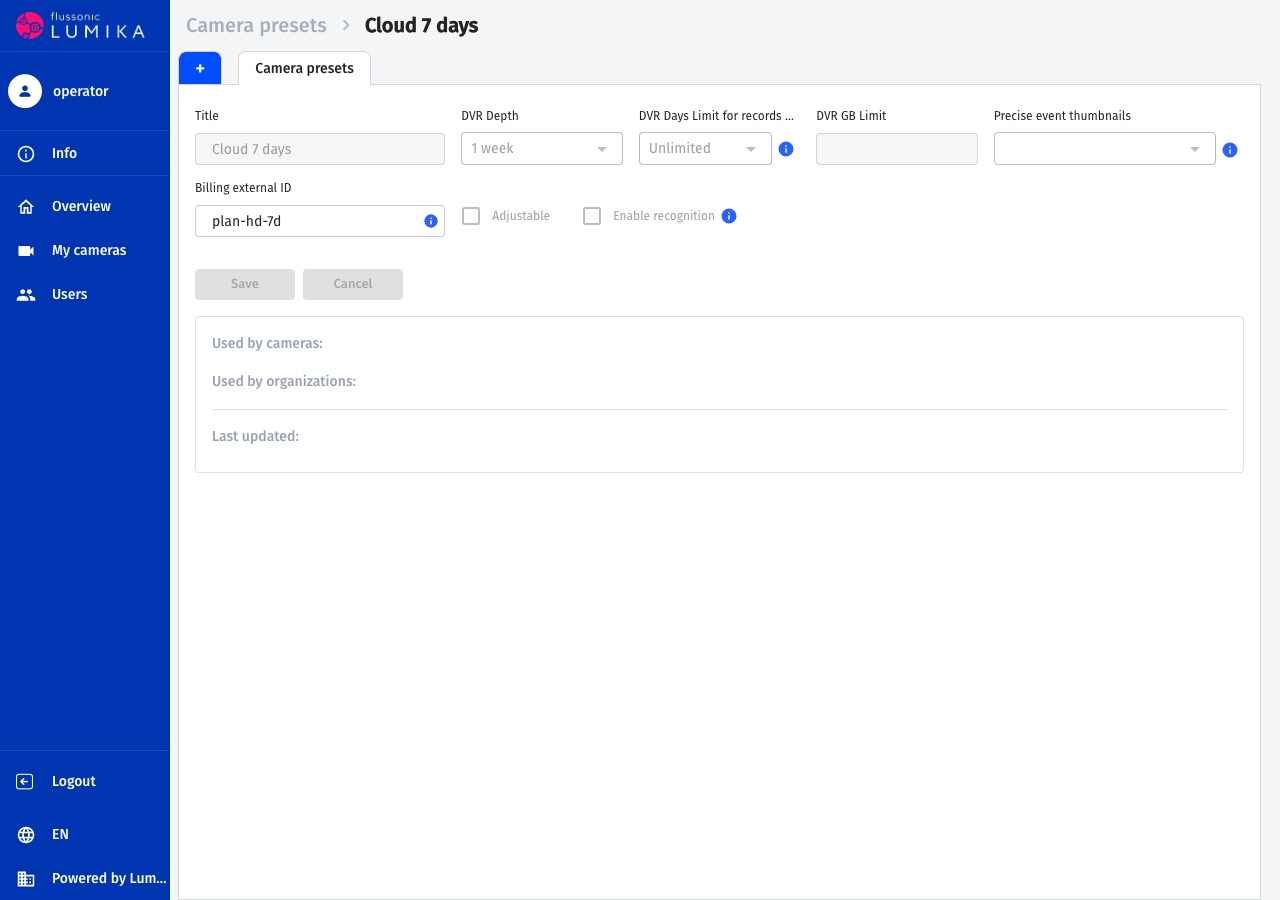
The integration token reads plans with GET /watcher/admin-api/v3/presets. Store id, title, billing_external_id, and the service settings for each entry. If the response contains next, pass it as cursor in the next request. This token cannot change the preset's own fields.
Assign plans to organizations separately:
- Grant a plan to an organization —
PUT /watcher/client-api/v3/organizations/{id}/presetswith{"preset_id": 7}. The request adds a plan rather than replacing the entire set. - Revoke a plan —
DELETE /watcher/client-api/v3/organizations/{id}/presets/{preset_id}. - Default plan — a preset with
is_default: trueis automatically available to organizations.
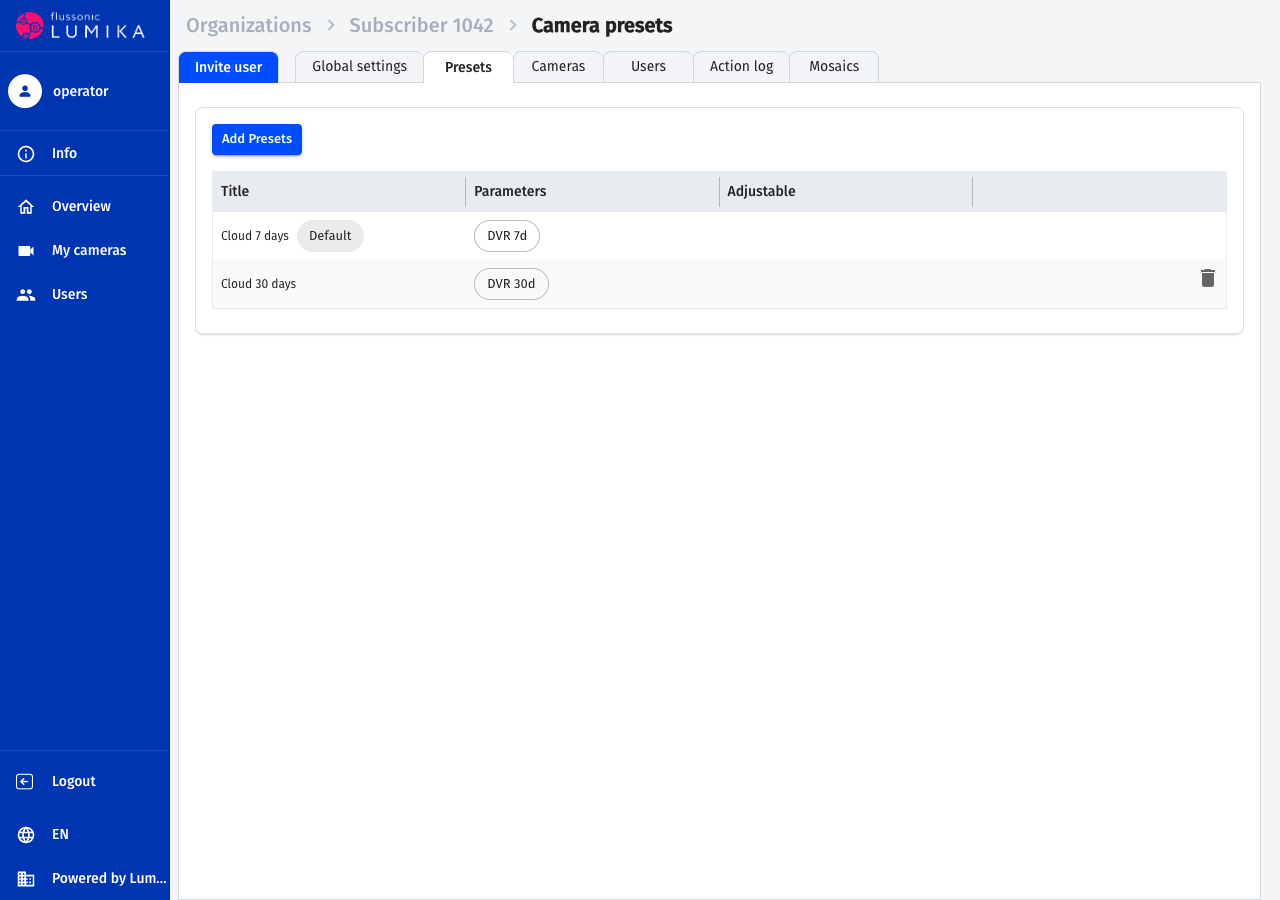
With is_adjustable: false, the preset determines archive settings. To change the service, assign another available preset; verify the camera's saved plan and actual recording after the change.
Subscriber provisioning
Perform these steps in order using the billing token. The numbers 314, 501, and 7 are examples: replace them with identifiers from responses. Before creating a camera, its organization must have an owner with external_id set.
-
Create the subscriber's organization. When using the token, it can temporarily have no owner:
POST /watcher/client-api/v3/organizations

{"title": "Абонент 1042", "limits": {"streams": 5, "users": 3}}
Store the organization's
id, referred to as314below. If the response is lost, first ask the administrator to check creation in the organization list; repeating POST may create a duplicate. The token cannot read the organization list. -
Create a regular user in this organization through the Admin API:
POST /watcher/admin-api/v3/users

{
  "name": "subscriber-1042",
  "password": "ExamplePassword1042",
  "email": "subscriber-1042@example.com",
  "external_id": "1042",
  "organization_id": 314
}
Store the user's
id, referred to as501below.nameis the login andemailis the notification address. Set a separate password for a real subscriber. The token creates and changes only regular users in its own domain; administrator accounts and users with special privileges are unavailable to it. -
Assign the subscriber as owner:
PUT /watcher/client-api/v3/organizations/314

{"owner": {"id": 501}}
The subscriber can now manage their organization and activate cameras. The billing token does not become an organization member and does not require permanent user permissions to its cameras.
-
Grant the subscriber's plan unless it is available by default:
PUT /watcher/client-api/v3/organizations/314/presets {"preset_id": 7} -
Add a camera, or provide the subscriber with the details for activating an Agent themselves. Verify subscriber sign-in, access to their camera, and archive access under the selected plan. Check that other subscribers' cameras are unavailable. Store the mapping subscriber →
user_id→organization_id→stream_namein billing.
An additional user does not receive viewing access through organization membership alone. The owner or an integration with the config/organization-users scope grants permissions through the separate workflow. This scope permits only can_edit_streams, can_view_streams, and note; it cannot grant user management or other organization permissions.
Cameras
Use the Admin API to create an RTSP camera reachable from the cloud. The organization and selected preset must belong to the domain, and the preset must be available to the organization:
PUT /watcher/admin-api/v3/streams/new-camera

{
  "title": "Подъезд 1",
  "organization_id": 314,
  "preset_id": 7,
  "inputs": [{"url": "rtsp://camera.example.com/main"}]
}
Store name from the response. The system generates the camera name; new-camera in the path will not become its name. If the response is lost, first reconcile the list through GET /watcher/admin-api/v3/streams?organization_id=314, following next → cursor. Repeating creation with an arbitrary name may create a second camera.
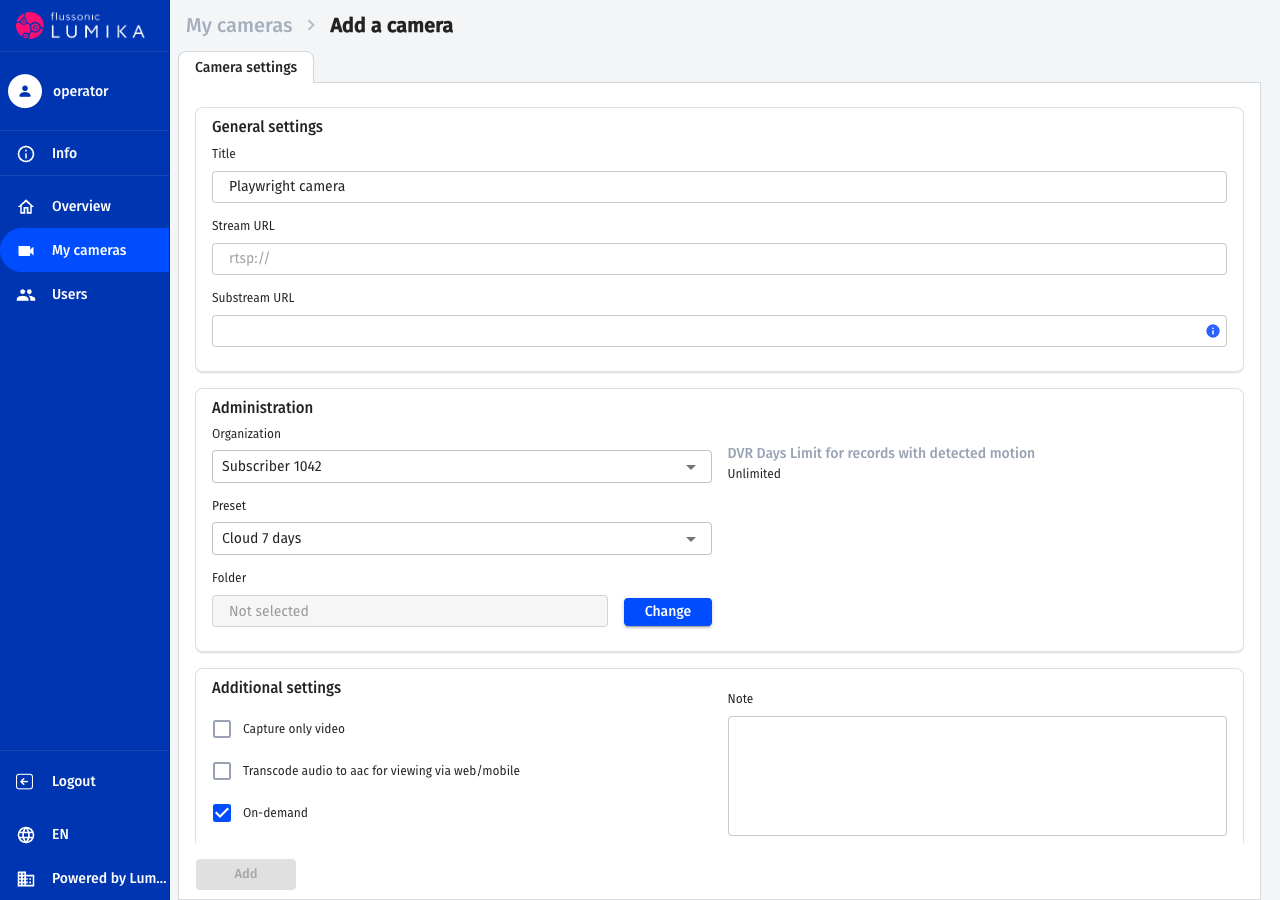
Verify the saved organization and preset with GET /watcher/admin-api/v3/streams/{stream_name}. The subscriber or installer verifies actual video and archive access using their own account: the configuration token does not provide viewing access.
Agent cameras
Cameras behind NAT connect through Flussonic Agent. After being assigned as owner, the subscriber signs in to the Lumika app or web interface and activates the device in their organization. An installer can do this using their own account after receiving temporary access.
The integration token cannot call the user workflow for creating an Agent activation key. It retrieves cameras that have appeared through GET /watcher/admin-api/v3/streams?organization_id=314 and manages their plans. To distinguish organizations during installation, the installer must select the correct subscriber's organization.
Exporting Agent details to billing
A separate activation service integration can send details of activated devices to a billing URL. Arrange its setup and authorization separately with support: this incoming export does not use the Lumika configuration token.
When export is enabled, your URL receives POST requests with records of activated agents. Each record contains:
| Field | Contents |
|---|---|
agent_serial |
Camera serial number — the merge key for your device inventory: agent_id may change when the camera is reset or transferred to another subscriber; the serial number does not |
agent_id |
Agent identifier |
agent_key |
Camera authorization key |
agent_model |
Camera model |
stream_url, substream_url |
RTSP URLs of the main and additional streams |
thumbnails, onvif_url, onvif_profile, can_ptz, admin_auth |
Camera parameters |
registered_at |
Activation time, as a Unix timestamp |
owner |
Subscriber identifier, if written to the camera during installation; otherwise empty |
abonent_sign |
Activation code, if the subscriber added the camera through the application or interface; otherwise empty |
After receiving a record, respond with 200. For any other response, the activation server retries delivery several times with increasing intervals. Your response body is not parsed.
Store agent_serial for matching device records and agent_id for the current activation. The owner and abonent_sign fields may contain binding details. After notification, reconcile the camera and its organization through the Lumika API; the exported record format is not a camera creation request body.
If the device is not yet bound, complete the user activation workflow in the previous section. Then store the returned camera name in billing. Repeated notifications about the same device must not create a second service.
Changing a plan
Assign another available preset to the camera:
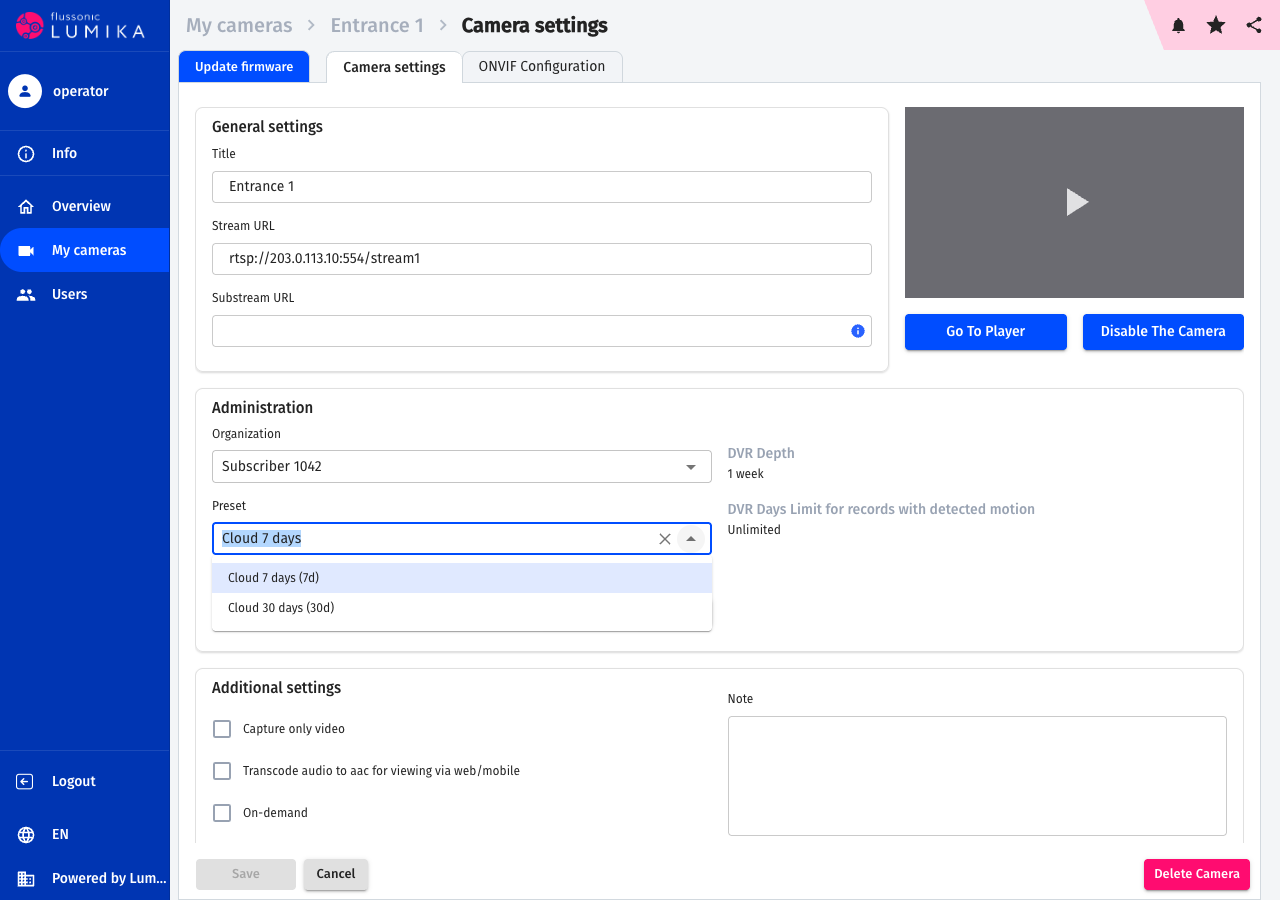
PUT /watcher/admin-api/v3/streams/{stream_name}

{"preset_id": 9}
For several cameras, use:
POST /watcher/admin-api/v3/streams/multiedit

{"streams": [{"name": "camera-one", "preset_id": 9}, {"name": "camera-two", "preset_id": 9}]}
Insert the stored names. If a name is not found, the request is rejected with 404; successful application returns 204. Read the cameras again and verify the new preset, then check recording under a user account. Changing archive retention does not restore recordings that have already been deleted.
Deleting a camera
The config/streams token does not allow DELETE /streams/{name}. If a camera is no longer needed, a user with the appropriate permissions deletes it through the Lumika interface. For temporary suspension, disable it as described below. Deletion and disabling have different effects on usage metering; reconcile the outcome using the report.
Temporary installer access
An installer is a regular domain user with their own login and password. To grant access, the integration needs the config/organization-users scope with write: true. Prepare the account before granting permissions; if billing creates it, use POST /watcher/admin-api/v3/users as in subscriber provisioning and store its id. The installer does not need to become the organization owner.
-
Grant user
502access to subscriber organization314:PUT /watcher/client-api/v3/organizations/314/users/502 {"can_edit_streams": true, "note": "Монтаж на объекте"}Expect
200and organization user details. The account and organization must belong to the token's domain. Adding a member is subject to the organization's user limit. -
Give the installer the domain address and their user account credentials. In the app or web interface, they select the subscriber's organization and connect the camera. Check that the camera appears for the correct subscriber.
-
Remove access after the work:
DELETE /watcher/client-api/v3/organizations/314/users/502Expect
204. Membership and permissions in this organization are removed, including folder and direct camera permissions. The user account and access to other organizations remain. Verify that the installer can no longer open the camera or its settings. Existing media connections may end later.
The can_edit_streams permission includes viewing all organization cameras and their archives. For viewing without configuration access, send can_view_streams: true without editing permission. Access has no automatic expiry: billing or the responsible administrator must revoke it.
The token cannot use this workflow to manage the organization owner, a system administrator, a domain owner, or a user with domain privileges. Other fields, such as can_edit_users, are forbidden for this token. For 403, check the allowed fields and target user type; for 404, check the identifiers and domain.
Suspending service for non-payment
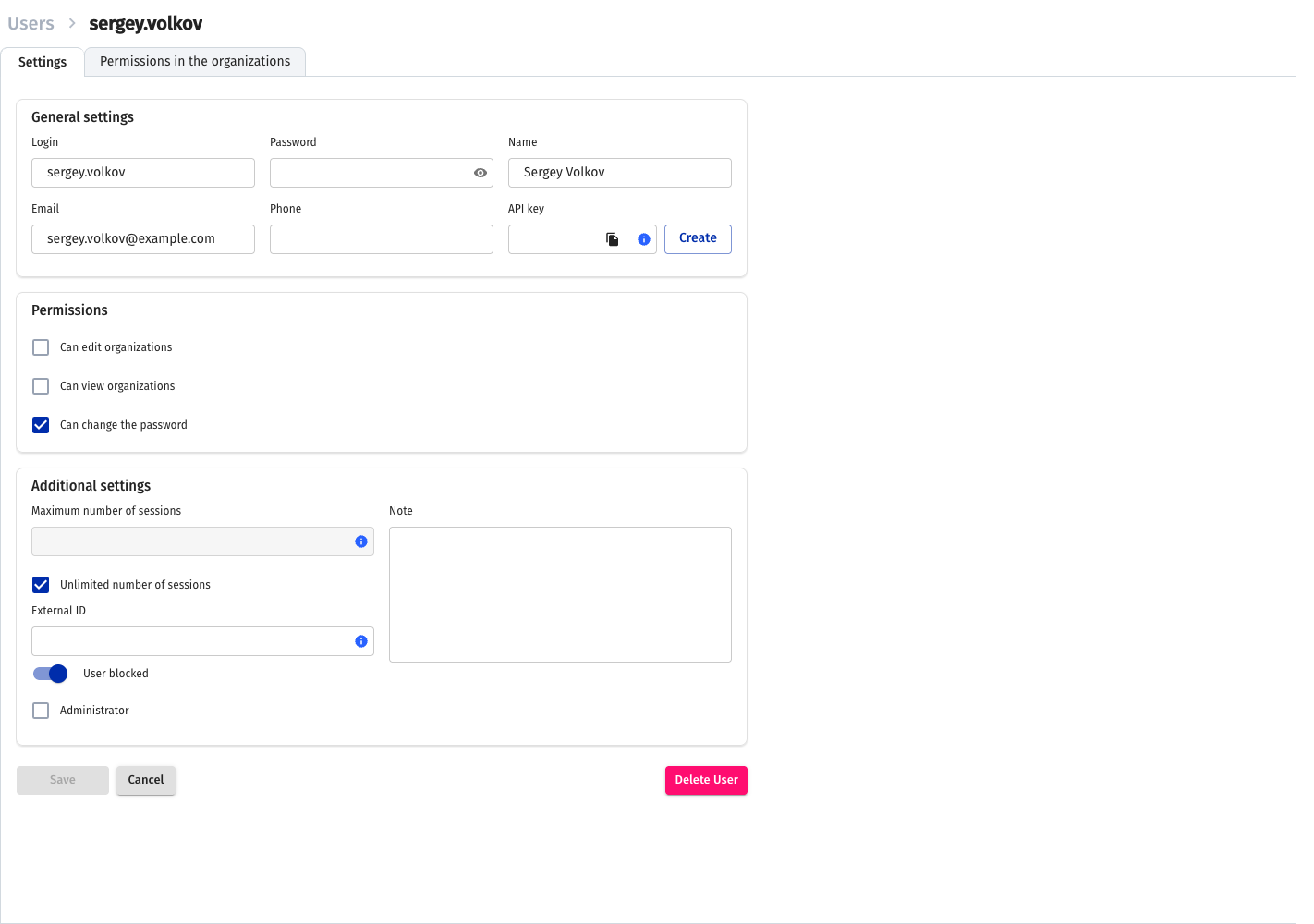
Whenever you update a user through PUT /watcher/admin-api/v3/users/{id}, send the current disabled value. If omitted, it defaults to false, and the request may unblock the user. The billing token cannot read the user record: store the blocked status in billing or ask an administrator to check it beforehand.
Use the Admin API to block a regular subscriber:
PUT /watcher/admin-api/v3/users/501

{"disabled": true}
Active user sessions are deleted; subsequent sign-in and new video requests should be denied. Do not treat the API response as confirmation that every existing media connection has immediately ended. The organization, cameras, and archive remain. To resume service, send {"disabled": false} and verify a new subscriber sign-in.
To stop one camera for all its users:
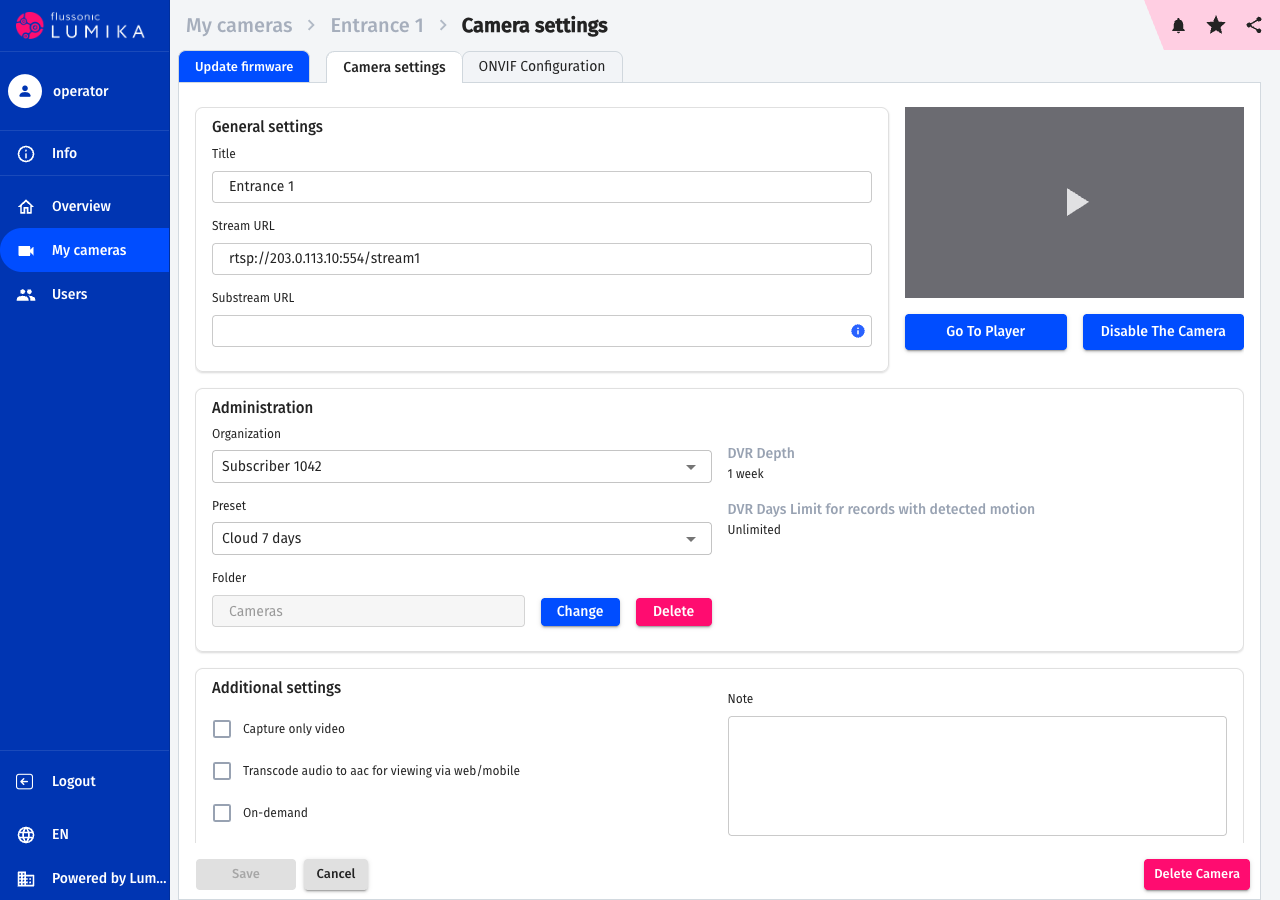
PUT /watcher/admin-api/v3/streams/{stream_name}

{"disabled": true}
After saving, read the camera again and verify that video and recording have stopped. To enable it, send disabled: false.
Disabling a user or camera does not stop service metering by itself. If suspension requires another plan, prepare it with support and assign it to the cameras. Previously issued camera sharing links have their own permissions: verify their revocation separately from blocking the user.
Usage report
The method that provides data for subscriber invoicing is:
GET /watcher/client-api/v3/usage/cameras?from=2026-07-01&to=2026-07-31
For this request, the token needs config/streams and list: true. The method returns data only for the token's domain. Each response entry is a usage period: an interval during which the camera used one plan, clipped to the requested range:
{
  "usage": [
    {
      "stream_name": "Подъезд.1-k3n8f2p1qa",
      "plan_id": "cloud-7d",
      "billing_plan_id": "plan-hd-7d",
      "account_id": 314,
      "external_account_id": "1042",
      "license_id": "12345",
      "from": "2026-07-01",
      "to": "2026-07-18"
    },
    {
      "stream_name": "Подъезд.1-k3n8f2p1qa",
      "plan_id": "cloud-30d",
      "billing_plan_id": "plan-hd-30d",
      "account_id": 314,
      "external_account_id": "1042",
      "license_id": "12345",
      "from": "2026-07-19",
      "to": "2026-07-31"
    }
  ]
}
In this example, the report contains two periods: the camera is metered under one plan through July 18 and under another from July 19. Use the exported dates for billing, rather than the time of the preset change request.
| Field | Contents |
|---|---|
stream_name |
camera name: the name stored when creating it |
plan_id |
preset external_id: the plan identifier in the platform's internal accounting |
billing_plan_id |
preset billing_external_id: the plan identifier in your billing system |
account_id |
internal organization id |
external_account_id |
organization owner user's external_id: the subscriber account identifier in billing |
license_id |
your Lumika license identifier |
from, to |
period boundaries within the requested range, both dates inclusive |
Metering rules:
- The report uses calendar dates in UTC. Periods are updated by a background process. A preset change request does not guarantee that a new metering period opens immediately or that the plan is recorded exactly at midnight; use the returned
fromandtofor billing. - The days of camera creation and deletion are included in the report.
- An open period returns
toequal to the current date. - Fields without values are omitted entirely: if the organization owner has no
external_id, the entry has noexternal_account_idkey.
Without from and to, the method returns data for yesterday in UTC. The response uses limit (1000 by default) and cursor pagination, following the common REST API guidelines.
Recommended approach: retrieve the previous day's data once a day; the defaults do exactly that. Aggregate days in your system and store the processing result for each range so that repeating an export does not cause duplicate charges. Alternatively, request the entire previous month on the first day of the next month.
Note
To populate billing_plan_id, set billing_external_id on every preset in use beforehand. To populate external_account_id, set the owner user's external_id before adding cameras.
Subscriber sign-in
The subscriber signs in at their domain address using the name and password set during provisioning. The mobile app also needs the domain's Operator ID. Give these details to the subscriber; they do not need the server integration key.
If the subscriber forgets their password, first check whether their account is blocked. For an active subscriber, set a new password through the Admin API:
PUT /watcher/admin-api/v3/users/501

{"password": "NewExamplePassword1042", "disabled": false}
For a blocked subscriber, send disabled: true to preserve the block. When another account changes a user's password, the user's previous sessions are deleted. Verify a new sign-in only after access has been authorized to resume.
Frequently asked questions
How do we recover a lost object mapping? Billing must store identifiers from responses. The configuration token cannot list users or organizations. The domain administrator reconciles them through the interface or their own API session. Cameras can be reconciled with the token through the Admin API. Do not blindly repeat creation requests after a timeout.
Can billing change plans without user access to video?
Yes. config/streams with write: true allows changing a camera's preset. The token itself does not provide viewing access. Managing owners and user permissions are separate operations that can grant viewing access to the corresponding user account.
Why can billing create an installer but not change their account after granting permissions?
The config/users scope is for regular subscriber accounts and does not allow changes to users with special privileges. Prepare the account before granting organization permissions. To revoke installer access, remove the organization member as described in that section.
Why does the report lack a subscriber or plan external identifier?
Set the owner's external_id and the preset's billing_external_id before the service starts. An already open period does not receive these values retroactively. Reconcile the owner, preset, and report dates before invoicing.
Why can the user not activate an Agent? Check that they own the target organization or have camera editing permission there. Viewing-only access does not permit connection. Assign the owner or grant installer access before activation.