Using Flussonic Agent
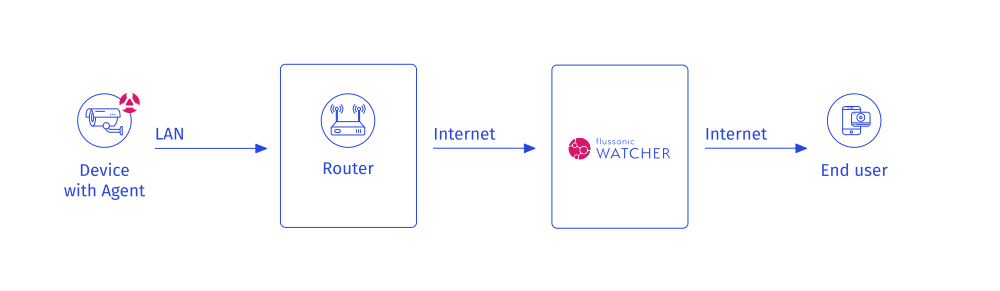
Flussonic Agent is software on a camera that establishes an outgoing encrypted connection to cloud infrastructure and sends the video stream to Watcher. The Agent may be included in the manufacturer's firmware. Installation and initial configuration depend on the camera model.
Connecting a camera
The Agent helps connect a camera behind NAT: receiving video does not require a dedicated public IP address for the camera or forwarding incoming ports to it. The camera needs Internet access and must be able to establish an outgoing connection to the Agent services.
Connect the camera to a local network with Internet access and pair it according to the manufacturer's instructions. Cameras with IRIS firmware use a QR code. If the Agent is already linked to your operator, check it in the Agent list after connecting. For an unpaired camera, follow adding through the mobile app.
The Agent uses a buffer when transmitting data, but its size is limited. The buffer does not replace local recording: a prolonged disconnection or overload can cause video loss. Do not expect the entire missing archive to appear automatically on the server after the connection is restored.
In this section:
Devices that support the Agent
An Agent build compatible with the specific camera model and firmware is required. RTSP or ONVIF support alone does not mean the Agent can be installed on the camera.
Ask the manufacturer or support for the camera list and suitable firmware. Before connecting cameras in bulk, check pairing and video transmission on one camera.
Camera connection diagram with the Agent: