Version 26.11: Playout, NDI and Watcher NVR on the new core
Version 26.11 brings Playout, a complete channel generation module covering scheduling, content preparation and advertising slots. It is available in Catena, Mcaster and Agora. Catena also gains device profiles. Mcaster adds logo overlays, a separate audio loudness measurement module and more broadcast workflows. Agora receives and delivers NDI. Watcher NVR on the new streaming core is already available as a local recorder connected to the cloud or Watcher VMS.
Playout: a channel generation module in Catena, Mcaster and Agora
Build a television channel from films, programmes, live feeds and advertising blocks. Playout is a module available across Catena, Mcaster and Agora. We now offer it as a complete channel generation solution, from preparing content and scheduling programmes to continuous broadcasting.
- Prepare video content for broadcast.
- Schedule catalogue assets and live streams.
- Insert advertising slots into the broadcast schedule.
- Edit schedules and preview the output in the console.
- Generate EPG information automatically from the schedule.
Turn a video library into a channel. Prepare your materials, assign programme times, add live segments and reserve advertising slots. The schedule drives the broadcast, giving viewers a linear channel in which every programme has its place.
Advertising belongs in the schedule. Plan advertising slots alongside programmes. Prepare the advertising materials in advance and include them in the schedule, managing channel content and its commercial inventory in one workflow.
Connect scheduling, broadcasting and programme listings. Edit the schedule and check the preview in the console. If a server starts during a programme, Playout resumes at the position matching the current time. Programme titles and descriptions automatically populate the EPG, avoiding duplicate work for viewer applications.
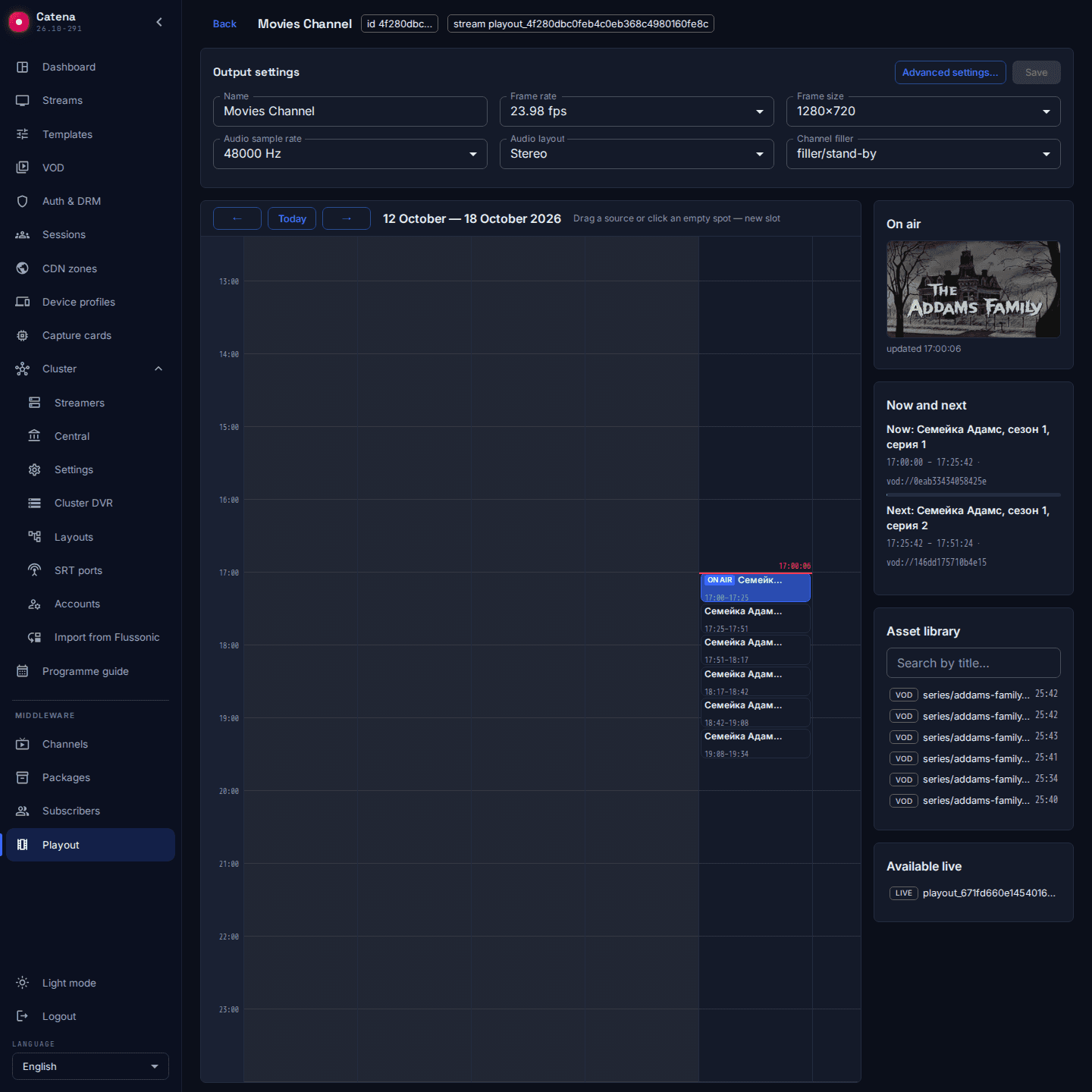
One module for different workflows. In Catena, launch your own IPTV or OTT channel. In Mcaster, generate a channel for delivery into a broadcast network. In Agora, run a corporate television channel combining prepared materials, live feeds and a schedule. All three products provide complete channel generation through Playout.
Catena: delivery to different viewer devices
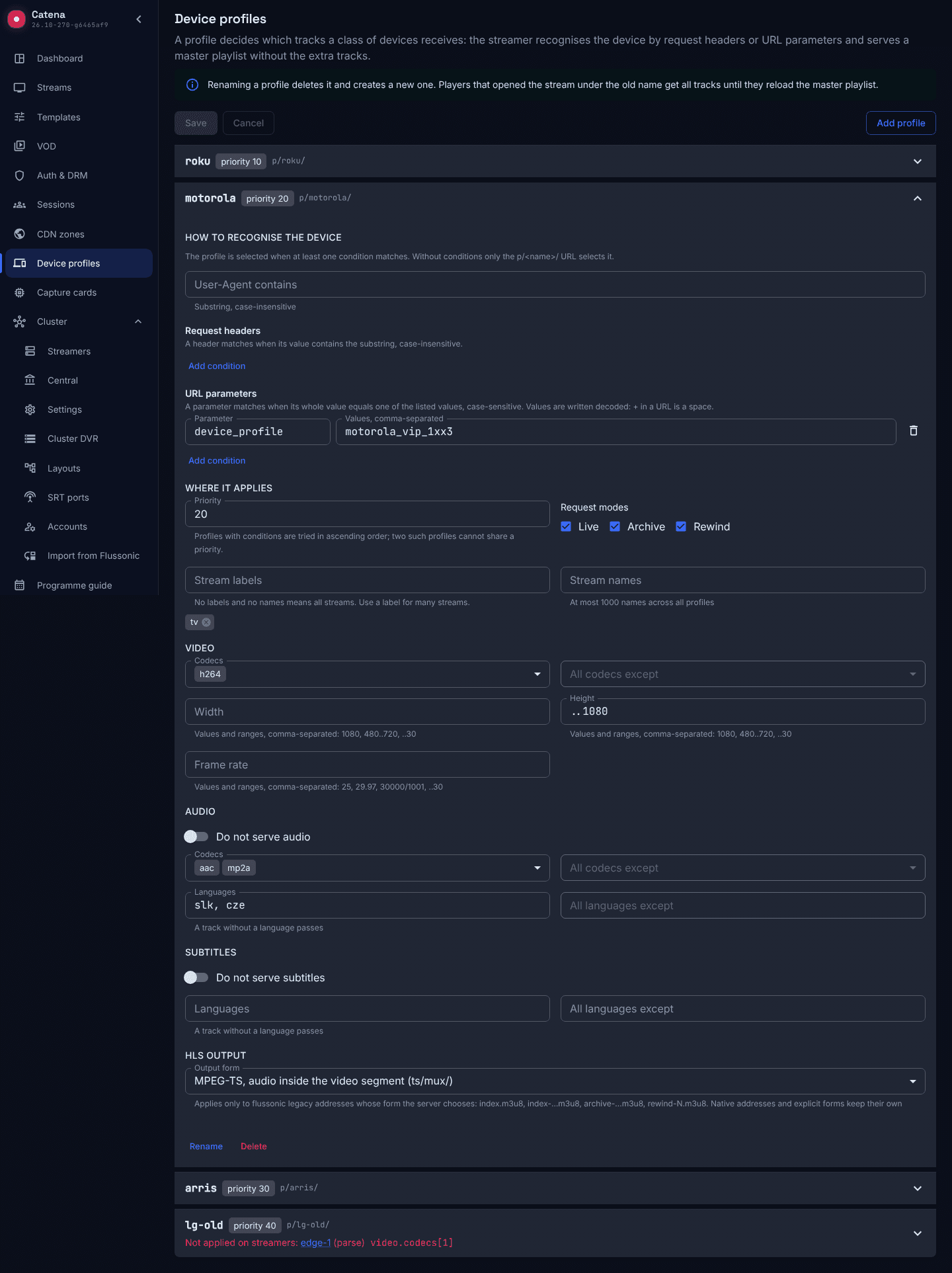
- Device profiles for selecting video, audio and subtitle tracks.
- Microsoft Smooth Streaming for live and archive playback.
- Cluster-wide viewer counts for each VOD asset.
One stream for different set-top boxes. An older box may need H.264 while televisions and applications already support HEVC. A device profile selects suitable tracks in HLS and DASH. Match profiles by User-Agent, headers or query parameters. Other viewers retain access to their own qualities and tracks.
Keep existing set-top boxes and the operator's middleware integration. Catena remains the delivery system whose address your middleware uses; device profiles do not require you to replace that middleware.
MSS for existing integrations. Catena can deliver live video and a selected archive interval to systems using Microsoft Smooth Streaming. The supported profile is H.264 and AAC-LC with unchanged track parameters. MSS support does not itself imply DRM support on this path.
VOD viewers without manual addition. The catalogue shows current viewers per asset. Each asset card displays the cluster total and the distribution across streaming servers. If some servers are unavailable, the interface marks the data as incomplete.
Mcaster: preparing a channel for the broadcast chain
- Logo overlays during CPU and NVIDIA transcoding.
- A separate audio loudness measurement module with input levels and measurement history.
- Interlaced H.264 output from interlaced SDI and ST 2110 sources.
- CEA-608/708 closed captions from SDI in H.264 and HEVC.
- Separate SRT delivery links for primary and backup servers.
- Configurable HLS and DASH segment duration.
A logo for each quality. Select an image from the library and overlay it during transcoding. Set its size and position per output quality. Use a single source to prepare outputs with different branding.
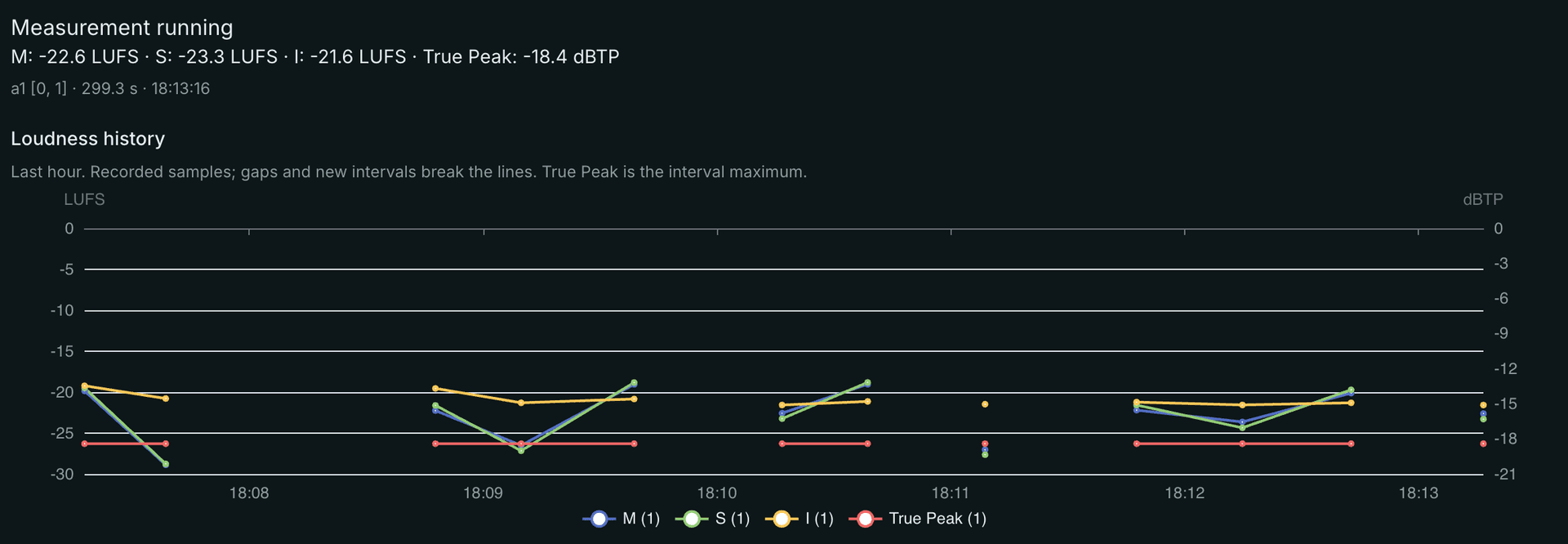
A separate audio loudness measurement module. Mcaster offers professional broadcasters and large headends a dedicated module for engineering control of audio in the broadcast chain: BS.1770 / EBU R128 measurements, current levels and history for the selected input audio programme.
The console displays momentary, short-term and integrated loudness in LUFS, plus True Peak in dBTP. Engineers can follow level changes over time and assess the input before transcoding or other processing. The module measures loudness; it does not automatically normalise it.
Broadcast formats. Route interlaced SDI or ST 2110 to interlaced H.264 output while preserving field order. CEA-608/708 captions from SDI travel in H.264/HEVC and survive DVR recording and playback. This does not promise caption preservation in ordinary MP4 exports.
Primary and backup SRT links. For a stream placed on multiple delivery servers, the console provides a separate link for each. Give the receiver primary and backup links. A server failure does not disable the other server's link; the receiver performs the switch. Seamless transfer of an existing session is not claimed.
Segments to match the receiver. Configure HLS/DASH segment duration per stream or template to meet the receiving platform's requirements. Actual boundaries depend on source keyframes.
Agora: NDI between the studio and the broadcasting system
- Receive video and audio from NDI sources.
- Publish a prepared stream as an NDI source.
- Discover sources on the local network.
Receive a studio feed over NDI and return a prepared stream to the NDI network. Output requires prepared uncompressed video frames: enabling it does not silently decode an arbitrary compressed stream.
Our own NDI implementation and transport diagnostics. We implemented NDI in our streaming core. This lets us collect detailed transport telemetry, including packet loss, retransmissions and other transport indicators, to investigate signal delivery problems. Available metrics depend on the selected NDI transport.
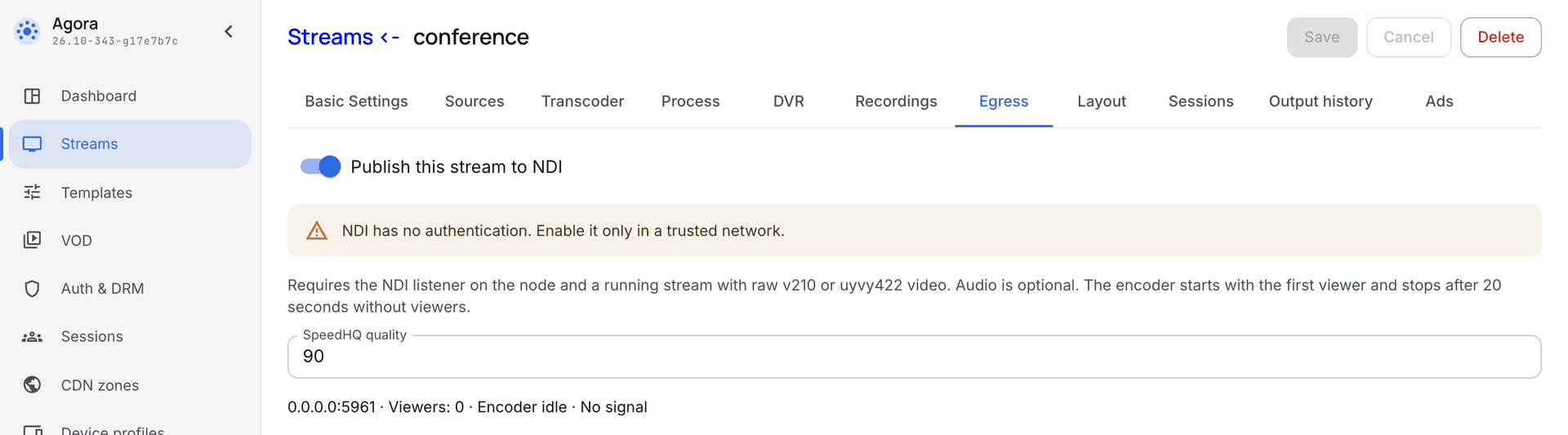
NDI output is intended for trusted networks and does not authenticate viewers. Account for this separately from access to the web player.
Watcher NVR on the new streaming core: local recording and camera analytics
Watcher NVR on the new streaming core is already available. Use it as a local recorder connected to the cloud or Watcher VMS: receive camera video, store recordings on site and provide access to live and recorded video. This version uses Optic technology built on Sapsan.
- Local recording connected to the cloud or Watcher VMS.
- Extended support for built-in camera analytics and configuration from the recorder interface.
- Lines, zones and motion detection masks directly on the camera frame.
- Camera events saved as episodes linked to the corresponding video.
Use the analytics already in your camera. The recorder receives motion, human and vehicle detection events and lets you manage camera analytics rules. Supported models offer line crossing, zone entry and exit, intrusion, abandoned objects and other scenarios. Rules run on the camera; configure them and review results in the recorder interface. Support for Optimus Smart and Hanbang cameras has expanded. Available rules and parameters depend on the camera model and firmware.
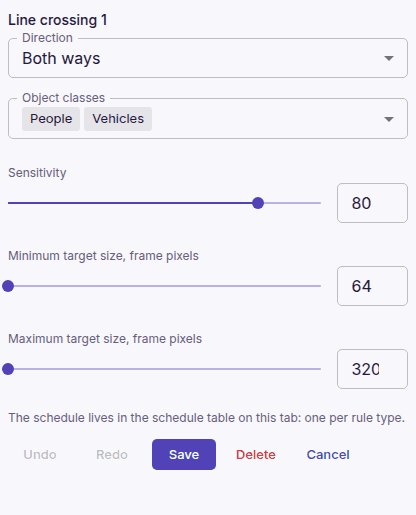
Set zones and object classes. Draw a zone or crossing line, choose direction and select object classes such as people or vehicles. A camera can report a person entering a defined area or a vehicle crossing a line. The camera declares which classes and parameters are available.
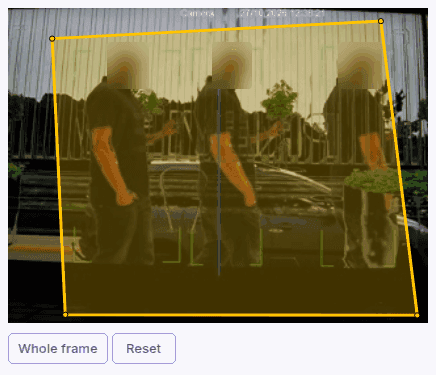
Choose where to detect motion. Mark individual cells or drag a rectangle, remove unwanted areas, clear or invert the selection. Monitor an entrance and its approach while excluding trees behind a fence, for example. The recorder writes the mask to the camera and verifies that it was saved. Other rules provide lines and zones; analytics can follow a schedule when the camera supports it.
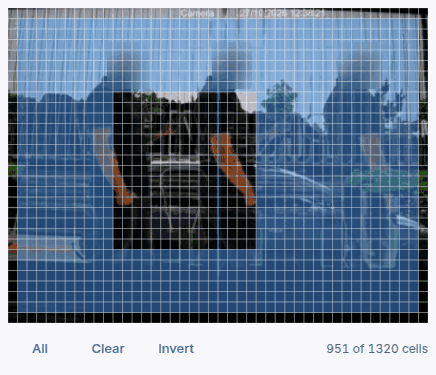
See the camera analytics configuration guide for ONVIF, including motion detection masks.
From an event to the recording. Camera events are saved as episodes. Find an event and open the surrounding video, making built-in analytics part of your archive workflow.
Next: a unified subscriber platform. In December 2026, we will start offering operators a unified platform combining television, video surveillance, intercoms and access control. Operators will be able to develop these subscriber services within one platform. Watcher NVR on the new core is available now; the unified platform is the next stage.