System settings
appliance.os.sysconf
A machine running InfraMedia is configured through a web interface, not through a shell. Hostname, network interfaces, time servers — everything is managed via the configurator API, and everything survives a firmware update.
How this differs from a regular Linux
On a server running Ubuntu or Red Hat, a system administrator configures the machine by hand: editing /etc/network/interfaces or running nmcli, fixing /etc/hostname, restarting services. Every machine becomes unique — the product of edits nobody remembers a year later.
InfraMedia removes the shell from day-to-day operations:
- Read-only root. System files cannot be modified — they are packaged into an immutable image. Editing
/etc/network/interfacesis not just unnecessary, it is impossible. - Single source of truth. All machine settings — network, hostname, time servers — live in one settings store. systemd files are rendered from it automatically and are never read back. Change the network through the web UI — the file is rewritten. Edit the file by hand — the next apply cycle restores it.
- Network changes require confirmation. Changing a network interface starts a confirmation session: the configurator applies new settings and waits for the operator to confirm from the new address. If nobody confirms, the machine reverts to the previous settings.
- Settings survive updates. A firmware update replaces system files entirely, but the settings store lives on a separate partition and remains untouched.
What can be configured
- Hostname — RFC 1123 compliant, applied through
hostnamectl. - Network — IP addresses (DHCP or static), gateway, DNS. Each interface is configured independently; interfaces without a role from the hardware profile are visible but not configurable.
- Time servers (NTP) — a list of synchronization servers, applied through systemd-timesyncd.
Interface
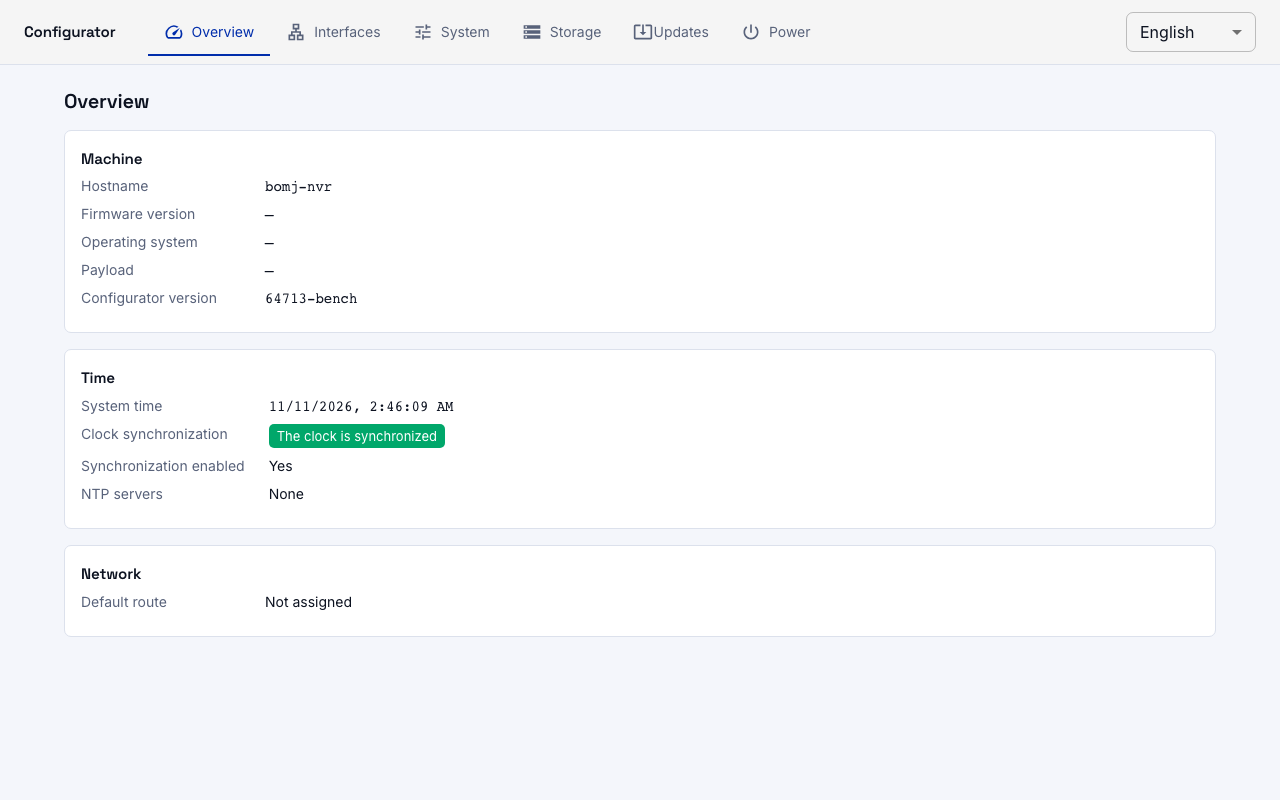
The web interface runs on port 8090. Machine overview — status, firmware version, hostname, clock:
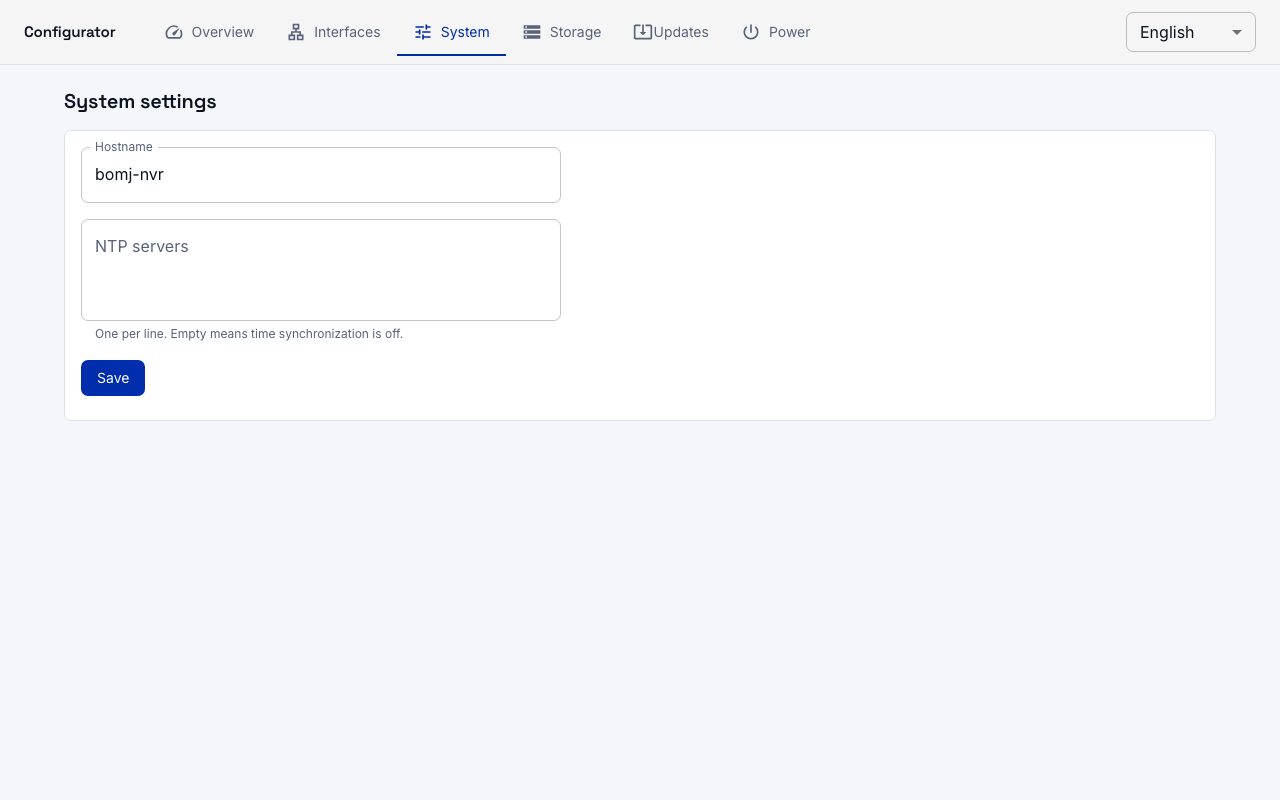
Network interfaces and system settings:
API
Everything the web interface does is also available through the HTTP API:
# Machine summary
curl -u admin:password http://machine:8090/system

# Change hostname (applied immediately, no confirmation needed)
curl -u admin:password -X PATCH http://machine:8090/system \
     -H 'content-type: application/json' \
     -d '{"hostname": "nvr1"}'

# Configure an interface (requires a confirmation session)
curl -u admin:password -X PUT \
     'http://machine:8090/system/interfaces/manage0?session_id=probe' \
     -H 'content-type: application/json' \
     -d '{"mode": "static", "address": "10.0.0.5/24"}'

# Confirm (connectivity from the new address works)
curl -u admin:password -X POST \
     http://machine:8090/system/session/probe/confirm